Introducción
Prerrequisito Interno
Herramientas

-
-
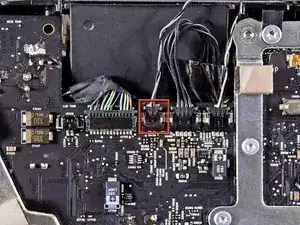
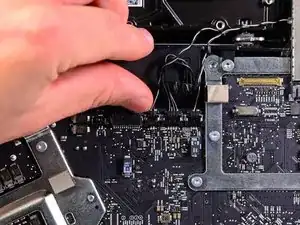
Tira del conector del sensor de temperatura del disco duro hacia el borde superior de la iMac para desconectarlo de su zócalo en la placa lógica.
-
-
-
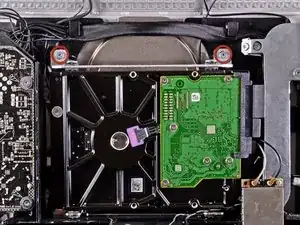
Retira los dos tornillos Torx T10 de 9 mm que sujetan el soporte superior del disco duro a la carcasa exterior.
-
-
-
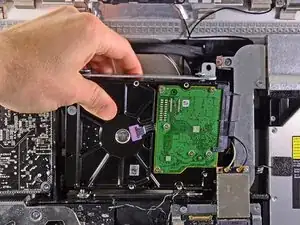
Gira ligeramente el disco duro para sacarlo de la carcasa exterior y levántalo de sus clavijas de montaje hacia el borde superior del iMac.
-
-
-
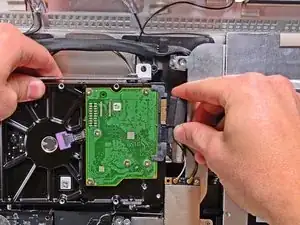
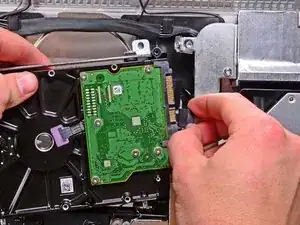
Desconecta el cable de datos SATA y el conector de alimentación SATA de sus respectivos enchufes tirando de cada conector para sacarlo del disco duro.
-
Conclusión
Para volver a armar tu dispositivo, sigue estas instrucciones en orden inverso.

I don't think this is necessary, I'd just leave it since you're removing the other end from the drive.
maccentric -
Want to add a comment on this w/reference to HDD & thermal sensor. HDD used: WD1002FAEX - 1TB WD Black. Temperature sensor on this model iMac has a little tab/plastic protrusion, Apple HDD actually has specific opening for it. With this HDD/any after market WD HDD you should use small electrical wire cutters, and just cut off the offending piece of plastic from the iMac sensor. Insert it as specified, closest to SATA/PCB board, take a picture first before taking it out, and it works like a champ!
MaximBorzov -
Sure enough, I had the same problem of the temperature sensor not fitting because of the plastic protrusion on the Apple connector. Instead of using a wire cutter to remove the protrusion, I filed it with a metal file (careful to place a rag cloth underneath, where all the filing dust would drop). It fit wonderfully after that.
girlscandotoo -
I am getting ready to swap out my wife's drive for an SSD. Since there are no moving parts do i need to be concerned with the temperature sensor?
I picked up a 240GB PNY CS1200 Series drive. Its smaller than the original but she doesnt use that much anyways.
Robert Hancock -