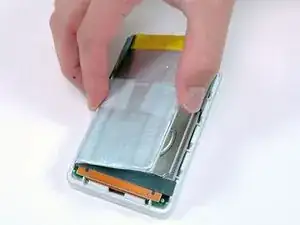
Introducción
Amplia el almacenamiento de tu iPod con un nuevo disco duro.
Herramientas

-
-
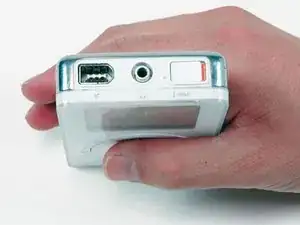
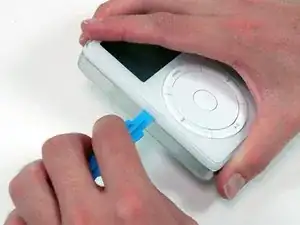
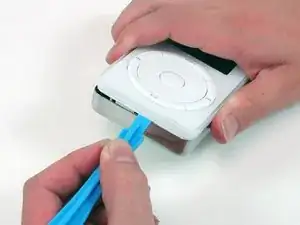
Inserta una herramienta de apertura de iPod en la raja entre la frente del iPod, blanca y de plástico, y su parte posterior, metálica. Ayuda sujetar el iPod arriba y abajo (foto) y presionar para ayudar a pasar el labio. Una vez insertada la herramienta, pásala a lo largo de la raja para liberar las cinco aletas que mantienen el iPod asemblado.
-
-
-
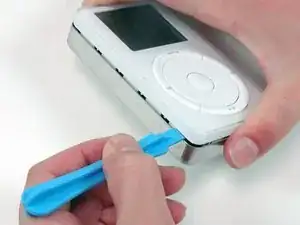
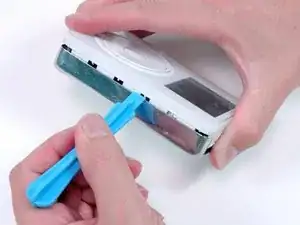
Sigue pasando la herramienta de apertura a lo largo de la raja hasta liberar las cinco aletas.
-
-
-
Pasa la ezquina del iPod y libera la dos aletas que mantienen el iPod asemblado y situada cerca del conector de acoplamiento.
-
-
-
Libera las cinco aletas que mantienen el iPod asemblado en el segundo lateral. Puede ser posible liberarlas moviendo suavemente el panel delantero del iPod.
-
Separa el panel trasero del resto del iPod.
-
-
-
Separa la batería del adhesivo que la pega al iPod.
-
Coloca la batería al lado del iPod (todavía está conectada a la placa electrónica).
-
-
-
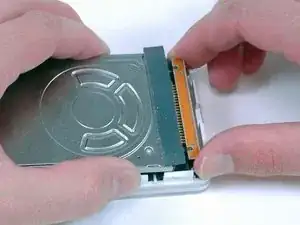
Desconecta cuidadosamente el cable plano (naranja) del disco duro.
-
Si el cable no se libera fácilmente, puede ayudar moverlo suavemente de un lado para otro.
-
Separa el disco duro del iPod.
-
Para reensamblar tu dispositivo, sigue estas instrucciones en orden inverso.

9 comentarios
Where can I get a HDD that will fit/work in this model? 1st iPod 5GB capacity. Larger capacity would be nice but not needed.
kevin -
I'd like to know the same Kevin.
Kevin. Theydon't make hard drives for it for anymore, but they make adapters for CF card and SD cards. Of Course you can put whatever size you want in it
Boy, are these cases hard to open! I got nowhere with the spudger, but I did have success using duct tape. This is worth trying as it reduces the likelihood of scratching the case. Make a tab by sticking duct tape to the metal case starting on the side down by the scrolll wheel and ending up where the metal case ends on the firewire side. Fold excess duct tape back on itself so that it is 2x thick anywhere it isn’t stuck to the iPod. This is where you are going to grab it. Rub the duct tape with a spudger or a fingernail where it touches the iPod to make it stick better. Make a similar tab on the other side. Now grab the iPod in your right hand with your thumb at the 1/8” audio connector, squeeze gently, and pull on one of the duct tape tabs. (I stared with the one of the lock button side, but I don’t think it matters.) It is smooth sailing once the case starts to open up. Clean off any duct tape residue with alcohol wipes before re-assembly.
R Calhoun -
Well, maybe for you because you have baby hands and, it Took me less Then a minute to do it
Matthew Cabanas -