Introducción
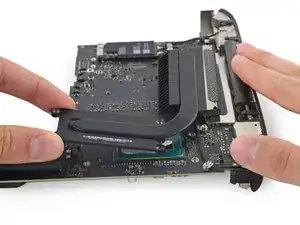
Usa esta guía para quitar o reemplazar el disipador de calor, o reemplazar la pasta térmica en tu Mac Mini finales 2014.
No olvide aplicar una nueva capa de compuesto térmico antes de volver a montar su Mac mini. Sigue nuestra [guia|744|thermal paste guide] para obtener instrucciones sobre la limpieza y preparación de las superficies térmicas y la aplicación de una nueva capa de compuesto térmico.


-
-
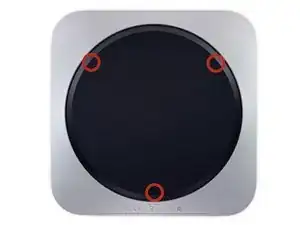
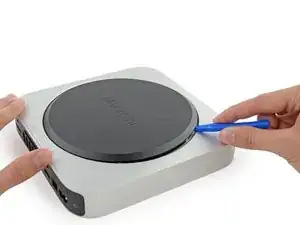
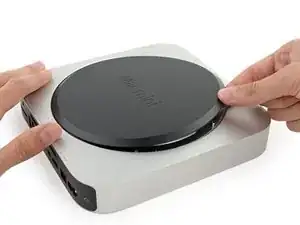
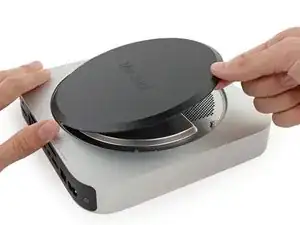
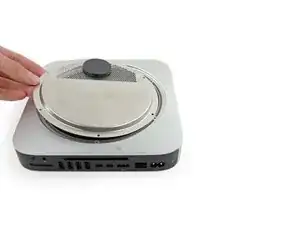
La tapa inferior está sujeta a tres pilares de tornillo.
-
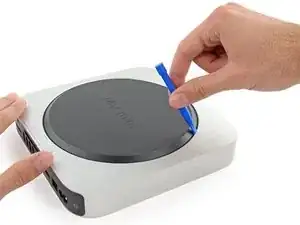
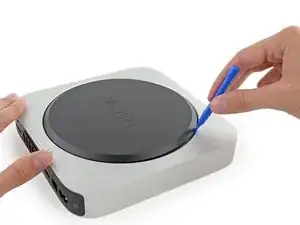
Haz palanca cerca, pero no en los postes de los tornillos.
-
-
-
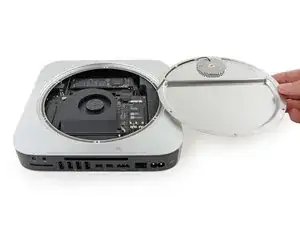
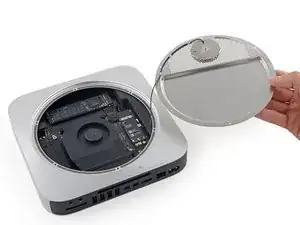
Usa la herramienta de apertura de plástico para levantar la cubierta inferior de la Mac Mini.
-
-
-
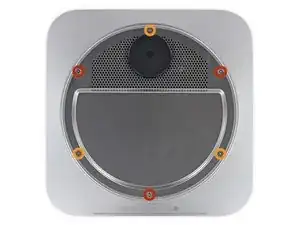
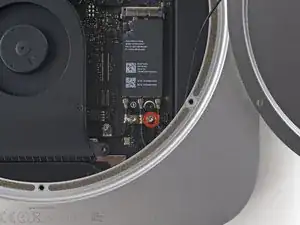
Remueve los siguientes tornillos tipo TR6 de la placa que sirve de antena:
-
Tres (03) tornillos de 4.1 mm
-
Tres (03) tornillos de 1.9 mm
-
-
-
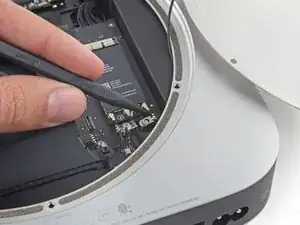
Con los puertos mirando hacia tí, levanta el lado izquierdo de la placa y voltéalo hacia la derecha para acceder al conector del cable.
-
-
-
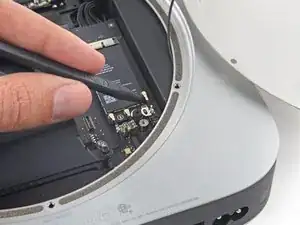
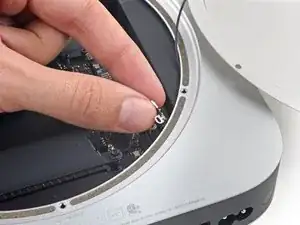
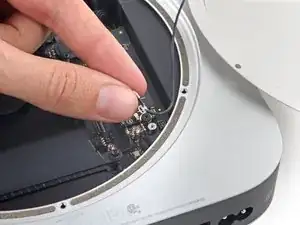
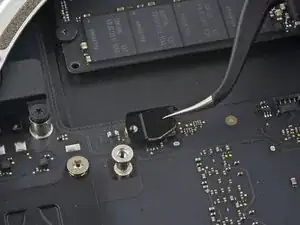
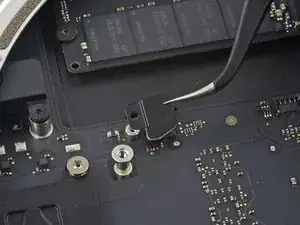
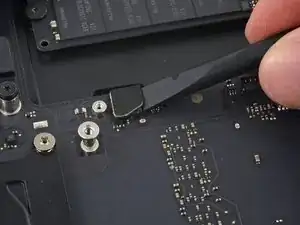
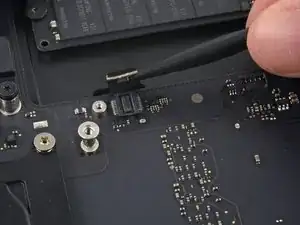
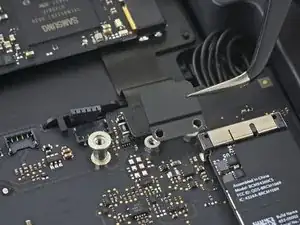
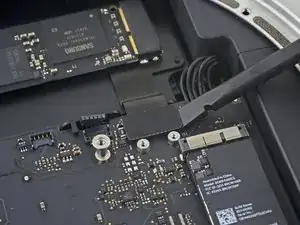
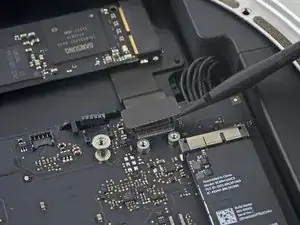
Usando la punta de un spudger (palanca de plástico) levanta el conector de la antena del zócalo de la placa Airport.
-
-
-
Con mucho cuidado, extrae el cable de la antena por el espacio que hay entre la fuente de alimentación y la carcasa.
-
-
-
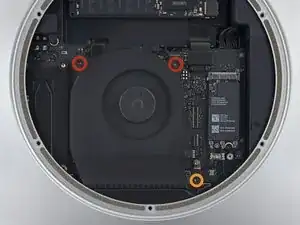
Retira los dos tornillos T6 de 12 mm del ventilador.
-
Afloja el tornillo cautivo T6 de 27 mm.
-
-
-
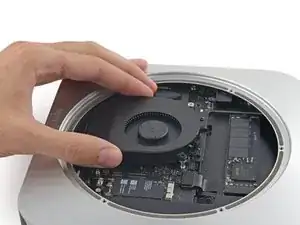
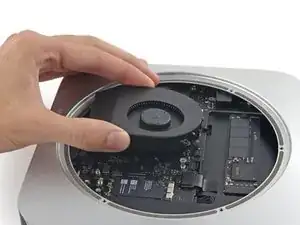
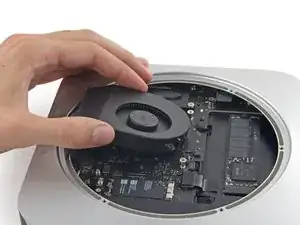
Levanta el ventilador hacia arriba para liberar el tornillo cautivo de su orificio en la placa lógica.
-
Aleja el ventilador del SSD hasta que pueda acceder fácilmente al conector del ventilador.
-
-
-
Usa la punta de un spudger para levantar el conector del ventilador y sacarlo de su zócalo en la placa lógica.
-
-
-
Usa el extremo plano de un spudger para levantar el conector del cable SATA de su zócalo en la placa lógica.
-
-
-
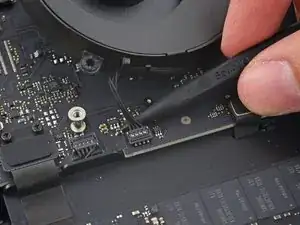
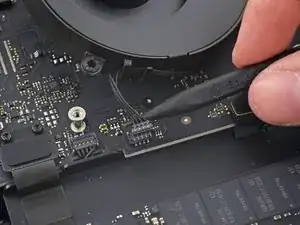
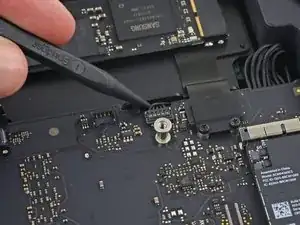
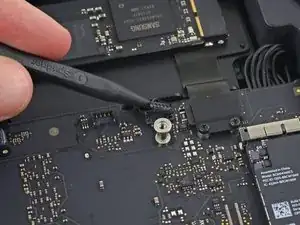
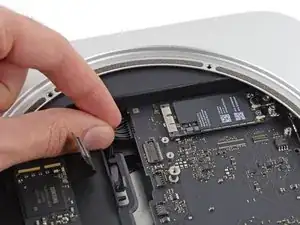
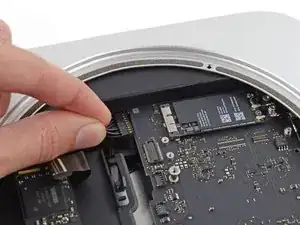
Usa la punta de un spudger para desconectar el conector del cable del sensor de infrarrojos levantándolo directamente de su zócalo.
-
-
-
Los siguientes tres pasos solo se aplican a las minis Mac equipadas con un SSD PCIe. Omita los siguientes tres pasos si su Mac mini solo tiene un disco duro.
-
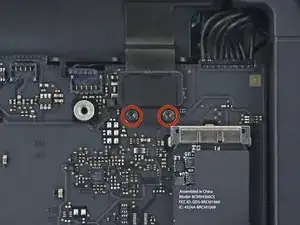
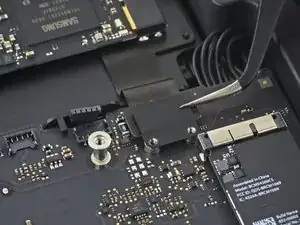
Retira los dos tornillos T6 de 2.6 mm que sujetan el soporte del cable SSD PCIe.
-
-
-
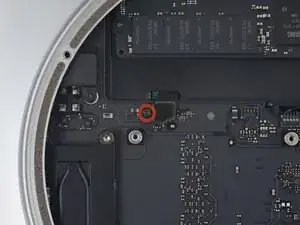
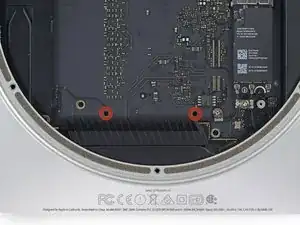
Inserta la herramienta de extracción de la placa base del Mac minien los dos orificios resaltados en rojo. Asegúrate de que las varillas entren en contacto con la caja debajo de la placa lógica antes de continuar.
-
-
-
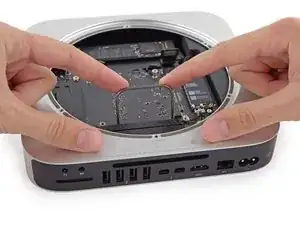
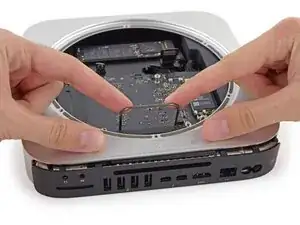
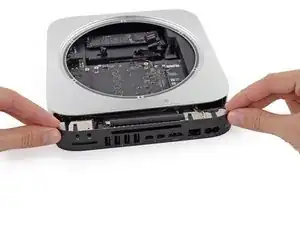
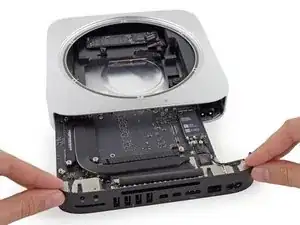
Tira con cuidado de la herramienta hacia la placa de E/S. La placa lógica y el conjunto de la placa de E/S deben deslizarse ligeramente hacia afuera de la caja exterior.
-
Deja de hacer palanca cuando la herramienta de extracción haga contacto con la abertura de la caja trasera.
-
-
-
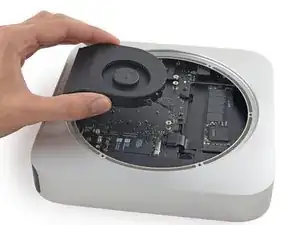
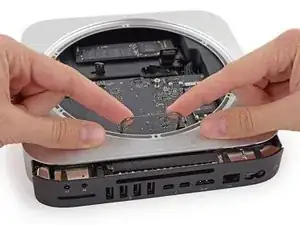
Desliza con cuidado el conjunto de la placa lógica fuera de la Mac mini, teniendo en cuenta los cables que puedan quedar atrapados.
-
-
-
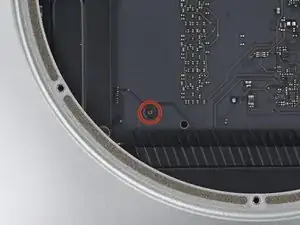
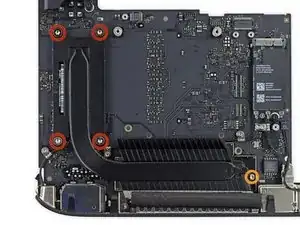
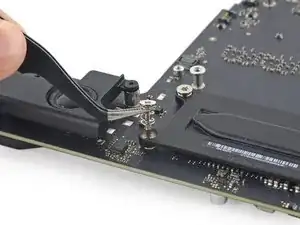
Quite los siguientes tornillos que sujetan el disipador de calor a la placa lógica:
-
Cuatro tornillos Torx T8 de 8,6 mm
-
Un tornillo Torx T6 de 2,9 mm
-
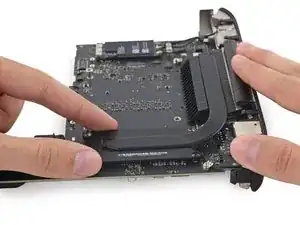
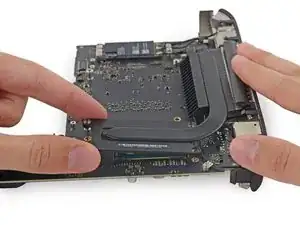
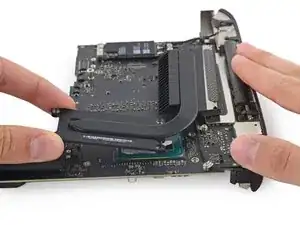
Para volver a montar su dispositivo, siga estas instrucciones en orden inverso.

Read Me First: I purchased an SSD drive directly from Crucial and, of course, it came uninitialized. After going thru the entire tear down, installing the new drive, and rebuilding the mini, it refused to recognize the new drive. So, of course, I had to re-tear it down, remove the new drive, insert it into an external housing and format it using my Macbook. After that the mini recognized the new drive. A word to the wise: format the new drive before installing it.
tom -
How were you installing the OS? I am planning on booting into a USB drive with a copy of OS High Sierra on it, and I assume I will be able to format my new Samsung SSD using that?
Simon -
On my Samsung EVO 850, mac mini download system automaticly
Stefan Repac -
Pre-formatting is not necessary if you make a USB boot installation drive with macOS installer. During boot up, hold down the option key until the mac boot into the USB, formatting can then be done using disk utility running off the USB drive.
SBR249 -
I had the exact same experience as tom. I installed a brand new 2TB Samsung 850 EVO and it was not recognized by the Mac Mini. I booted from a portable USB drive with a bootable copy of macOS High Sierra but the 850 EVO SSD I had just installed was not shown as an option. I tore down the Mac Mini again, formatted the 850 EVO, rebuilt the Mac Mini, and booted off the same bootable High Sierra USB drive, and sure enough the 850 EVO was recognized.
maxim -
diskutil list
diskutil erasedisk [filesystem] [drivename] /dev/disk[disk number]
Paul Rodgers -
My drive (Evo 860) was also not initialized. I started in recovery mode and went to disc utility and from there selected the drive. I then was able to use the “erase” function on the drive. I just left the settings as default and as soon as it erased then the drive was ready to go.
Nathan Cooper -
Just completed this upgrade a few days ago, having purchased the 1 TB SSD kit from IFixIt. The kit arrived quickly and the tools and drive worked perfectly. The step by step guide posted here is pretty much flawless, but do pay attention to the specific comments from users on certain steps - they really help. As far as ensuring that the new drive will reboot and install MacOS, I watched 1-2 videos on YouTube about re-installing using the Internet Recovery tool and that worked perfectly. My MacMini is performing WAY better than it used to, for only a $200 upgrade kit and about 3 hours of work, all in. Thanks!
Joshua Rednik -
I’ve had Apple computers since the G3 machines and they have always been snappy.
Unfortunately this 2014 macmini has always been slow but this upgrade (6 years later) has changed that!
if you have a late 2014 macmini, do this.
I used a 860 Samsung.
Mike Hayes -
A quick comment to tell you that at every step, make sure to read the comments and be careful. I managed to do the process fast without any problems, but thanks to the comments that warned me enough on the risky steps.
Euronymous -
This guide surely helped me breath upgrade and bring some new life into my macmini. Thanks to all who contributed.
Cameron Hasell -
can one of you give me the link for the screw drivers please?
Gerardo Ramirez -