Introducción

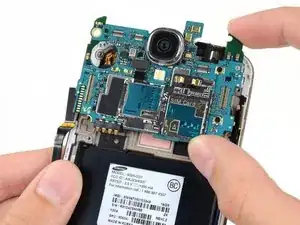
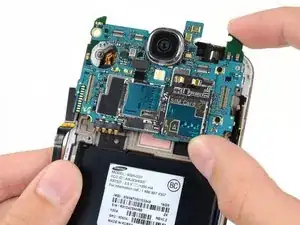
Pre-requisito para reemplazar la placa madre en un Samsung Galaxy S4.

Herramientas

  1. QOBJ3LFbWBFVVGcA
    QOBJ3LFbWBFVVGcA
    yVD1EFNFEaXchvOf
    63C2pIomgcyGqkCc
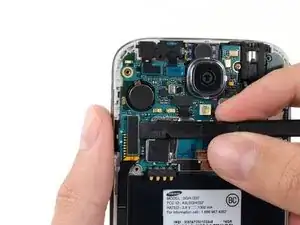
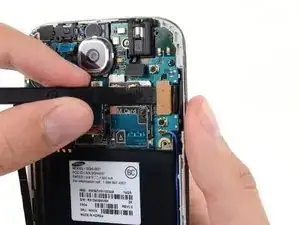
    • Usa el extremo plano de un spudger para desconectar el conector de la placa USB.

    • Desconectar el conector del cable de la cámara frontal .

    • Desconectar el ensamblaje del conector del cable del altavoz auricular.

  2. rNPnmChVeydDDOkQ
    rNPnmChVeydDDOkQ
    XLIVIYF1GdMvaGRN
    epVsggkyQGhUiBBG
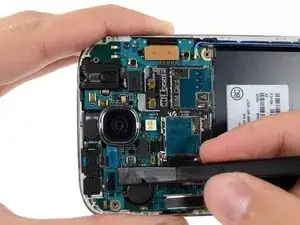
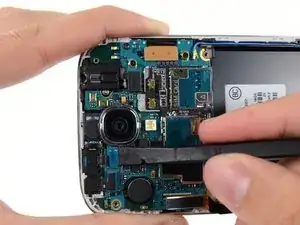
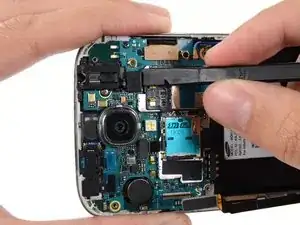
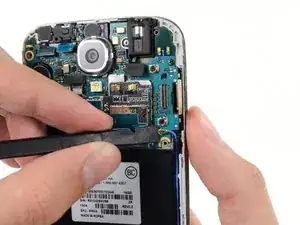
    • Desconecta el conector del cable del ensamblaje de la toma de auriculares.

    • Desconecta el conector del cable de la pantalla/el digitalizador.

    • Desconecta el conector del cable de la antena.

    My model had an antenna connection next to the usb board connector in addition to the antenna connection near the display cable connector.

    Drew -

    That's point a, on the daughter board (where the USB is located is point b. You must connect it from a to b

    djweijers1997 -

    I could not get the screen connector to fit on with the motherboard assembly in place. I had to remove the motherboard assembly, attach the screen connector, and then carefully replace the motherboard assembly, with the screen connector still attached..

    Tom4G -

    Same as Tom4G above. When trying to connect the screen connector, it would not give me that nice clear snap indicating a positive connection. The phone powered up with no screen. So, I disconnected the other connectors again, lifted the motherboard out and connected the screen connector by pinching it with finger and thumb from both sides of the motherboard, this time getting a nice snap when it engaged.

    speedrzr -

  3. rj6NCBPKbIQYnvFu
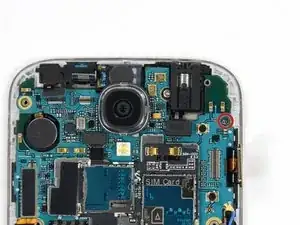
    • Remueve el único tornillo de 2.4 mm Phillips #00 del ensamblaje de la placa madre.

    As Sam Lionheart states at the end of this guide, some of these phones have an additional antenna on the opposite side of the phone. Be sure to detach it before removing the motherboard.

    mcr4u2 -

  4. aePe63fVSmTOtsPY
    aePe63fVSmTOtsPY
    etpnFuSt2fSS2A1Y
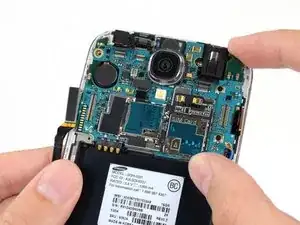
    • Con cuidado remueve la placa madre.

    • Sostén la placa madre de los bordes para prevenir daño por descarga electroestática.

Conclusión

Para volver a ensamblar tu dispositivo, sigue estas instrucciones en orden inverso.

Sam Goldheart

Miembro Desde 19/10/12

457951 Reputación

0 comentarios