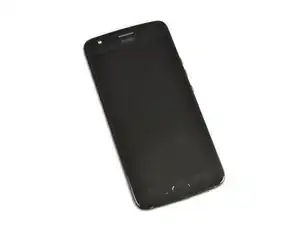
Introducción
Asegúrate de apagar tu Moto X4 antes de usar el iOpener para abrir el teléfono.


Partes

-
-
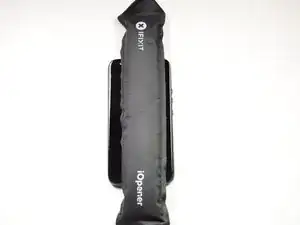
Usa un iOpener o una pistola de calor para calentar los cuatro bordes de la pantalla hasta que esté un poco demasiado caliente al tacto, para suavizar el adhesivo que lo mantiene en su lugar.
-
Desliza una herramienta de palanca fina, como una púa de apertura o un naipe debajo del borde de la pantalla, y trabaja con cuidado alrededor de todo el perímetro del teléfono para cortar el adhesivo.
-
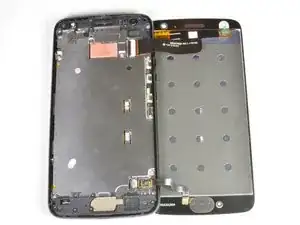
Abre la pantalla desde el borde izquierdo y gírala hacia la derecha. No intentes separarlo completamente todavía.
-
-
-
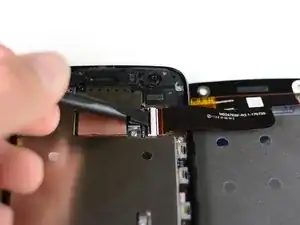
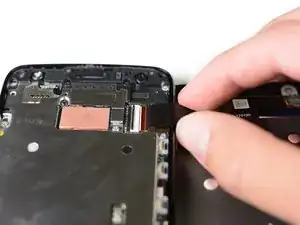
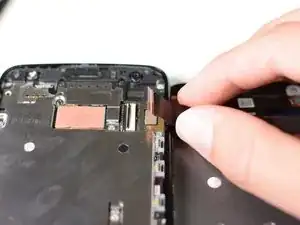
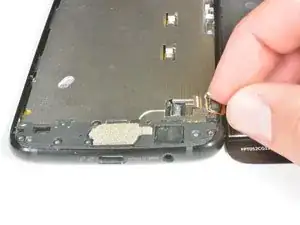
Inserta el spudger debajo de la lengüeta negra en el conector superior y sácalo.
-
Sujeta el cable y con cuidado desconecta la pantalla del resto del Moto X4.
-
-
-
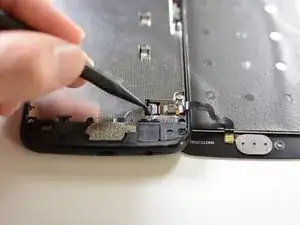
Inserta el spudger debajo de la lengüeta negra en el conector inferior y sácala.
-
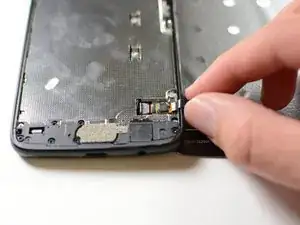
Sujeta el cable y desconecta con cuidado la pantalla del resto del Moto X4.
-
Para volver a ensamblar tu dispositivo, sigue estas instrucciones en orden inverso.

8 comentarios
This guide really only covers screen removal, and should detail replacing the screen as advertised. Here are a few more steps that should be added:
1. Transferring old hardware to the new screen (seals, filters, fingerprint sensor, & the grey carbon mat.
2. Cleaning up old adhesive.
3. Applying new adhesive, whether it’s the one-piece that ifixit carries (recommended), or Tesa tape.
4. Installing the new display assembly
Is it possible to remove and replace only the glass? Can I do that without removing the whole LCD screen and avoid disconnecting/reconnecting wires?
Drew S -
Hi Drew,
I haven’t tried, but I think it is possible to do a glass-only repair for this LCD screen, as long as you have the necessary tools and bonding adhesives. You would still have to deal with the fingerprint sensor, which is sealed onto the glass.
I noticed the fingerprint sensor not being quite as low on the right edge after this. Also, I think it has a bit of “give” now when I press on it with a thumbnail. If the tips of my thumbs weren't so dry right now I might not have noticed, though.
Hey Chris,
Did you add adhesive to the fingerprint sensor, if you didn't add some adhesive it may have some play, as most things need to be glued in place, and you could have forgotten to add some new adhesive.
The replacement screen/digitizer sold by iFixit lacks the fingerprint sensor. You will need to carefully pry the sensor from the defective screen and reattach it to the replacement screen.
Daniel -
So a cracked screen requires the entire display assembly to be replaced, not just the front glass?
Albert -