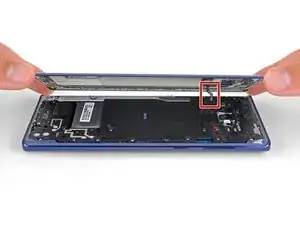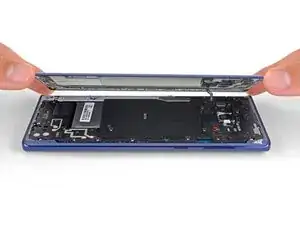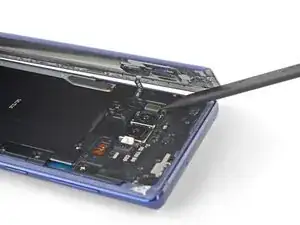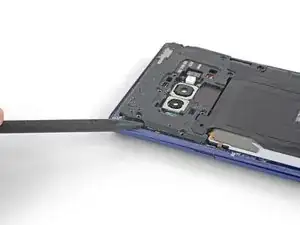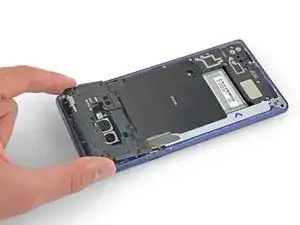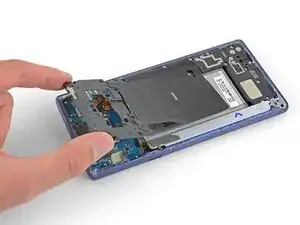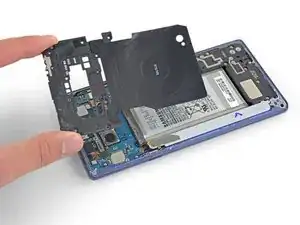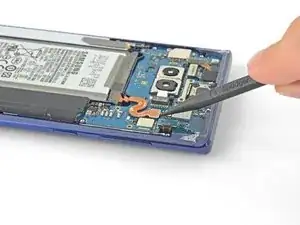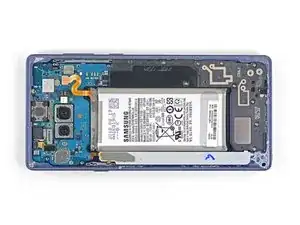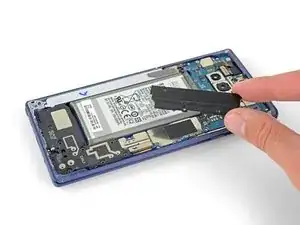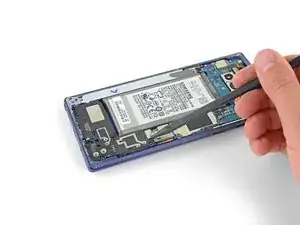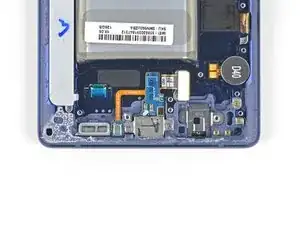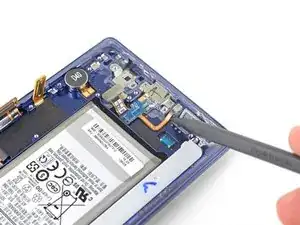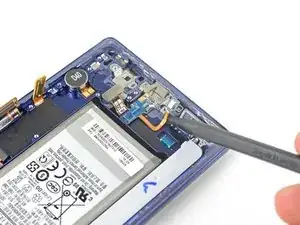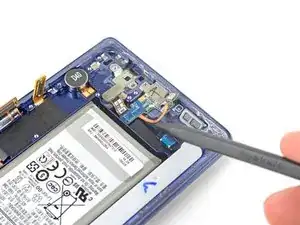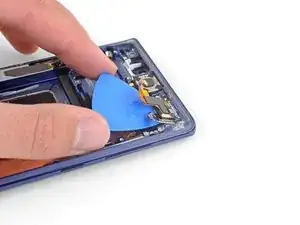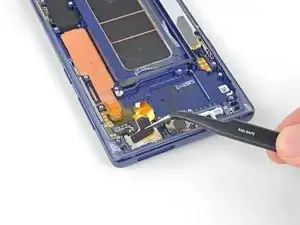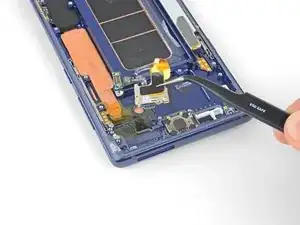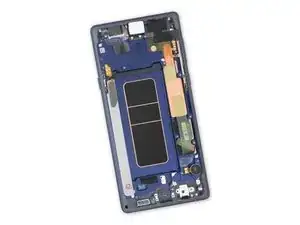
Introducción

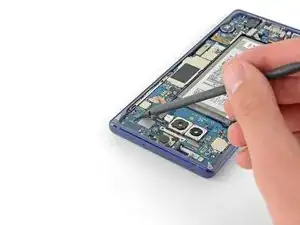
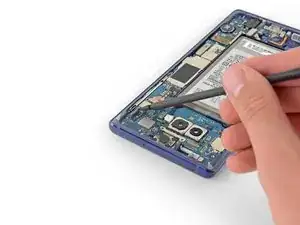
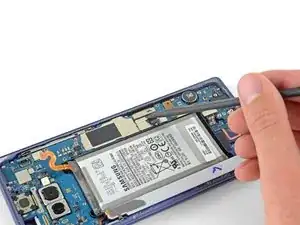
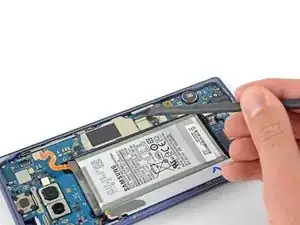
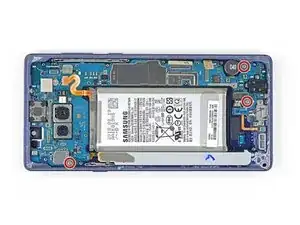
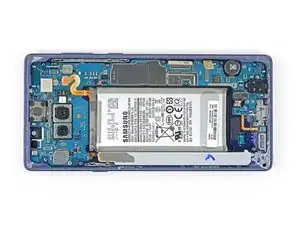
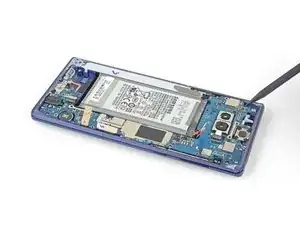
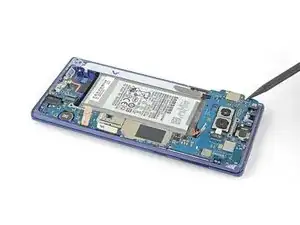
Sigue esta guía para reemplazar el ensamblaje de pantalla en tu Samsung Galaxy Note9.

  1. lw4DnnpvCrFgc4fe
    lw4DnnpvCrFgc4fe
    rVWk1iJZfIXPRVfX
    WSxraMegVmOnkgGF
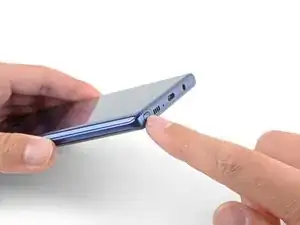
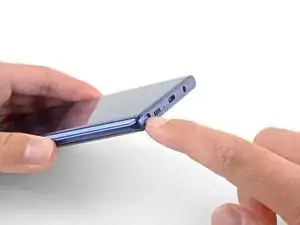
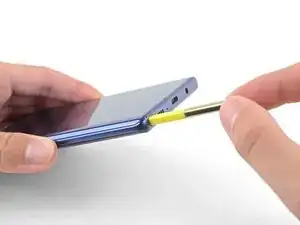
    • Presiona la parte inferior del S-Pen hasta que haga clic.

    • Suelta el S-Pen y se autoexpulsará.

    • Retira el S-Pen.

  2. WX1UUEZkqFrkcyVf
    WX1UUEZkqFrkcyVf
    nVDpbDfxJgQnLiNN
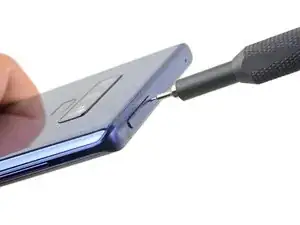
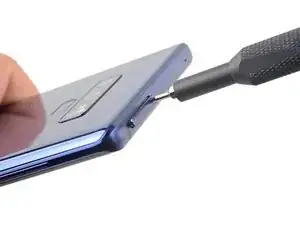
    • Inserta la herramienta para expulsar la tarjeta SIM en el orificio de la bandeja de la tarjeta SIM.

    • Presiona para expulsar la bandeja de la tarjeta SIM.

  3. 3KT6HsUfGSKksx2v
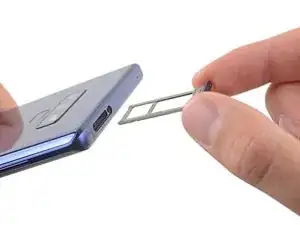
    • Remueve la bandeja de la tarjeta SIM.

    • La tarjeta SIM saldrá de la bandeja fácilmente.

  4. imr3TvrFDDQ2Smgb
    • Apaga tu teléfono antes de comenzar a desmontar.

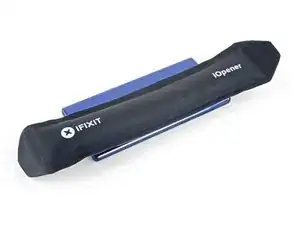
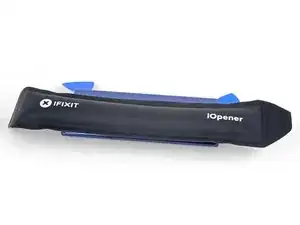
    • Usa un secador de pelo, una pistola de calor o prepara un iOpener y aplícalo en el borde derecho de la parte trasera del teléfono durante un minuto para suavizar el adhesivo que hay debajo.

    If using an iOpener it will need to be fully heated and set on for at least 5 minutes. You’ll know the phone is hot enough when its almost too hot to touch.

    Spencer Barron -
  5. wK5AZqwWYVFHhdpM
    wK5AZqwWYVFHhdpM
    AiS2h1pqRmiTyrnX
    ijSfEkEAirfgkjyB
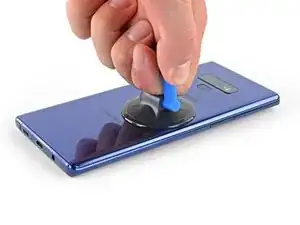
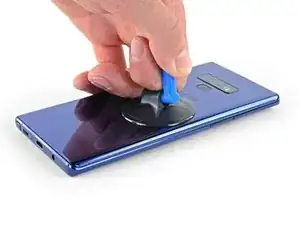
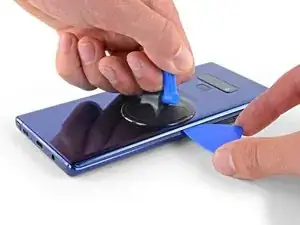
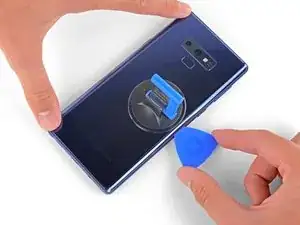
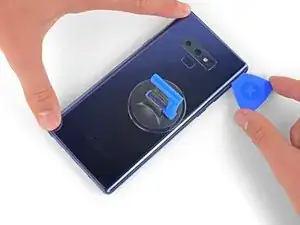
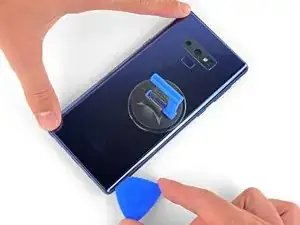
    • Aplica una ventosa en la tapa trasera.

    • Levanta con la ventosa para crear un espacio entre la tapa trasera y el marco del teléfono.

    • Inserta una púa de apertura en el espacio.

    • Si el vidrio está demasiado agrietado, cúbrelo con una cinta de embalaje para crear una superficie para que la ventosa se adhiera.

    • Si el adhesivo no se mueve, aplica más calor, no una fuerza excesiva. Demasiada fuerza podría romper el vidrio.

    It takes so much heat that it is concerning that damage might be caused to the internal parts. It is difficult to heat the glue, pull the case apart and insert the pick at same time. May need some more pointers to handle these situations first, to prevent possible damage. Also what about the glue that is heated and then cooled before opening? Does it run inside and cause greater adhesion after it cools? Another thing, the handling may cause the phone to turn back on while working to separate. Don't know that that is of concern.

    Lou Smith -
    Angle the pick up very slightly so the point goes up into the curve of the glass, not down towards the workings of the phone

    Dean Lee -

  6. phWdatcXskIOnRO3
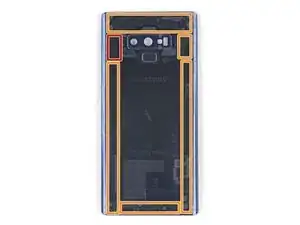
    • Ten en cuenta que hay más adhesivo a lo largo del borde superior y alrededor del bisel de la cámara que alrededor del resto del teléfono.

    • Corta con cuidado alrededor del borde izquierdo cerca del sensor de huellas digitales o te arriesgas a dañar el cable plano en el interior.

    It's extremely easy to crack the back glass when nearing and rounding the corners. It's probably a good idea to soften the adhesive with heat as you go.

    Aaron Peterson -

    Step 5 is NOT "cut through the adhesive", that's steps 5-10. Step 5 is "Begin the careful process of cutting through the adhesive, starting at the right side where you already softened it. Proceed carefully, slowly, and warmly through the following steps."

    Aaron Peterson -

  7. YpkbXvVWUIR4Afeb
    YpkbXvVWUIR4Afeb
    FaUbUKoZe6HurIby
    5vZLASPFVpEgMyLC
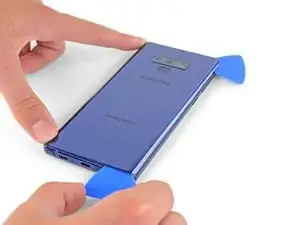
    • Empezando por el centro, corta el adhesivo de arriba a abajo por el lado derecho con una púa de apertura.

    • No insertes la púa más de la mitad en el teléfono al cortar cerca del sensor de huellas digitales o de las cámaras, o te arriesgas a dañar los componentes internos.

  8. OFSZgLGgXARkwaWJ
    OFSZgLGgXARkwaWJ
    E6TEFVlXsPNDGGHi
    FFeOmLNySIi2VTct
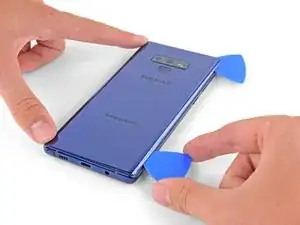
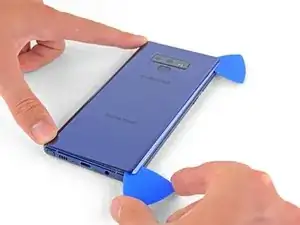
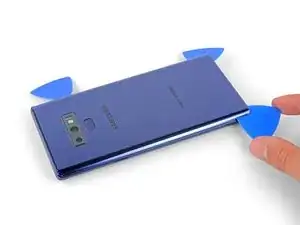
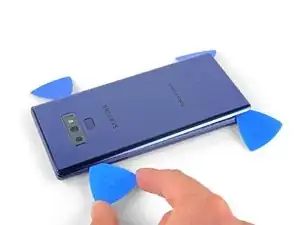
    • Deja una púa de apertura en la esquina superior derecha.

    • Usa otra púa para cortar el adhesivo en la esquina inferior derecha.

    • Deja esa púa de apertura en el teléfono.

    • Usa un iOpener, un secador de pelo o una pistola de calor para aplicar más calor según sea necesario en el lugar donde estás cortando el adhesivo.

    There seems to be a lot of glue at the bottom, I broke the glass as I was cutting past the charging port - not sure if it was already fractured or just not enough heat (I used Sellotape so it didn't break up into pieces!)

    I think LOTS of heat & patience is the key!

    Be very careful around the corners and bottom (probably top too, but I didn't have a problem there). Make sure you've cut in far enough down the side first (go in about 1cm) but less round the corners and work in slowly.

    Dean Lee -

  9. 2jDIRHRfM2FgHNFR
    • Usa una pistola de calor o un secador de pelo o aplica un iOpener caliente en el lado izquierdo del panel trasero durante un minuto para suavizar el adhesivo debajo.

    If using an iOpener it will need to be fully heated and set on for at least 5 minutes. You’ll know the phone is hot enough when its almost too hot to touch.

    Spencer Barron -

  10. 1mtB1lSGkZWyMSrM
    1mtB1lSGkZWyMSrM
    4K246ldIYZVMViQv
    FFMXuXrVm2DpNhZ6
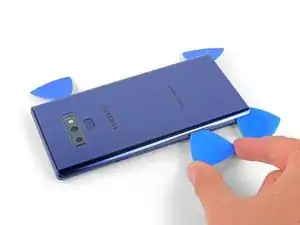
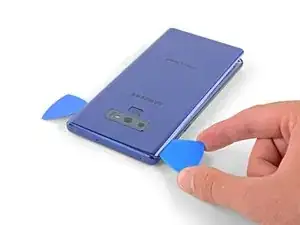
    • Inserta una púa de apertura en la esquina inferior izquierda del panel trasero.

    • Usando otra púa de apertura, corta el adhesivo a lo largo del borde izquierdo del panel trasero.

    • No insertes una púa de apertura a más de la mitad del borde izquierdo cerca del sensor de huellas digitales, ya que podría dañar el cable plano en el interior.

    • No pasa nada si las púas de apertura se caen al separarse la tapa trasera.

  11. nNSpwZdhgreWl3rh
    nNSpwZdhgreWl3rh
    DrwI6NpI44hU5bGQ
    6tniPN2RFyvbFgLv
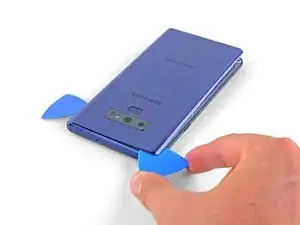
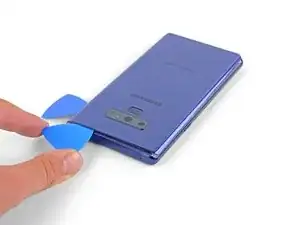
    • Usando la púa de apertura insertada, corta cuidadosamente el adhesivo alrededor de la esquina superior izquierda del panel trasero.

    • Finalmente, corta el último adhesivo a lo largo de la parte superior del teléfono.

    • Utiliza un iOpener, un secador de pelo o una pistola de calor para aplicar más calor según sea necesario en el lugar donde estás cortando el adhesivo.

  12. CFGPd5CUmuDGj14k
    CFGPd5CUmuDGj14k
    XadxJ3X5cMDYZdsS
    • Separa primero el lado derecho de la tapa trasera.

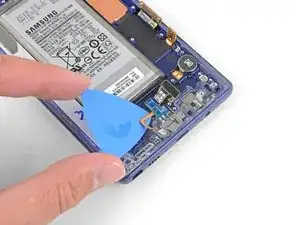
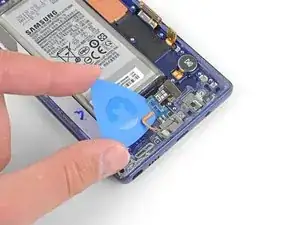
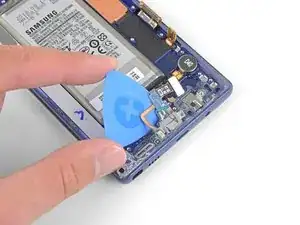
    • Inclina la tapa a lo largo del borde izquierdo para exponer el cable plano del sensor de huellas digitales.

    • No saques todavía el cable plano del sensor de huellas digitales.

    Thought I'd done something wrong here as there wasn't a cable attached to the back - the fingerprint reader hadn't come away with the back, but had stayed with the phone.

    Dean Lee -

  13. EOB5BnuPwLiWhRJy
    EOB5BnuPwLiWhRJy
    pvUG6RHyuIevnBsT
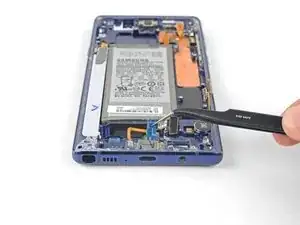
    • Usa la punta del spudger para levantar el cable plano del sensor de huellas digitales de su zócalo.

    On my phone the fingerprint sensor did not come off with the back cover but stayed on the phone!

    Dean Lee -

  14. fxtTpIwKVs1XBASZ
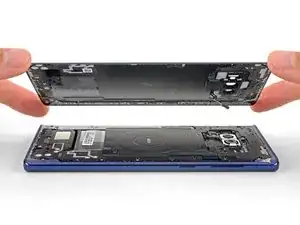
    • Remueve la tapa trasera.

    • Para instalar una tapa trasera:

    • Usa pinzas para quitar cualquier adhesivo que quede en el chasis del teléfono. Luego limpie las áreas de adhesión con alcohol isopropílico de alta concentración (al menos 90%) y un paño sin pelusas para preparar la superficie para el nuevo adhesivo.

    • Aplica con cuidado el nuevo adhesivo a la tapa trasera, luego alinea un borde del vidrio contra el chasis del teléfono y presiona firmemente el vidrio contra el teléfono.

    • Alternativamente, puedes reinstalar la tapa trasera sin reemplazar el adhesivo. Retira los trozos grandes de adhesivo que impiden que la tapa trasera quede al ras. Luego de instalar, calienta la tapa trasera y aplica presión para asegurarla. No será impermeable, pero el pegamento suele ser lo suficientemente fuerte como para aguantar.

    I am installing a new backplate (this is my first repair; I was CERTAIN that I would crack the back glass, and I was NOT wrong) but I’m not sure how tweezers are meant to remove gooey adhesive! I simply used the blue plastic pry tool as a scraper and gently rolled up the goo. Maybe the glue is different because I have a refurbished phone? That may also explain why I had so much trouble with Step 1. Hope that this helps!

    Christopher Yarlott -

  15. NpvMRUlwISOMrGih
    NpvMRUlwISOMrGih
    xEFdupFYZIyOQham
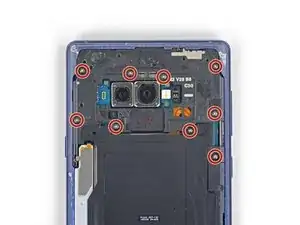
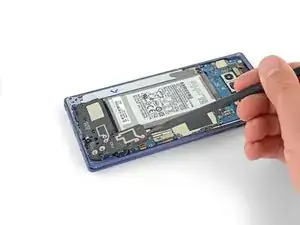
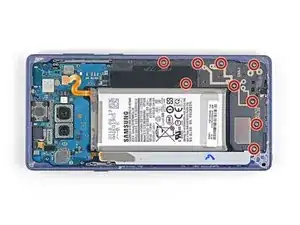
    • Usa un destornillador Phillips para remover los nueve tornillos de 4 mm que sujetan el marco medio superior.

    There are two more screws on the bottom right corner of the little side frame that the Qi plate is glued to. I took those out as it put less stress on it.

    John Stone -

  16. TtRQbpjOgwgKyCeU
    TtRQbpjOgwgKyCeU
    qnfyfoRPVUgOHdxi
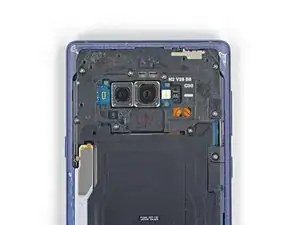
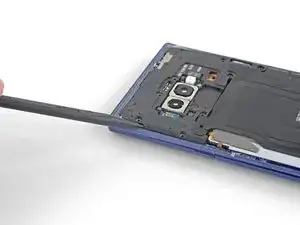
    • Inserta la punta de un spudger en la esquina superior izquierdo del marco medio superior.

    • Levanta el marco medio superior del teléfono.

    • La parte superior del marco medip se encaja y se sale de su lugar.

  17. WPl3OTEYUWaQk4lw
    WPl3OTEYUWaQk4lw
    OtIWY55KKKuAKdUL
    pRScXCbeMtNfmfgF
    • Retira la bobina de carga inalámbrica de la batería empezando por el lado izquierdo.

    • El adhesivo es débil pero puedes usar un pico de apertura para cortarlo si es necesario.

    • Durante el reensamblado, comienza por encajar el marco central en su lugar antes de adherir la bobina de carga inalámbrica.

    Be careful not to tear it as it comes off - especially the side bits that stick out a bit

    Dean Lee -

  18. MDPfHEnbaBBwN5DS
    MDPfHEnbaBBwN5DS
    3SnhFaqu3LXtjZNv
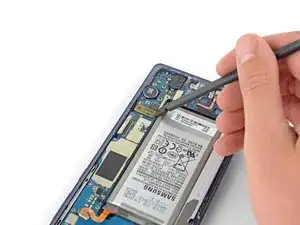
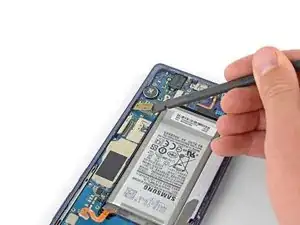
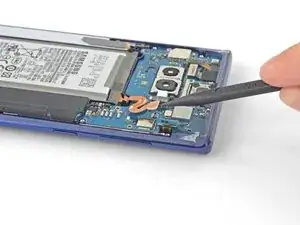
    • Utiliza la punta de un spudger para desconectar el cable plano naranja que conecta la batería a la placa madre.

  19. GIEOQCkaq2ssMnNP
    GIEOQCkaq2ssMnNP
    b3B3LhmeIptyAZTV
    • Remueve los nueve tornillos de 4 mm de la tapa plástico junto a la batería.

  20. VXVo3wSUB3IJUWEu
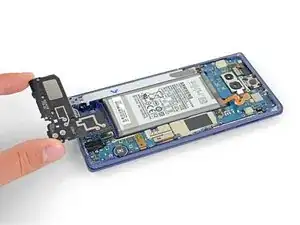
    • Remueve la tapa de plástico junto a la batería.

  21. 5QlYhKgVE5OP2ukX
    5QlYhKgVE5OP2ukX
    huJEMLiBUEjobIgG
    CfJJURuidtGIxGKW
    • Inserta la punta de un spudger en la parte superior de la parte media inferior.

    • Levanta el marco inferior del teléfono.

    • El marco medio se encaja y sale de su lugar.

    • Remueve el marco medio inferior.

  22. YmgeJOmh32rWGZQP
    YmgeJOmh32rWGZQP
    mYUOnVXlM1OmlsVI
    W6RTphFsIxwXrNwo
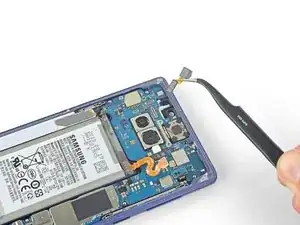
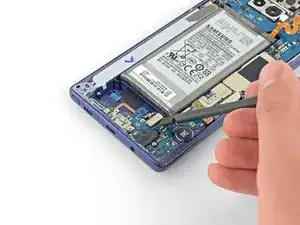
    • Utiliza la punta de un spudger para sacar el conector de la cámara frontal hacia arriba y fuera de su zócalo.

    • Usa las pinzas para remover la cámara frontal.

  23. gGXaKTjBwqXqIrDu
    gGXaKTjBwqXqIrDu
    KEeHA6iBqKgaGRBj
    STApeHUtwk1Wi5MA
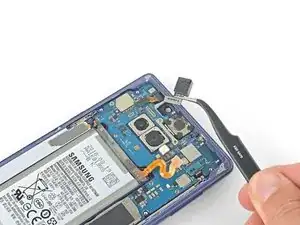
    • Usa la punta de un spudger para desconectar el escáner de iris de la placa madre.

    • Usa pinzas para remover el escáner de iris.

  24. TEPfQM2pUKxMZjyn
    TEPfQM2pUKxMZjyn
    T5AygZIO1dKbF6M1
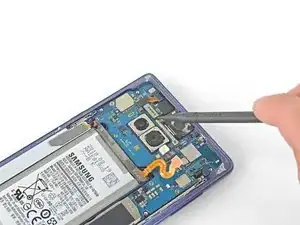
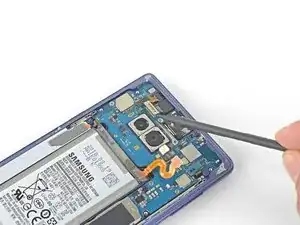
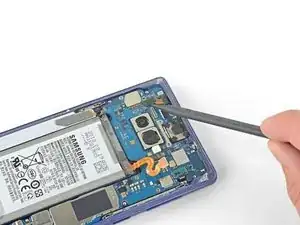
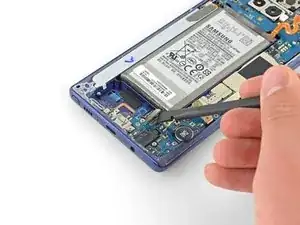
    • Usa el extremo plano de un spudger para levantar el conector del sensor frontal de su zócalo.

  25. JAVgH6GKVcktGsDN
    JAVgH6GKVcktGsDN
    OS2sMRIBaMCRRyRG
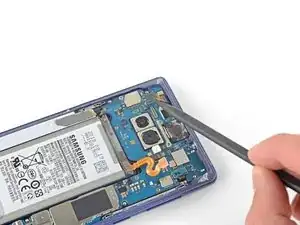
    • Usa el extremo plano de un spudger para desconectar el cable de pantalla de la placa madre.

  26. FqksMRN1WMWmOFm4
    FqksMRN1WMWmOFm4
    CKLiCNWNS6pvFTFd
    • Usa el extremo plano de un spudger para desconectar el cable de la pantalla táctil de la placa madre.

  27. lmjRQDFPIXsREwxx
    lmjRQDFPIXsREwxx
    UJ44fKWmaKhNP4li
    • Usa el extremo plano de un spudger para desconectar el ensamblaje de carga de la placa madre.

    These screws are supposed to be 3.2 mm because when I took out these screws, they were shorter than the ones you take out first

    Lizmaris Morales -

  28. XjeGwpUWiAsFYFjN
    XjeGwpUWiAsFYFjN
    SsewRVXKSa21JpQD
    • Remueve los tres tornillos Phillips de 4 mm que sujetan la placa madre.

    • Hay triángulos junto a los orificios indicando las ubicaciones de los tornillos de la placa madre.

  29. UJRbDi4PVRDEQsMa
    UJRbDi4PVRDEQsMa
    4uQmkLjXVjrjcDJH
    4fZwgYRoBKBgTgIY
    • Usar un spudger para levantar suavemente el cordón umbilical de la esquina superior izquierda.

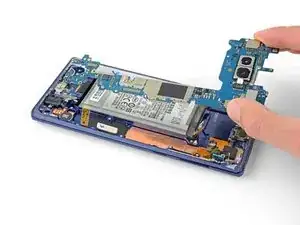
    • Con cuidado remueve la placa madre.

    • Mueva los cables planos del camino como sea necesario. No saques la placa madre si se engancha en algún cable.

  30. pJI5lJMJaXXJhLKy
    pJI5lJMJaXXJhLKy
    glS5tELAZM4pQHVI
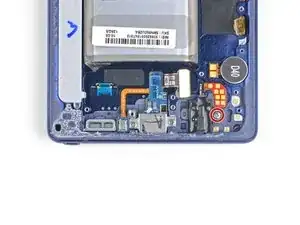
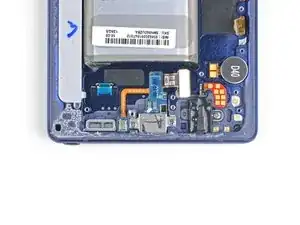
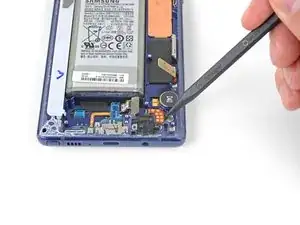
    • Remueve el tornillo Phillips de 3.2 mm de toma de auriculares.

  31. IJ6Mi3ItRch4yeJj
    IJ6Mi3ItRch4yeJj
    NBALCanHRqumFHKM
    • Inserta la punta de un spudger en la muesca junto a los puntos de contacto de la toma de auriculares.

    • Levanta la placa de contacto para liberarla del adhesivo que hay debajo.

    • Si la placa de contacto es difícil de separar, aplica una gota de alcohol isopropílico al 90% en la muesca y deje que ablande el adhesivo. Luego, intenta de nuevo.

    Can still use the heat gun for contact board but keep heat moving around, don't hover directly on top.

    iQikFix -

  32. cYwAKF1EE4DAfsiE
    cYwAKF1EE4DAfsiE
    Cq1rE31cVZA5v5xt
    • Usa un par de pinzas para remover el ensamblaje de la toma de auriculares.

    Note: If replacing screen with frame, transfer the headphone jack assembly to new frame at this time.

    iQikFix -

  33. BqPQjCEVtokpllhI
    BqPQjCEVtokpllhI
    x6JQoR22cVX4DZZc
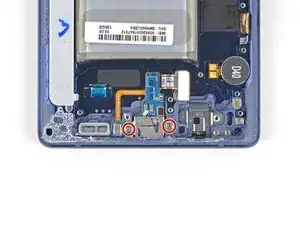
    • Remueve los dos tornillos Phillips de 3.2 mm del ensamblaje de carga.

    Please add a step that mentions the round item labeled “D40”. It, similarly to the headphone jack, is tediously removed by adding some isopropyl alcohol to the groove above/under it and then sliding a spudger or tweezers into the same groove. Slowly wiggle it with your prod while the isopropyl alcohol does its job.

    Brody Wood -

    This is necessary If your new display assembly does not include the vibration motor (labeled D40). The pointed end of a spudger may not be small enough to get leverage under it, so use angled tweezers if you have to.

    Sam Omiotek -

  34. JCSwpZruRFQGYXPy
    JCSwpZruRFQGYXPy
    FFP524MgToaXiV5o
    iWL6CWCdLYrNKTcV
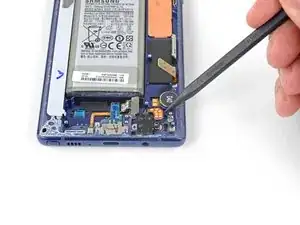
    • Usa un spudger para levantar el micrófono de su hueco.

  35. AASBgLwdcLRRndSF
    AASBgLwdcLRRndSF
    X4BB6BgixbcNGJ1h
    y1dtXc2kMwUU5eKc
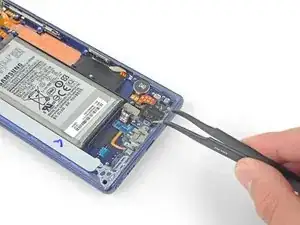
    • Usa una púa de apertura para separara el ensamblaje de carga.

  36. 11YNKHLQDZpJEnTR
    11YNKHLQDZpJEnTR
    jp3CWWrR3ZJDKJZV
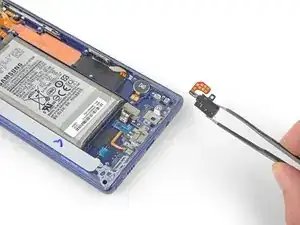
    • Usa un par de pinzas para remover el ensamblaje de carga.

    As noted above in Step 32, transfer the charging assembly to new screen with frame at this time. Also make sure the microphone sits flush in the housing.

    iQikFix -

  37. yVTdfg5YSGqDCqSG
    yVTdfg5YSGqDCqSG
    uCKJ2ywwIwJW1djw
    YMUZXWJJAyhWSMXI
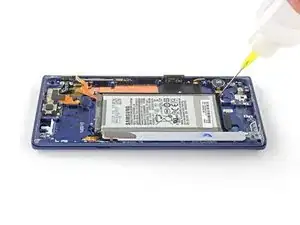
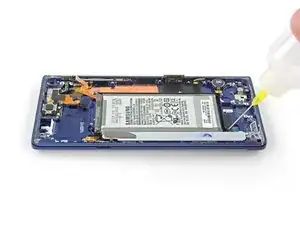
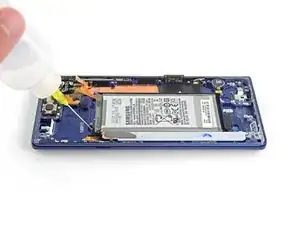
    • Aplica unas gotas de alcohol isopropílico al 90% en el pozo de la batería a lo largo de la esquina inferior y superior izquierda de la batería.

    • Espera un par de minutos para que el alcohol ablande el adhesivo debajo de la batería.

    • Sostén el teléfono en varios ángulos para ayudar a que el alcohol fluya bajo la batería.

  38. KS25qbDIjWWyufsJ
    KS25qbDIjWWyufsJ
    YvHXifDrFw4J5OBS
    auP1UCslaHOwCwAj
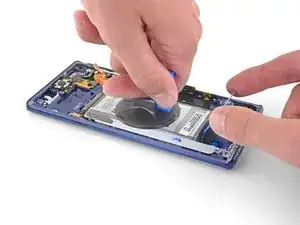
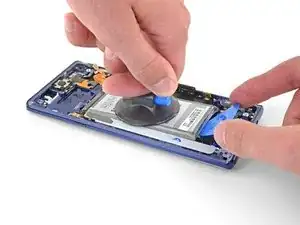
    • Aplica una ventosa a la batería.

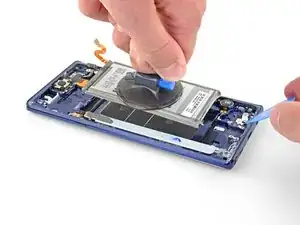
    • Levanta la batería en línea recta hasta que haya un espacio lo suficientemente grande para insertar la púa de apertura.

    • Inserta una púa de apertura debajo del borde inferior de la batería y gíralo para aflojar el adhesivo de la batería.

    • Retira la batería.

    • Es posible que se necesiten varios intentos para que la ventosa se adhiera. La aplicación está tan cerca del centro de la batería como sea posible y evita el adhesivo blanco en el fondo de la batería.

    • No dobles la batería.

  39. GLY5SYbseXtuZDaE
    GLY5SYbseXtuZDaE
    JyRIQdXMufD2MEmk
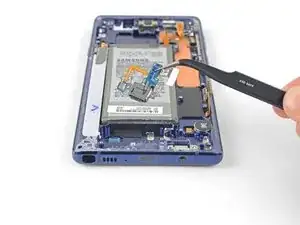
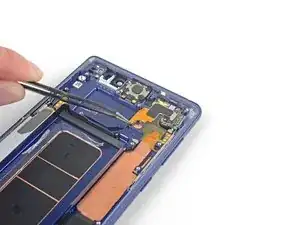
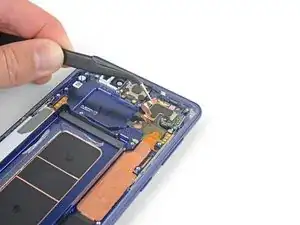
    • Use un par de pinzas para despegar la lámina de cobre con adhesivo.

    • Deja de pelar una vez que llegues al conjunto de sensor.

    • Ten cuidado de no rasgar la lámina.

    Definitely need patience when removing foil, don't rush this step.

    iQikFix -

  40. hlefhqoa1W2wwbY3
    hlefhqoa1W2wwbY3
    BySIxKv4xhSVVCgS
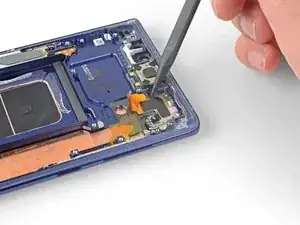
    • Usa un spudger para levantar el lado izquierdo del conjunto de sensor frontal y separar el adhesivo el resto del camino.

    • El conjunto de sensor fronta sigue conectado a un cable plano que está adherido al teléfono. No intentes retirar el conjunto de sensor frontal todavía o lo dañará.

  41. B6YgJiYWtcTPt4VQ
    B6YgJiYWtcTPt4VQ
    vw3oYNcumuUqD4rG
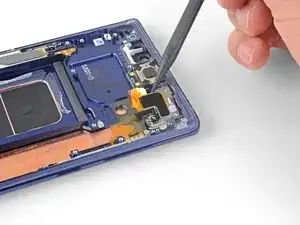
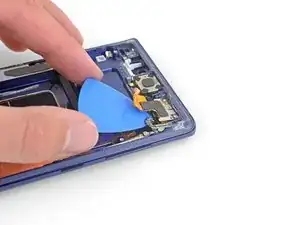
    • Desliza con cuidado una púa de apertura bajo el cable plano del conjunto de sensor frontal para cortar el adhesivo que hay debajo.

  42. peWNSGZFZ4FWuUOB
    peWNSGZFZ4FWuUOB
    SLq5RtFXI6oCa1tY
    • Usa un par de pinzas para remover el conjunto de pinzas para remover el conjunto de sensor frontal.

    • Solo queda el conjunto del display.

    • Antes de empezar el reensamble, compara el nuevo conjunto del display con el original y transfiere cualquier componente restante si es necesario.

Conclusión

Para volver a montar el dispositivo, sigue los pasos anteriores en orden inverso.

Lleva tus desechos electrónicos a un centro de reciclaje certificado.

¿La reparación no salió como planeaste? Echa un vistazo a nuestra comunidad de respuestas para ayuda en la resolución de problemas.

Compara la nueva pieza de repuesto con la original. Es posible que tengas que transferir los componentes restantes o retirar los respaldos adhesivos de la nueva pieza antes de instalarla.

Sam Omiotek

Miembro Desde 25/02/19

59803 Reputación

12 comentarios

Make sure you transfer over the vibration motor if the new frame does not have it… didn’t realize my replacement didn’t have it until I put the glass back on :/

Adam Graman -

Thank you for pointing this out! I almost missed it! I wish this guide showed how to put it back together instead of just saying “okay now do it again but backwards.” Anyway, I appreciate this comment right here haha.

Jeremiah Furlow -

Is it just me or is this guide not complete?

ben allen -

The guide assumes that you have a new display unit containing all the parts that are left after the last step (display, front glass, screen, cooling system, vibration motor and so on.)

Nils Hennings -

Since replacement parts vary from seller to seller, you’ll have to compare yours to the original and transfer any remaining components. This guide was written for the display assembly that we were selling at the time.

When transferring other components such as the vibration motor just be sure to use the same methods as with similar components. Work slowly, always use heat or ≥90% isopropyl alcohol to soften adhesives, and search the internet for more information as necessary.

Sam Omiotek -

But what about the actual replacement of the display screen? The instructions stops at removing the front sensor array

Jason Khim -

Because it is an OLED screen the entire assembly has to be replaced. If the guide is followed and the part was purchased from iFixit, once the front sensor array is removed you can begin working backwards transferring all components into the new display assembly. Unfortunately replacing the screen from the front is not possible. If you purchase the part from somewhere other than iFixit you may need to transfer additional components.

Sam Omiotek -

The guide does not explain how to glue the front and back together once everything is put back together.

Do I have to buy a specific glue or does the new part have pre-applied glue and do I need heat to activate?

Thanks

Paul Greenberg -

The new part most likely won’t have pre-installed adhesive. This generic perimeter adhesive guide for Samsung Galaxy phones will help!

Sam Omiotek -

Any suggestions on getting the suction cup to stick to the battery? I cant seem to get mine to hold.

Braydon Bell -

It was very informative and clear. Thank You.

Saud Abu-Harbesh -

Hello! I would ask, but the display is the same for version 128 or 512gb, right?

Matteo Serino -