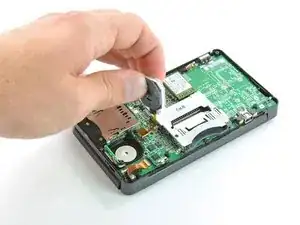
Introducción
Requisito previo del joystick "Circle Pad".
Herramientas


-
-
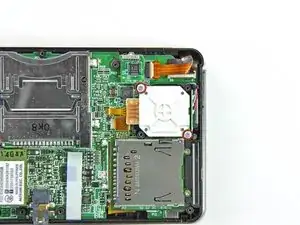
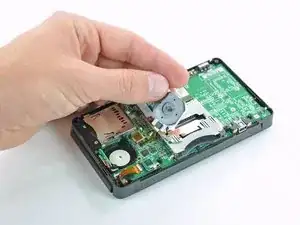
Retira los dos tornillos Phillips de 7,7 mm que sujetan la parte posterior del Circle Pad a la placa base.
-
-
-
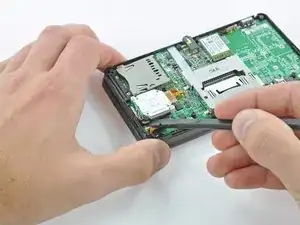
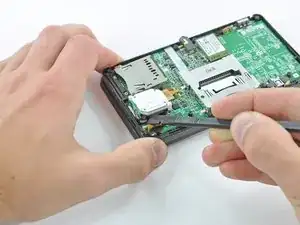
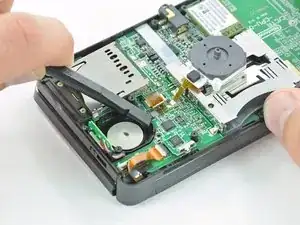
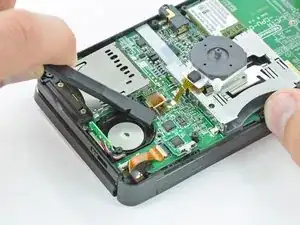
Usa el extremo plano de un spudger para sacar la parte posterior del Circle Pad de la placa base.
-
Levanta el joystick Circle Pad de la placa base y colócalo boca arriba de modo que se pueda acceder al conector del cable plano.
-
-
-
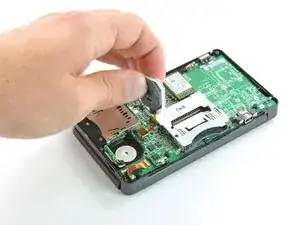
Usa el extremo plano de un spudger o la uña para levantar la solapa de retención en el conector ZIF del cable plano Circle Pad.
-
Levanta el joystick Circle Pad de la placa base.
-
-
-
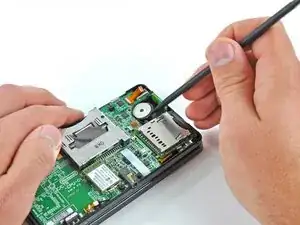
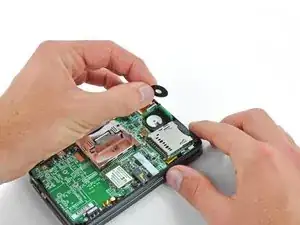
Usa un spudger o un destornillador para levantar las almohadillas y sacarlas del dispositivo.
-
Conclusión
Para volver a armar tu dispositivo, sigue estas instrucciones en orden inverso.

my screws wont stop spining what to i do? i have the same problem with other screws and this leavs my joystick very loss and it is dificult to muve it becuase it is aganst the case not lifted up? any sugestions? (sorry for my bad speling jaja im very bad at speling..)
AppleTopic -
I think you stripped your screws. I think the best solution is to change the upper cover of the lower assembly and the screws. The fastest, but temporarily is to stick in some way the joystick housing to the cover, but it won’t last long, so do this only if you have to use your console while you wait the cover to come. Anyway, so not overtighten the new screws, or you will be in the same situation once again.
Daniele Carminati -