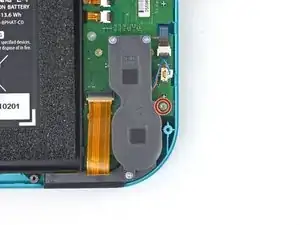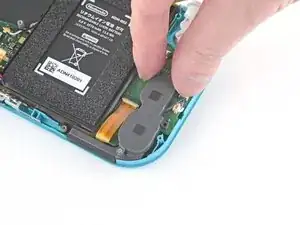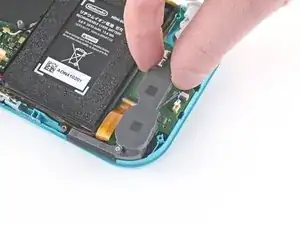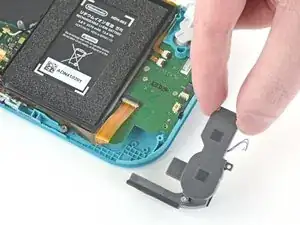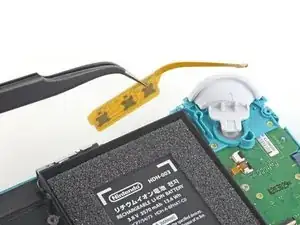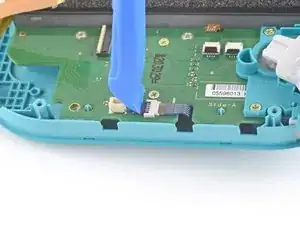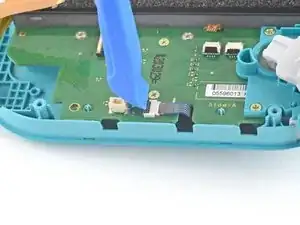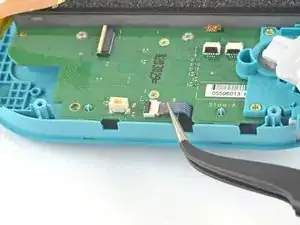
Introducción

Sigue esta guía para reemplazar el joystick izquierdo en tu Nintendo Switch Lite. Reemplazar el joystick arreglará el notorio problema de la "deriva de Joy-Con". (Sigue la esta guía para reemplazar el joystick derecho en tu Nintendo Switch Lite).

La Switch usa tornillos JIS, pero puedes usar un destornillador Philips en caso de necesidad. Se muy cuidadoso con no desprender el tornillo. Puntas Phillips de iFixit están diseñadas para ser compatibles con los tornillos de estilo JIS.

Nota: Este procedimiento requiere la desconexión de la batería por seguridad. Para ello, hay que quitar la placa protectora. La placa de escudo está pegada al disipador de calor con pasta térmica, que tendrá que ser limpiada y aplicada de nuevo antes de reinstalar la placa de escudo.

  1. CtSXh5SNdBfY3d4X
    • Antes de comenzar esta reparación, asegúrate de que el dispositivo esté completamente apagado.

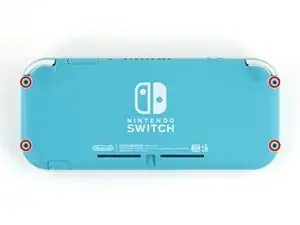
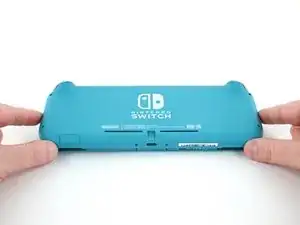
    • Usa un destornillador Y00 para quitar los cuatro tornillos de 6.3 mm de largo que aseguran el panel trasero.

    • A lo largo de esta reparación, mantén un registro de cada tornillo y asegúrate de que vuelva exactamente a su lugar de origen.

    All my screws got stripped any ideas on how to remove?

    Almost A Mammal -
    A Y0 screwdriver seemed to work better for me.

    Tommy Morrill -
    What type of screw driver do I use to un screw the screws and which way

    Luca Capito -

  2. LoododBfWX565CM3
    LoododBfWX565CM3
    axePI5XqFET5KVdd
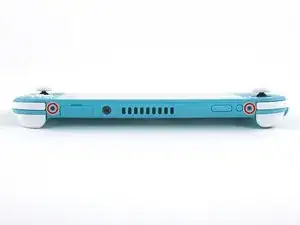
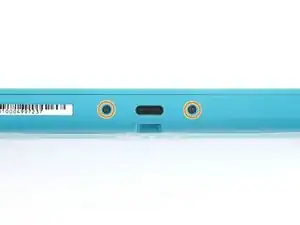
    • Usa un destornillador JIS 000 o un Phillips 000 para remover los siguientes tornillos que sujetan el panel trasero.

    • Dos tornillos de 3.6 mm en la parte superior del dispositivo.

    • Dos tornillos de 3.6 mm en la parte inferior del dispositivo.

    • Para evitar que los tornillos muy apretados se barran aplica fuerza fírmemente hacia el tornillo y gira lentamente, intenta con varios destornilladores si no sale.

  3. OdqFPXbVWUcLdDot
    OdqFPXbVWUcLdDot
    CIVhMktLorQQTIDM
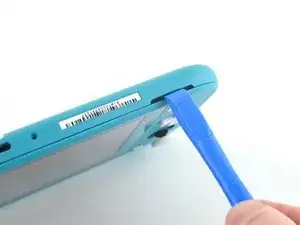
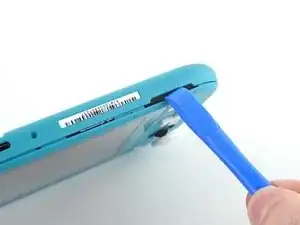
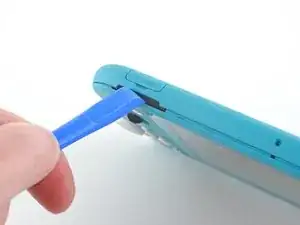
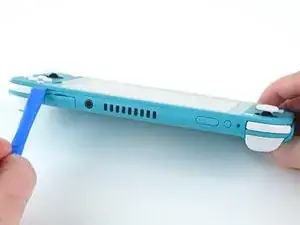
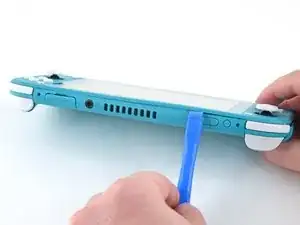
    • Inserta una herramienta de apertura en la rejilla del altavoz izquierdo en la parte inferior del dispositivo.

    • Gira la herramienta de apertura para liberar los clips que aseguran el panel trasero.

    • Evita insertar la herramienta de apertura más de lo necesario para evitar que se dañe el módulo del altavoz.

  4. wrE1q1yNyF2ogBV4
    wrE1q1yNyF2ogBV4
    Pmw5QYCTejXbIUKw
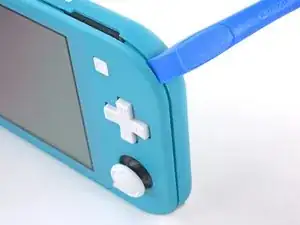
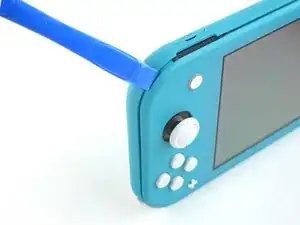
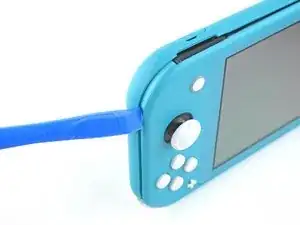
    • Desliza la herramienta de apertura por la esquina inferior izquierda para liberar los clips del lado izquierdo del dispositivo.

  5. RlPaVdXmyVJlvRdR
    RlPaVdXmyVJlvRdR
    xpNFcLWpxIZGYAZo
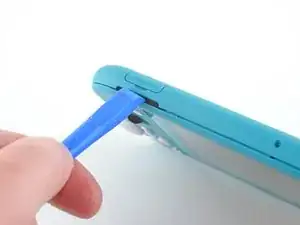
    • Inserta la herramienta de apertura en la rejilla del altavoz derecho en la parte inferior en el dispositivo.

    • Gira la herramienta de apertura para liberar los clips.

    • Evita insertar la herramienta de apertura más de lo necesario para evitar que se dañe el módulo de altavoz.

  6. nKd22DZNmOtktjJ6
    nKd22DZNmOtktjJ6
    ZFI5WyJ26AuYMJ34
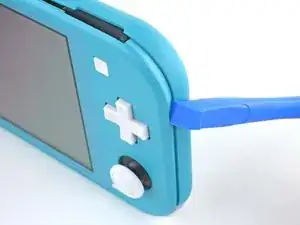
    • Desliza y empuja la herramienta de apertura por la esquina inferior derecha para liberar los clips del lado derecho del dispositivo.

  7. UB4MQPADBNC3AKGp
    UB4MQPADBNC3AKGp
    FDjmileJQ6nKxeRT
    • Continúa deslizando y apretando la herramienta de apertura a lo largo del hueco en la parte superior del dispositivo para liberar los clips.

  8. 3YVyXRJqMpDtXeYv
    3YVyXRJqMpDtXeYv
    N5JkogvdUb1o4kID
    ZH5AGwN3bXMGGKnl
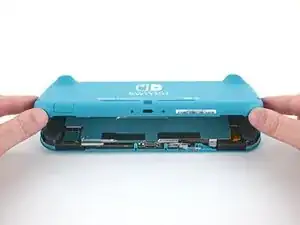
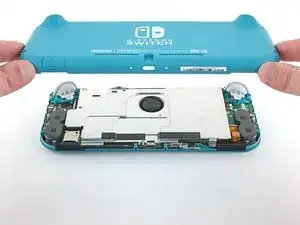
    • Levanta el borde inferior del panel trasero abriéndolo como un libro.

    • Remueve el panel trasero.

  9. vsR2tYTiCfHGSlh1
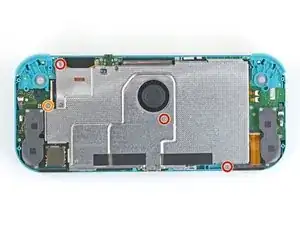
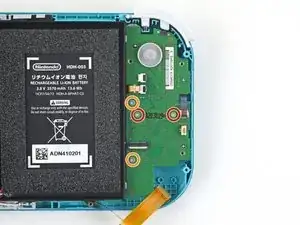
    • Usa un destornillador JIS 000 o un Phillips (de cruz) 000 para remover los cuatro tornillos siguientes:

    • Tres tornillos de 3.1 mm

    • Un tornillo de 4.5 mm

    There are four screws instead of three mentioned

    Khurram Chaudry -

    it doesnt mention 3 anywhere, and it labels all four

    Ezi -

    With how easy it seems to be to do serious damage with the next few steps, I figured I'd say that realistically you can skip steps 9-13 when doing this repair. While they provide a bit of extra security by disconnecting the battery, the left stick is completely accessible and replaceable without touching the heat shield or anything underneath (And steps 17 and 18 disconnect power from the daughter board regardless).

    Nate -

  10. FIwGjkfOhVmFCyvp
    FIwGjkfOhVmFCyvp
    LUwt2Ov3TDBmbBMy
    CxSr6WAFIqTkPknC
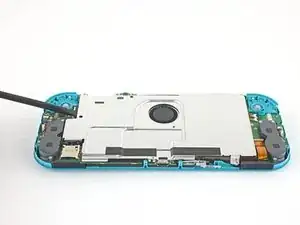
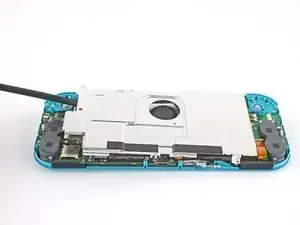
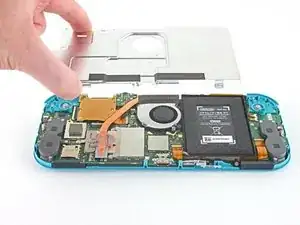
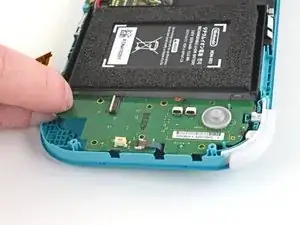
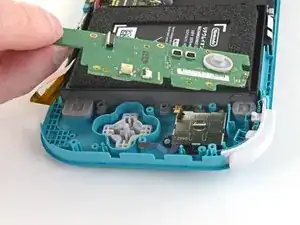
    • Usa un spudger o sus dedos para levantar la placa del escudo y sacarla del dispositivo.

    • Puede que sienta un poco de resistencia. Esto es normal, ya que la placa de escudo está ligeramente adherida al disipador de calor con pasta térmica.

    • Remueve la placa de escudo.

    • Limpia la pasta térmica vieja de la placa de protección y del disipador de calor con alcohol isopropílico y un paño de microfibra. Aplica la nueva pasta térmica al disipador de calor antes de volver a montarlo.

    You may need to replace the thermal paste on the heat sink.

    ahoz28 -

  11. NfJ4EyXkJrCSjyMP
    NfJ4EyXkJrCSjyMP
    SWRCDlfTfCNLuWJO
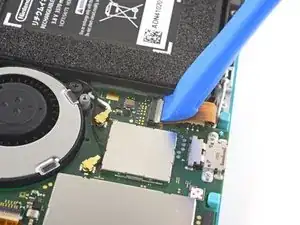
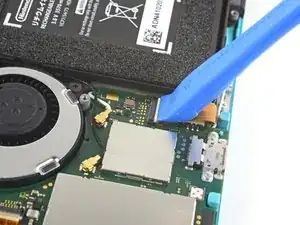
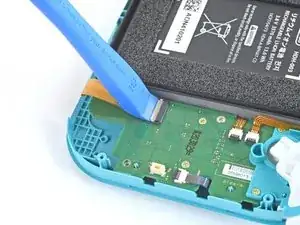
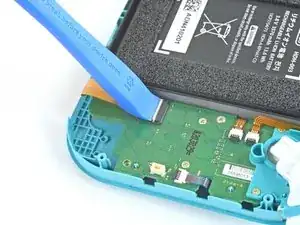
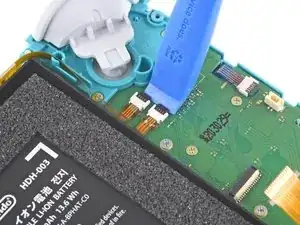
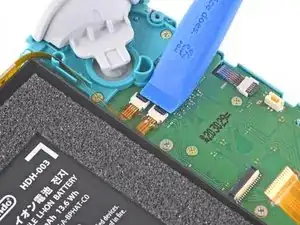
    • Utiliza una herramienta de apertura o tu uña para levantar la pequeña tapa de cierre con bisagra del conector ZIF del cable de interconexión de la placa madre.

    The clip broke off when trying to remove this cable. Audio only works through headphones and the display now won’t turn on after the clip broke. Does anyone know where I could get a clip or how I could fix it without it?

    Alexz Zepeda -

  12. EOLi3GutoqJNvstI
    EOLi3GutoqJNvstI
    hO2FmA16pHiJq2to
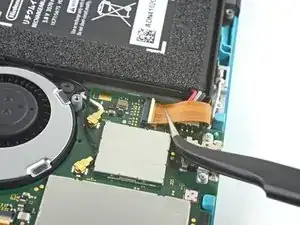
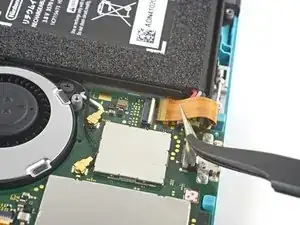
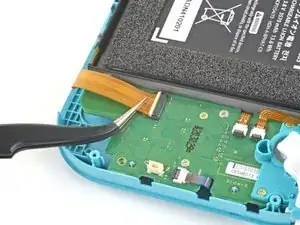
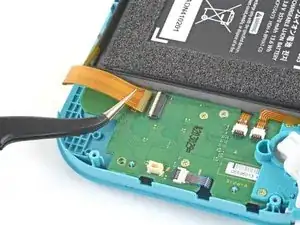
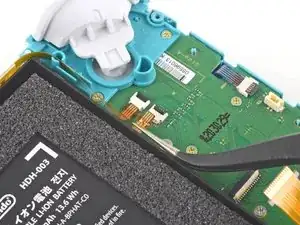
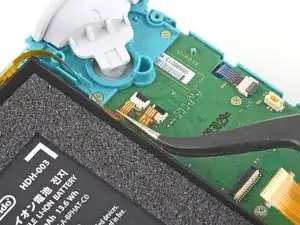
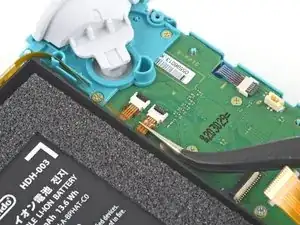
    • Usa un par de pinzas para sacar el cable de interconexión de su conector en la placa madre.

    I turned the unit off beforehand, I used tweezers just like the instructions said (ifixit branded) , my device sparked and now it won’t turn back on

    User Service -

    The flap came off is it important or is there a way t fix it?

    Jose Cruz R Rangel Cordero -

    We're you able to get it working without the white flap? My screen is not working after putting it back together and i noticed this white flap was falling off

    Jimmy “Ghost” Trost -

    Did you get it working without the white flap? Everything on the switch works fine except for audio going through headphones and the display not turning on.

    Alexz Zepeda -

  13. yfTkAmQeCWGhAEl2
    yfTkAmQeCWGhAEl2
    SFobIivmPhWAmdMb
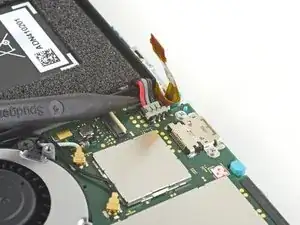
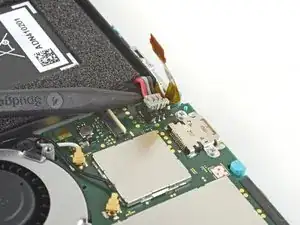
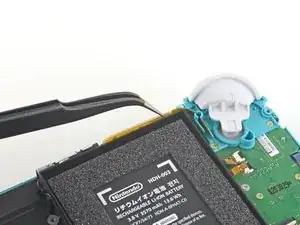
    • Usa la punta de un spudger para levantar el conector de la batería de su zócalo en la placa madre.

    Caution the connector may not be properly soldered onto the motherboard. For me it snapped off the pins and now have to find a place to get that fixed if even possible. may have bricked it.

    Craig Osman -

    Yup, broke the connector right off the motherboard. Thanks, ifixit -_-

    Justin Kerr -

    I backed out when I reached this point. I couldn't risk damaging it. Do u just need to pull it up? Did you mean that it might have been soldered shut below?

    Jannalyzer -

    You should just need to pull straight up, but make sure you’re pulling on the wires or the gray plug—do not pull on the black socket or it can snap off of the motherboard.

    Adam O'Camb -

    I pulled straight up from the south side on under 2 or three wires and held down the device as I pulled and the gray connector disconnected from the black connector on the Switch. Just be careful at this part.

    Jon -

    With how easy it seems to be to do serious damage at this point, I figured I'd say that realistically you can skip steps 9-13 when doing this repair. While they provide a bit of extra security by disconnecting the battery, the left stick is completely accessible and replaceable without touching the heat shield or anything underneath (And steps 17 and 18 disconnect power from the daughter board regardless).

    Nate -

  14. nuVsDQNmqQoywpiB
    nuVsDQNmqQoywpiB
    Vm1uBmbYeq4KuLZI
    • Usa un par de pinzas o tus dedos para sacar el cable del altavoz izquierdo directamente de su zócalo en la placa hija.

    • No tires de los cables, o te arriesgas a arrancar los cables del conector.

    pulled from the connector, not the wires, and ended up ripping them off the connector anyways since it encountered tension from the other end (the gray chamber on the left)

    consider doing step 15 before pulling the wire, just in case.

    Phillipe Legenda -

    Why even disconnect this cable. Not worth the risk leave it connected to daughter board.

    Michael McNally -

    while doing this I ripped the pad on the circuit board off. Should i risk trying to repair it or should i just try to go without the speaker???

    sarah.carney203 -

    I also accidentally ripped off the connector, disabling the left speaker. However, that will not break any functionality of the switch. The right speaker works just fine on its own (just remember to turn the audio to mono in system settings) and I was successfully able to replace the joystick. Although the audio quality is a little bit depleted, you barely notice it if you turn up the volume a little, and I think being able to actually MOVE FORWARD in my games is a better plus than having louder, stereo, audio.

    Jonathan Maye -

    Went to pull the speaker connector and it pulled right off the motherboard. Would not come loose.

    putnamjerome4 -

    I'm gonna echo what others said here and suggest that you skip this step. After you complete Step 15, you can just move the speakers enough with your fingers to complete Step 26, which involves a screw half underneath it.

    Regarding the ribbon cable in Step 17 & Step 18, you can honestly use your fingers if they're small enough. The ribbon cable is wide enough for you to press down on it a little and slide it out bit by bit.

    Overall, this makes the disassembly and eventual reassembly process easier and lets you avoid running the risk of damaging or completely tearing out the wires, like I almost did.

    ThatDerpGuy -

  15. rfJx5DDGcYumZLDZ
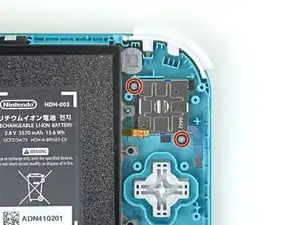
    • Utiliza una herramienta JIS 000 o una oficial iFixit PH 000 para quitar el tornillo de 4,5 mm que sujeta el módulo del altavoz izquierdo.

  16. i1fgqmy1vHD5EmGs
    i1fgqmy1vHD5EmGs
    6hloEhG1xAM2cIWL
    sIT3siejtjNVrL4W
    • Usa tus dedos para levantar el módulo del altavoz y sacarlo de su hueco para quitarlo.

    • Parte del módulo del altavoz se encuentra debajo de un delicado cable plano. Ten cuidado de no enganchar el módulo del altavoz en el cable al retirarlo.

    Pulling the lower screw on the speaker assembly gave me a little more wiggle room to get it out without damaging the flat cable.

    Spacer -

  17. rUdjNcGiZVMqokyq
    rUdjNcGiZVMqokyq
    rPRud43Zc3ynVY4L
    • Utiliza una herramienta de apertura o tu uña para levantar la pequeña tapa de cierre con bisagra del conector ZIF del cable de interconexión de la placa madre.

  18. QnRCVKS2hdlaYdZY
    QnRCVKS2hdlaYdZY
    DjPDMEBck3WLETTZ
    • Usa unas pinzas para deslizar el cable de interconexión de la placa madre fuera de su conector en la placa hija.

  19. fk4CET6RdhAMLfyv
    fk4CET6RdhAMLfyv
    VLmY4Du2JeqXEHpJ
    • Utiliza una herramienta de apertura o su uña para levantar las pequeñas lengüetas de cierre con bisagras de los dos conectores ZIF del cable plano.

  20. NJYbXYEobSDpb3fT
    NJYbXYEobSDpb3fT
    aAr6MeGWIOxGtMAc
    HeFIUbfQhWtqQQWO
    • Usa un par de pinzas para deslizar el cable de la pantalla de la placa hija fuera de su conector en la placa madre.

    • Repite este procedimiento para el cable del botón de volumen.

  21. YU6kfk2AMvX131DF
    YU6kfk2AMvX131DF
    KkNUAgCK3xhOHNaD
    • Usa un par de pinzas o tus dedos para remover los botones del volumen.

  22. sUkMCNGNN4LPVZZM
    sUkMCNGNN4LPVZZM
    1HRu2lfDPkcscVmU
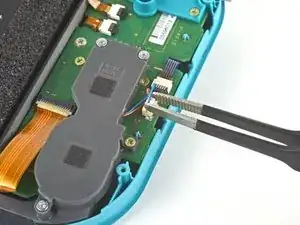
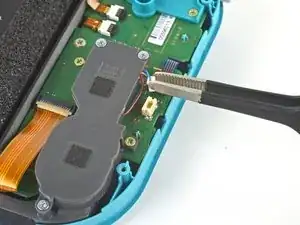
    • Utiliza una herramienta de apertura o tu uña para levantar la pequeña tapa de cierre con bisagra del conector ZIF del cable del joystick izquierdo.

  23. 3ewDGowSEYRsSoGe
    3ewDGowSEYRsSoGe
    ZSbVLJT5TyMEMdw1
    • Usa un par de pinzas para sacar el cable del joystick izquierdo de su conector en la placa hija.

    The connector for my left joystick broke. Is there a way to fix it?

    Christopher Shackelford -

    How badly did it broke?

    Daniele Carminati -

  24. aMfx1XnPjD2XJZU1
    • Usa una herramienta JIS 000 o una oficial iFixit PH 000 para quitar los dos tornillos de 4.5 mm que aseguran el ensamblaje del botón del gatillo izquierdo.

  25. U1DZ6ItpRRDM6bR6
    U1DZ6ItpRRDM6bR6
    XDWLwsSDmteyClP6
    • Retira el ensamblaje del botón del gatillo izquierdo.

  26. nNWn4JQ3wWAM1bPO
    • Usa una herramienta JIS 000 o una oficial iFixit PH 000 para retirar los cuatro tornillos siguientes:

    • Dos tornillos de 4.5 mm

    • Dos tornillos de 6 mm

    The two 4.5 mm screws were very difficult to remove here and ended up getting stripped. I CANNOT remove them, help!

    Sara Rouse- Barker -

  27. LWqBVq43uhACZLOx
    LWqBVq43uhACZLOx
    BDc2sqDrthKMLEHE
    • Use tus dedos para levantar la placa hija y sacarla de su hueco para quitarla.

    Stop here if repairing Switch Lite for joycon drift. After removing daughter card you can see the bottom of the joystick. This thin metal actually bends during use causing bad connection of joystick. If you cut out a business card the same size as the joycon and put it on the bottom of the joystick it gives the metal enough backing to fix the issue. I used two layers with just a small bit of glue stick to adhere it. Put it all back together and you will find your issue is fixed.

    Michael McNally -

  28. jdTAwLEurNQPQFuR
    • Usa una herramienta JIS 000 o una oficial iFixit PH 000 para quitar los dos tornillos de 3,5 mm que aseguran el joystick izquierdo.

  29. jRQVdAFSfv3GTGIf
    jRQVdAFSfv3GTGIf
    bRIXL3cebNsxNFfE
    GcVdmXworPOUWNUn
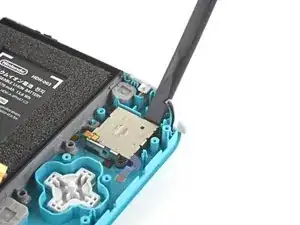
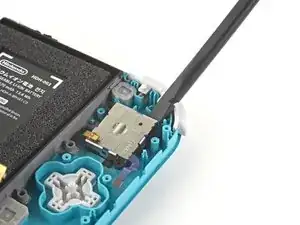
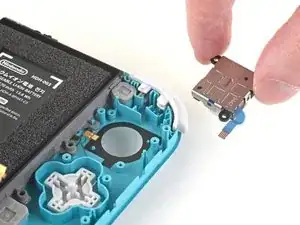
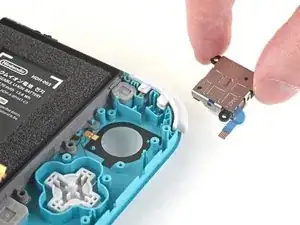
    • Usa el extremo plano de un spudger para levantar el joystick de su hueco.

    • Usa tus dedos para remover el joystick.

    • Hay una fina junta negra alrededor del agujero donde el joystick atraviesa el marco. Intenta no perturbar esta junta al retirar el joystick.

Conclusión

Para volver a ensamblar tu dispositivo, sigue estas instrucciones en orden inverso.

Lleva tus desechos electrónicos a un centro de reciclaje certificado.

¿La reparación no salió como planificaste? Intenta algunas soluciones a problemas básicos o pide ayuda a nuestra comunidad de respuestas de Nintendo Switch Lite

Craig Lloyd

Miembro Desde 10/02/16

30254 Reputación

23 comentarios

Really appreciate the detailed pictures.

ALLEN COLLINS -

Great guide! Circling the screws really helped as went backwards for the reassembly. Not a bad repair just very delicate components. Best of all no adhesive removal required!

lee -

This was great, I love how every step was so simply broken down and had pictures. Thank you, my son is very happy to have his switch back in action.

Louise Perkins -

I followed this guide, bought the tools and replacement part, after successfully doing the replacement, my switch light now won’t power on at all, how can I fix this? any help please…

lczleal -

Hi Iczleal I had the same issue when I first did it and then I went back step by step. Turns out I didn’t plug the battery back in correctly, I recommend just repeating the steps and checking to see if everything is connected properly. Hope this helps :)

Moon Poppy -

Thank you to both. Had the same problem and you helped me solve it.

Paulette Taylor -

It is not called a daughter board it is called a mother board

Caden Anderson -

It’s called a daughter board because it is not the main device board and it can only work if it is connected to the main (mother) board, thus making it the daughter board. For the normal joy-cons, those boards are considered motherboards because those are separate from the Switches mother board and can operate with their own battery pack. Hope this makes sense :D

Simao Monteiro Ramos -

Appreciate the detail. Now it's fixed and my character doesn't wander off anymore.

Paulette Taylor -

That was easy to follow. The procedure went really smoothly! Thanks for the guide! <3

Simao Monteiro Ramos -

Is it mandatory to replace the thermal paste or can I just place the heat shield back without any consequence?

E. Serrano -

Thanks for this guide! The thumbstick on my son's Switch Lite stopped moving up and down. I already had the iFixit tools so I bought the part and followed the iFixit guide and repaired almost like new.

Glad I had some thermal paste on hand from a previous laptop repair.

Robert Blois -

Hi- I did this step for step and now my screen doesn’t work. It turns on and I can hear it clicks when I press buttons but the screen is black. Any ideas?

Carina -

This guide is magic! Battery connector does need a bit of a push to re-fit though. Thanks from my daughter and me.

uk.robski@googlemail.com -

Just so you don't loose it, I'd recommend removing the left shoulder button as well at step 25.

It is kind of hard to put back in because of the spring but it really likes to fall out on its own.

Jesse Russell -

Hi! I attempted this repair years ago when I was less careful, and ended up awfully stripping the left 4.5mm screw on the daughterboard in step 26, making it impossible to access the stick. Since then the drifting has gotten to the point to where the console is unusable and I want to attempt this repair again. Does anyone have any tips as to how I could get that screw out? I'm not really concerned with salvaging the screw at this point, just the console.

Aidan Tramontana -

Put a rubber band in between the screw and screwdriver, then firmly, but slowly, unscrew it. Otherwise, if you don't mind ruining your bit, put a tiny bit of super glue on the screw, press your screwdriver on the screw, then wait until it's dry and slowly turn. Hope that helps! And good luck :)

Chris Worthington -

We replaced both joysticks on my son's Switch Lite, but it will not turn back on now. I went back step by step to confirm everything was connected correctly & put it on the charger, but it will not power on at all. Any suggestions on what I can do?

Wendy Bradley -

Before i found ifixit's repair guide I already got a repair kit featuring a a Philips 2.0 x 40mm should this be sufficient for the repair and if not how does it differ from the the Philips drivers you suggest

Ian (SaltySorrin) -

Be weary of this process; some of the screws were impossible to remove which caused some damage. I would say invest in going to Geek Squad or having it professionally repaired before you take your entire switch apart!

Sara Rouse- Barker -

Did the replacement but now my switch makes noise and is responsive, but the screen is completely blank. How can I fix this? Any help much appreciated

Aidan wheeler -

What would happen if I don’t remove the batterie and the screen? I see to access those you need to remove the back plate heatsink and I will need tk replace the thermal paste but I dknt have that. And I also see that j can acces everything I need tk replace the joystick without removing the backplate. Will there be any risks if I dknt?

ermhs Gpro -

Amazing detailed guide. Reall helpful that there are lots of pictures in the guide. Made the repair of my switch really easy.

Nicolas Ely -