Introducción
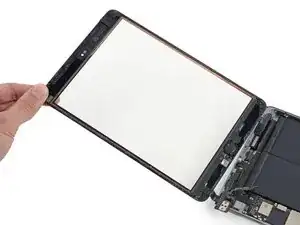
Solo de prerrequisito


Partes
-
-
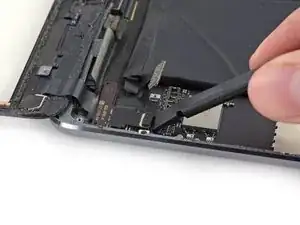
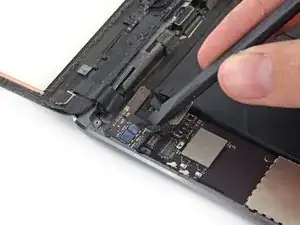
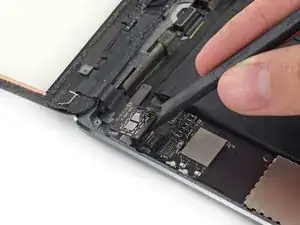
Usa la punta de un spudger para levantar el conector del cable digitalizador directamente de su socket.
-
-
-
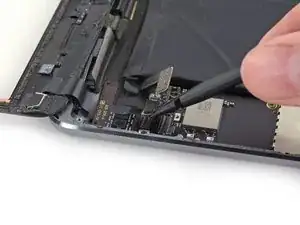
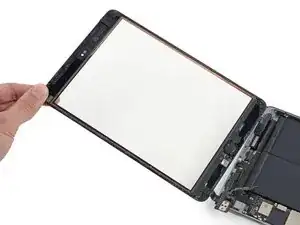
Desliza el spudger debajo del lado de la batería de la tarjeta de digitalización para empezar a separarla de su carcasa trasera.
-
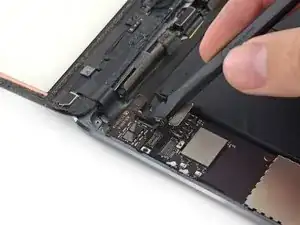
Levanta la tarjeta de digitalización para liberar los residuos de adhesivo.
-
Para reensamblar tu dispositivo, sigue estas instrucciones en orden inverso.

2 comentarios
I'll give this quide a 3/5. The problem is the end where you just say reverse the steps. That is an easy out that too many people use. There are important things to do when re-assembling that are not pointed out that may come back to bite you just attempting to reverse the steps. I do like the stepped pictures showing before and after views. Overall the process is not that bad other than removing the broken glass which breaks a lot more as you go. A hair dryer on high worked fine for warming up the glue, you just need to be aware of cleaning the area of glass bits before turning it on. Glad I didn't pay somebody big bucks to do this job.
Due reassebling its really important to bend the digitizer cable with a spudger inside the case. If you just press the Front down the cable will be between adhensive and case. So near the home button, it won't fit very well!!
itf7o -
During reassembly at this point, be very careful to line up both sides of the connector. I came very close to destroying the digitizer cable connectors because I wasn't paying attention.
Jeff G -
I learned the hard way that we should be lifting from the short side of the connector, not the long side as shown here. The gold pins inside the FPC socket are very fragile and more likely to break when lifted as shown in this picture.
Frank Buccella -
Yes, I just learned that lesson as well. IMO a bit too ridiculously fragile.
Daniel -
Hi, i just broke this micro pins… it’s extremely fragile. Whats the name and were i can found a replacement to this connector? I ll try to find a friend that have a equipment for soldering this…
Leonardo Marques de Souza -