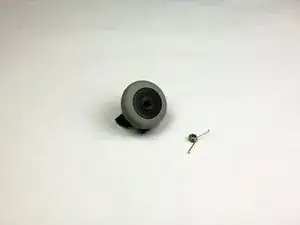
Introducción

El resorte en el mouse Logitech MBJ58 puede desgastarse con el tiempo, lo que dificulta el desplazamiento suave con muescas consistentes. Esto puede requerir un fácil reemplazo del resorte para que el mouse vuelva a funcionar normalmente. Esta guía te ayudará a aprender cómo quitar e instalar el resorte de resistencia de su mouse.

  1. 6WMstbCnH3PhThkP
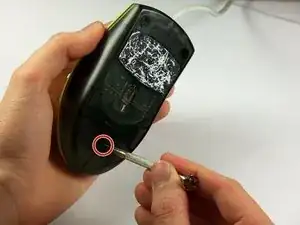
    • Sostén el mouse para que la parte inferior quede hacia arriba.

    • Retira el único tornillo Phillips n.° 1 de la mitad inferior del mouse.

    باز کردن پیچ زیر موس

    h sh -

    There may be a sticker covering the screw hole.

    Eric Jensen -

  2. hDwERLZWVWAfdpEN
    hDwERLZWVWAfdpEN
    FNtJNYIZBK3ADw41
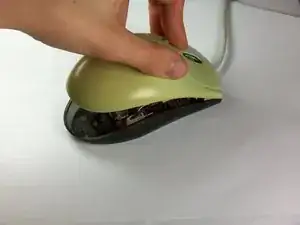
    • Coloca el mouse de modo que la parte inferior descanse contra una superficie dura.

    • Levanta la cubierta superior del mouse con cuidado y retírala.

    جدا کردن قاب رو و زیر موس

    h sh -

    The cover doesn’t lift straight up on my model - once you raise the back slightly as shown, gently pull it backward (parallel to the table top, away from the cord) to disengage two plastic clips that connect the bottom to the top.

    Eric Jensen -

  3. L4xLpPJ61EikRSJG
    L4xLpPJ61EikRSJG
    AhXtWhTjZODCTEeS
    Omgj4nRMIeUakGeu
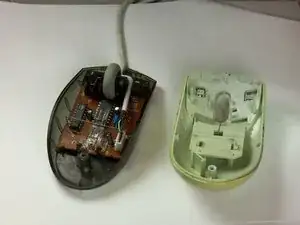
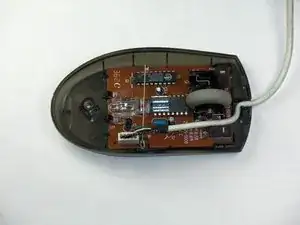
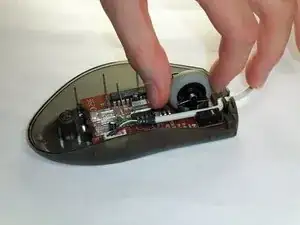
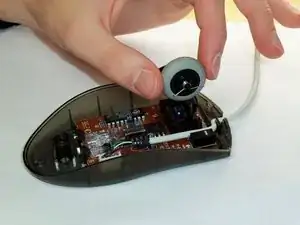
    • Ubica la rueda de desplazamiento en el mouse.

    • Coge la rueda de desplazamiento con el pulgar y el índice.

    • Levántala suavemente para quitar la rueda de desplazamiento del mouse.

    خارج کردن چرخ اسکرول موس

    h sh -

    Good information!

    My mouse is like new again.

    Many thanks

    Arie Dekker -

  4. SRELHGKXilgwQNYm
    SRELHGKXilgwQNYm
    lJuKSc5uMPHpCSiv
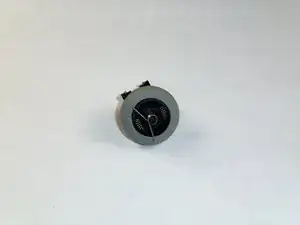
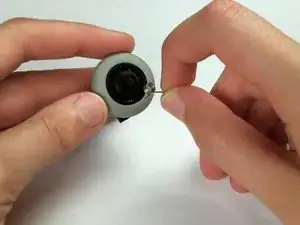
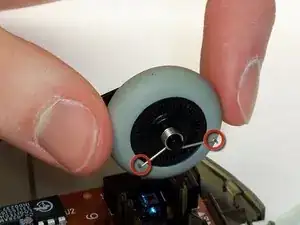
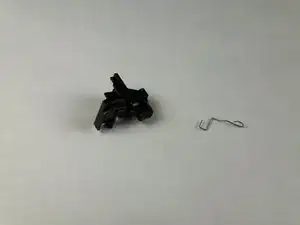
    • Ubica el resorte en la rueda de desplazamiento y retíralo con cuidado.

    نحوه قرارگیری فنر سمت راست چرخ اسکرول

    h sh -

  5. ZOqv2FQI4aeIJQBN
    ZOqv2FQI4aeIJQBN
    TnTUsubvcKJNIXRO
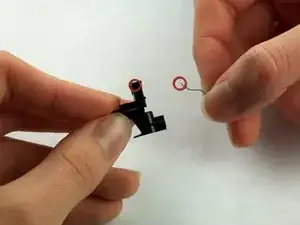
    • Coloca el resorte de reemplazo en el lado correcto de la rueda (que se muestra en las imágenes) con las puntas hacia abajo.

    نحوه قرارگیری فنر سمت راست چرخ اسکرول

    h sh -

  6. cfQquEF2rm4AH1WP
    cfQquEF2rm4AH1WP
    lGBYfciDS3YNEc5E
    nqcHh2PVdenuCrAL
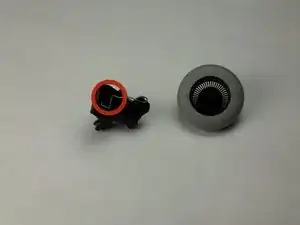
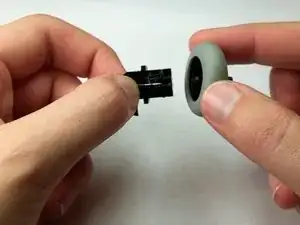
    • Utiliza las imágenes para ubicar dónde está el resorte de resistencia.

    • Este resorte se caerá fácilmente.

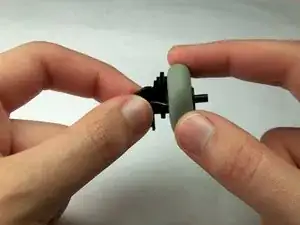
    • Toma la rueda de desplazamiento y su soporte y sepáralos suavemente.

    نحوه قرارگیری فلز سمت چپ چرخ اسکرول

    h sh -

  7. DlF5jNpMDSSFyVJf
    DlF5jNpMDSSFyVJf
    AIoHpU1FqPOkWnpq
    • Sujeta la parte superior del resorte de resistencia y sácalo hacia tí, dejando que el gancho se deslice fuera de su orificio.

  8. laxMM5CMSN1p1PV2
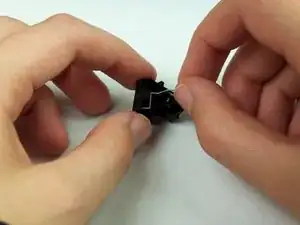
    • Inserta la sección en forma de gancho del resorte de repuesto en el orificio correspondiente del soporte.

    Thank you, thank you, THANK YOU! Worked for Click! Cordless Optical too. I had taken the mouse cover off for cleaning. It was a mess inside. Lifting the wheel out, those two springs fell off. I had no clear idea how to re-assemble them... until you. How much do I owe you? I'd gladly pay.

    Lawrence

    Lawrence W. McAllister -

Conclusión

Para volver a armar tu dispositivo, sigue estas instrucciones en orden inverso.

Maximilian Betkowski

Miembro Desde 11/01/13

235 Reputación

10 comentarios

This mouse was also available from Dell as an OEM device under the model name "M-UVDEL1". Hopefully the Google juice will help folks repair their devices. I know I would have spent far more time than I did if it weren't for the photos on how to put the spring back. Thanks Maximilian!

Bastien Nocera -

The spring installation details were lifesavers. Thank you!

LB

byard -

thank you! could not have done it without your help.

taiyo_yuden_dvd -

Brilliant. Thanks. Easy once you know how. The springs were the hard part.

Charles Thomson -

Thank you so much!! You made it very easy and quick!

vulcanmeister -

Used this to figure out how to return the support spring to the correct position for a model M-BJ67B.

THANKS!!

fracjackmac -

Do you have a part number for the resistance spring? I dropped mine and can’t find a new one on the Internet anywhere.

Aidan Franits -

The spring fell out when I took mine apart (without reading these instructions) your guide was amazingly useful and clear for me to successfully put it back together. Thank you

Jom Bom -

Also works for Lenovo M-UAE119

Andy Higgs -

Where can you buy a replacement spring for the click part? My boyfriend dropped it on the ground while trying to examine it and it's so tiny it disappeared, he really likes this mouse so he doesn't want to just buy a new one. Does anyone sell the individual tiny springs under the click part of the mouse?

lil_e -