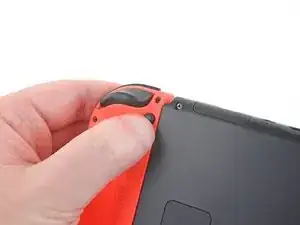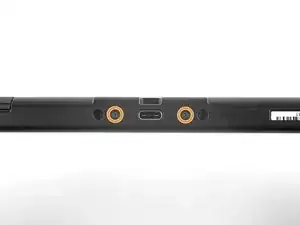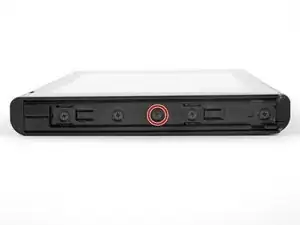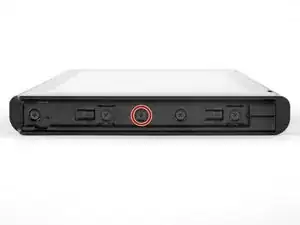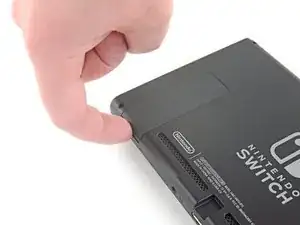
Introducción

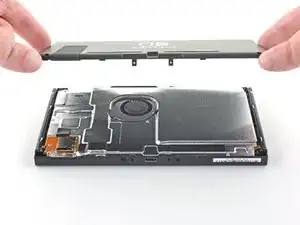
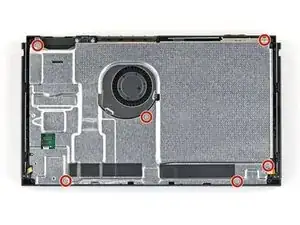
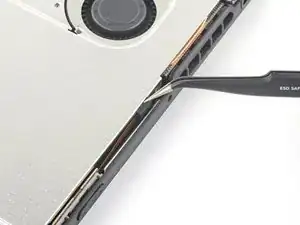
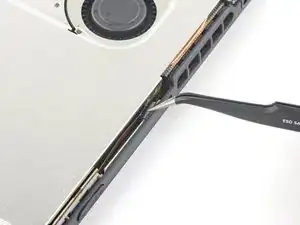
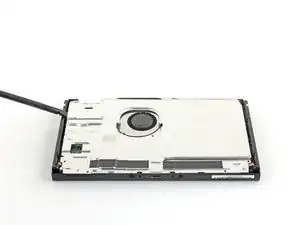
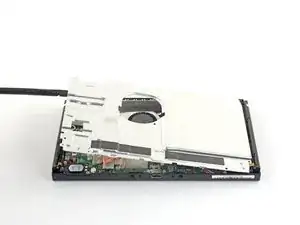
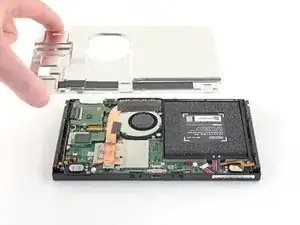
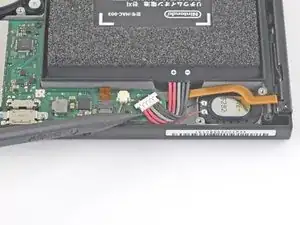
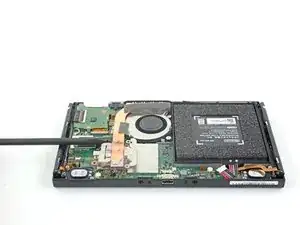
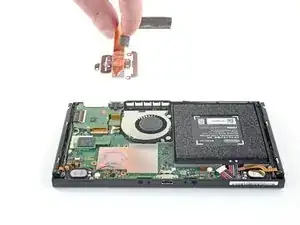
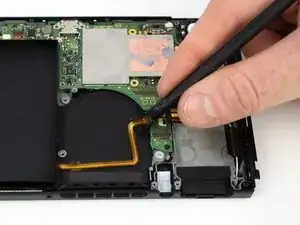
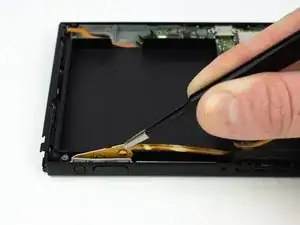
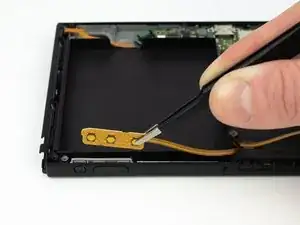
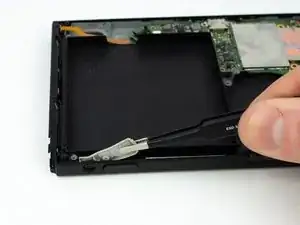
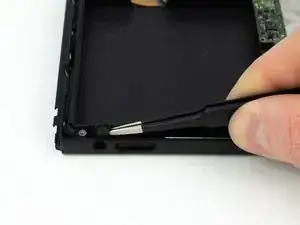
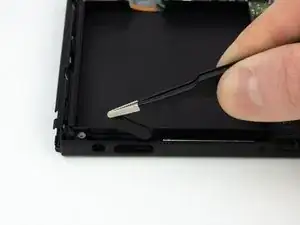
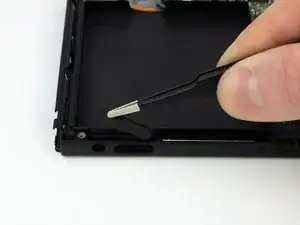
Sigue esta guía para cambiar los botones conductivos de goma y los botones exteriores de encendido y volumen.

Cuando vuelvas a instalar, junta los botones exteriores de plástico a la almohadilla conductora de goma e insértalos juntos en la consola.

  1. CNuHIy3TUQngv26I
    CNuHIy3TUQngv26I
    pJdtPCFBx3XUI5mL
    IEsgSQkEkZF6cpMS
    • Antes de comenzar esta reparación, asegúrate de que el dispositivo está completamente apagado.

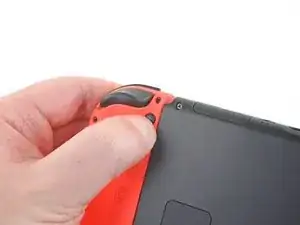
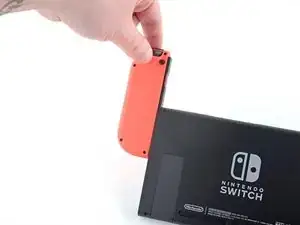
    • Mantén pulsado el pequeño botón redondo de la parte trasera del mando Joy Con.

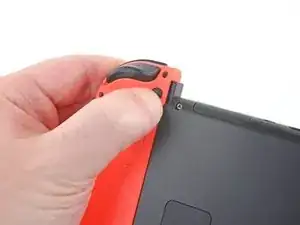
    • Mientras mantienes pulsado el botón, desliza el mando hacia arriba.

  2. PhLTKTPxlZnWR1oL
    PhLTKTPxlZnWR1oL
    FnrSoBPlnixMVSse
    DtwKbJIU1bRDF2mt
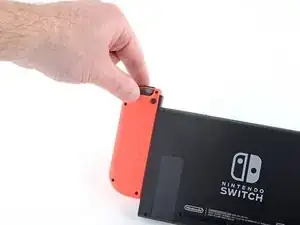
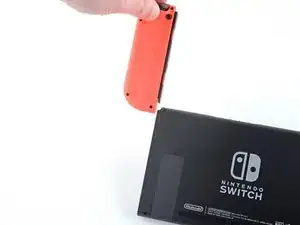
    • Continúa deslizando el control hacia arriba hasta sacarlo completamente de la consola.

    • Repite este mismo proceso para el otro control.

  3. UM4r1BOEJDYmMfpC
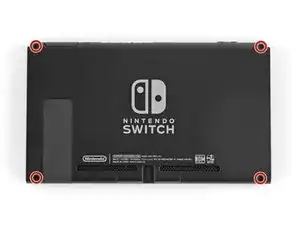
    • Utiliza un destornillador Y00 para retirar los cuatro tornillos de 6.3mm de longitud que sujetan el panel trasero.

    • A lo largo de esta reparación, mantén un registro de cada tornillo y asegúrate de que vuelve exactamente al mismo lugar de origen.

    Had to use a Y0 from my kit - the Y00 was too small to get a grip on the screw.

    cday -

    I also had a much easier time with Y0 versus Y00. Y00 felt like it was starting to strip the first screw I tried to remove.

    Joe -

    My screws took a little coaxing before they were all ready to come out of the back plate, but I remedied this by turning the screwdriver as little as possible with each turn. Use almost no pressure, except for at the very beginning of each screw’s first turn.

    nin10doh -

    I think my screws are stripped, any way to get them out?

    Banjomanperson -

    I hear that using a rubber band can help? Not 100% sure on that though.

    Pifase -

  4. hGXGnEoQjvBhX3wm
    hGXGnEoQjvBhX3wm
    vEpL4RZKItZCNJlV
    • Utiliza un destornillador JIS 000 o un destornillador PH000 oficial de iFixit para retirar los siguientes tornillos que fijan el panel trasero:

    • Un tornillo de 2.5 mm de longitud en el borde superior del aparato.

    • Dos tornillos de 2.5 mm de longitud en el borde inferior del aparato

    • Para prevenir estos tornillos duros de barrerse, aplica presión firme hacia abajo, ve despacio y trata de usar un destornillador JIS 000 o PH 000 si los tornillos no salen.

    Hey guys, I tried removing the upper screw and it won't go out(neither will it go in) any tips how to fix this?

    Thanks

    Nemysis -

    The screw boss might be stripped out. Has the device been taken apart before? If you can unscrew it a little bit to get the screw to peek out, maybe try and grab it with some pliers as a last-ditch effort.

    Craig Lloyd -

    I have the same problem. The JIS 000 tool works great on the joy con rails per step 5 but refuses to turn the bottom two 2.5 mm screws as in step 4. These bottom screws are noticeably smaller than the screws as in step 5. The JIS 000 does not get down into these screws. Hopefully they haven’t been stripped by the wrong tool. So is there a JIS tool that is smaller than 000? I’m stuck at this point…

    david brown -

    We used the JIS 3.0mm screwdriver for both top and bottom screws and it worked

    Brooklyn Gardner -
    Used PH00 to get these out with no problem.

    cday -
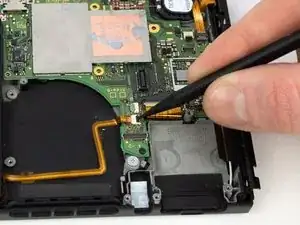
    Fun fact: these screw into little plastic tabs that stick out of the rear panel. Apparently those tabs are fragile and easy to just break off…

    Benjamin Fritz -
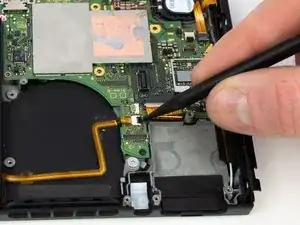
    My screws came out fine. But they are easily stripped with too much pressure on reassmbly

    Jaxon Lee -

    this screws are way too fragile and way too small so be careful when taking them off dont use much force and unscrew also one of them fell somewhere and spent 30 mins searching for it

    Richard Aguirre -

    PH000 will work if you don’t have JIS000. The large IFIXIT kit has both and I lost JIS000. Just be very careful as you can strip the heads when removing or inserting easier.

    Shawn Spivey -

    One thing that worked pretty well for me with the screws not coming out is slightly prying on the back cover to put them under some tension

    Florian Kraupa -

    Quick note, these screws are not magnetic. A magnetic screwdriver will hold onto any of the others safely, but you need to be careful not to drop these ones in particular.

    Jason Lane -

    These would just keep rotating and not come out. What worked was, as Florian Kraupa suggested, i slid a plastic pick just between the 2 shells near the screws to prise it open slightly, then unscrewed and out they came. They're the smallest screws I've ever almost not seen before, so be careful with them.

    Susannah Carter -

  5. aygPfTuAlccxJXvj
    aygPfTuAlccxJXvj
    DTFNZI2ONKRcbQjd
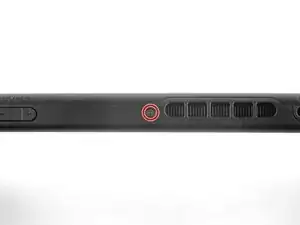
    • Usa un destornillador JIS 000 o un destornillador PH 000 oficial de iFixit para retirar los dos tornillos centrales de 3.8 mm situados en los laterales del aparato (uno en cada lado).

    I tried my JIS 000 on Step 5 and was unable to get the screw to budge. It’s partner from the other side came right out with no trouble. Don’t really want to narf up the screw, so I bailed out. Anyone else have this issue?

    mrhoyt -

    Could just be torqued down a bit more! I’d recommend making sure the driver bit seats nicely into the screw, apply some downward pressure, and slowly twist to try and back it out. Good luck!

    Craig Lloyd -

    Yeah I’m having this exact issue. Screw stripped and now I’m stuck. Wish I hadn’t even started.

    Ryan Quinn -

    I did finally get it out- one thing I noticed was some of the screws have blue Loctite on the threads. I guess they figure it’ll get tossed around. This underscores the importance of having the correct tools and making double darn sure you are using the correct size, etc.

    mrhoyt -

    What worked for me here was a Phillips 000, not a JIS 000

    Federico Zivolo -

    One of mine is totally stripped. Guess I can’t do anything now.

    Nick -

    My kit only has two screwdriver heads! The package was open when I received it!

    Cynthia Hyland -

    I had this issue as well. Screw was irreparably stripped. If you can get every other screw out, just keep applying pressure with a flat head screw driver right above the stripped screw and try to break the plastic piece holding onto the screw. It's a very minor invisible bit of damage that will allow you to continue the repair.

    Raymond Garrison -

  6. JXApmLipodX5R25H
    JXApmLipodX5R25H
    RSjFHQEoWWAEbSCr
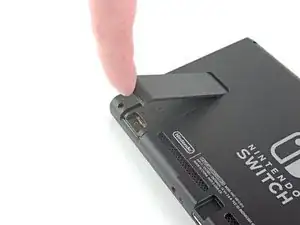
    • Usa tu dedo para levantar el soporte de la parte trasera del dispositivo.

    • Si hay una tarjeta microSD en la ranura para tarjetas microSD, sácala ahora antes de continuar con el siguiente paso.

    Don't put your SD card on your magnetic mat.

    Chris Cotter -

  7. rJ4M2PBV1Z5gOaPS
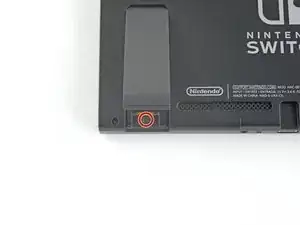
    • Utiliza un destornillador JIS 000 o un destornillador PH 000 oficial de iFixit para retirar el tornillo de 1.6 mm en el pozo de la pata de cabra.

    • Cierra el soporte.

  8. sJlDUdVfVekGVHQU
    sJlDUdVfVekGVHQU
    4WialnXAlRWtwINs
    tMSpAvarIRbjmCpW
    • Abre la solapa del cartucho de tarjetas de juego.

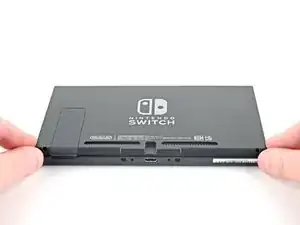
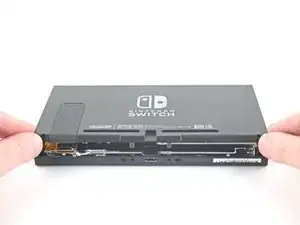
    • La solapa del cartucho de la tarjeta de juego se adhiere a la otra mitad de la carcasa de plástico, lo que impide levantar completamente el panel trasero si está cerrado.

    • Levanta el panel trasero desde la parte inferior del dispositivo y retíralo.

    How to remove micro SD port?

    Pull straight up, press back into place when closing back up.

    Christopher Hernandez -

    This step is missing in this guide. Here are the steps from another guide:

    Step 9) Remplazo del Riel del sensor del Joy Con derecho del Nintendo Switch

    Step 10) Remplazo del Riel del sensor del Joy Con derecho del Nintendo Switch

    David -

  9. jyDV4Ulh1HdvOuKh
    • Usa un destornillador JIS 000 o un destornillador PH 000 oficial de iFixit para retirar los seis tornillos de 3 mm que fijan la placa de protección al aparato.

    Some models have a small board in the lower left beneath the kickstand which accepts SD cards. This will have to be carefully removed with its connections popped out, then replaced after.

    Draque Thompson -

    Yeah, that “small board” is the microSD Card reader chip, which was covered literally one step ago. All models have a microSD Card reader, that’s how game data is stored…

    nin10doh -

  10. IMXVmkMuqVNOdlEa
    IMXVmkMuqVNOdlEa
    TNBQoJEdW33uDjd1
    • Utiliza tus dedos o unas pinzas para despegar el trozo de espuma que hay en el borde superior del aparato, cerca del puerto de salida del ventilador.

    • Si la espuma no se pela fácilmente, no la forces porque puede rasgarse. Pela cuidadosamente en lugares diferentes para echar atrás la espuma.

    My Switch (bought about two weeks after launch) seems to be missing this foam piece… Was it added later, similar to the foam piece in the left joy-con (to improve connectivity)?

    firetech -

    It’s possible it was added to newer units! Nintendo slightly updated the internals of the Switch not too long ago.

    Craig Lloyd -

    My launch Switch also does not have this piece of foam, so it was most likely added later.

    Christoph -

    Also did not see this in my launch switch.

    matthew.raehl -

  11. yNv54Zsdts3dDN1W
    yNv54Zsdts3dDN1W
    qswmo2AiFSKqStHo
    IyyUGUVuCnI1DsTr
    • Inserta un spudger debajo de la placa de escudo a lo largo del borde del dispositivo.

    • Haz palanca para levantar la placa de escudo y removerla del dispositivo.

    • Es posible que sientas un poco de resistencia. Esto es normal, ya que la placa de escudo está ligeramente adherida al disipador de calor con pasta térmica.

    • Un compuesto térmico rosado espeso cierra el espacio entre la placa protectora y el disipador de calor de cobre debajo. Esto ayuda a evitar que el Switch se sobrecaliente.

    • Puedes reutilizar el compuesto térmico rosa si tienes cuidado. Mantén el compuesto limpio y asegúrate de que haces un contacto sólido entre el disipador de calor y el protector durante el montaje.

    • Si necesitas reemplazarlo, consulta nuestra guía de pasta térmica para quitar el compuesto térmico antiguo y reemplazarlo con un compuesto apropiado, como K5 Pro, durante el reensamblaje.

    How do you know if the thermal paste needs to be replaced?

    Youji Hong -

    Once you remove a heatsink you must always replace thermal paste even if you had just applied it ( or add a little more) . The reason is that once heat sink is fitted, paste splits around because of pressure and only needed amount will remain. If you remove the heatsink then some paste will move so when installed again there will be spots without paste. Hope this is clear enough. In any case cost of paste is very small compared to work time and value of your equipment…..

    MacTek -

    When your switch starts to lag and drop FPS, if you play breath of the wild and it starts to slow down in heavy areas like the forest where you get the master sword, can i use artic mx 4 insted of the pink compound?

    Diego Soto -

    I’d like to know as well if a cpu thermal compound like arctic mx-4 can be used to replace the pink compound

    Adam Stillman -

    No you shouldn't . It will spill around because it is not viscous enough and then there will be no heat transfer. As suggested by author K5 PRO is the most appropriate compound for such cases.

    MacTek -

    Arctic is generally only supposed to be used on bigger heat sinks like a personal computer. Its not nearly as thick or gummy compared to K5 PRO, and you should always use something that’s thicker for smaller project like a Switch/phone/tablet.

    Shawn Christensen -

    Why was this not included in the tools/equipment list? Getting to this step and now I will have to reverse and wait for yet another order to arrive. ? Very frustrated

    Amanda Nally -

    Hi Amanda,

    Thanks for bringing this up. Sorry! We inadvertently left that part out during the guide refresh. I’ll add the necessary info into the step.

    Arthur Shi -

    To apply new thermal paste, the directions state to use the application method recommended for your specific processor type—vertical line, horizontal line, middle dot, or surface spread.

    Which method should be used for the Nintendo Switch processor?

    Philip W -

    As stated in the comment above, is there a particular method to apply thermal paste to the Switch’s processor? Or as long as you distribute it evenly is enough?

    lievjorg -

  12. Q1SQvvZEIQ2S4TgP
    Q1SQvvZEIQ2S4TgP
    ehftLfyAdXyPuHas
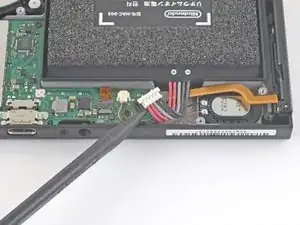
    • Usa la punta de un spudger para hacer palanca en el conector de la batería hacia arriba y fuera de su zócalo en la placa madre.

    be careful not to pry it off the board entirely

    Nathan McKenna -

    This was an old switch and the entire thing with the black plastic came off.. Most of the pins aren't there anymore, too.. is there a solution to that? Does soldering work?

    Dawn Martin -

    it's probably possible, but unless you have experience with microsoldering, you'd probably be better off taking it to a local repair shop

    just some mango -

  13. nlBoOCR3VCK4NjV4
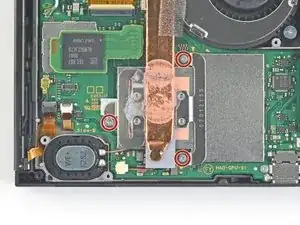
    • Usa un destornillador JIS 000 o un PH 000 oficial de iFixit para remover tres tornillos de 3 mm asegurando el disipador a la placa madre

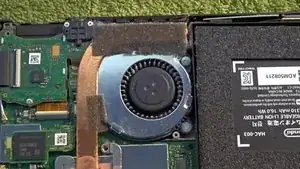
  14. Despega con cuidado las dos piezas de espuma pegadas sobre el disipador y el ventilador.
    • Despega con cuidado las dos piezas de espuma pegadas sobre el disipador y el ventilador.

    • La espuma solo necesita estar pelada lo suficiente para despejar el ventilador

    • La espuma es muy delicada y se rompe fácilmente. Utiliza la siguiente técnica para pelar la espuma:

    • Introduce la punta de un spudger debajo de la parte de la espuma que no está pegada a nada,

    • Presiona la parte superior de la espuma con el dedo para mantenerla en su sitio.

    • Pasa la punta del spudger por debajo de la espuma hasta el otro extremo de la espuma para liberarla.

    spudger technique is perfect.

    Jaxon Lee -

    For anyone who doesn’t have a pen-style spudger, the tip of your JIS 000 screwdriver can be a great alternative tool. The same steps above can be used, just be extra careful not to tear that foam. Roll the tip of the screwdriver the same way you would roll the spudger tip.

    nin10doh -

    Maybe it’s because I’m working on a day one switch and the adhesive is just old and stubborn, but this didn’t work well for me. Am I just completely out of luck, or can I order a replacement for the foam?

    Trae Block -

    I had the same problem and I found a foam manufacturer: https://www.foam-material.com/sample-cus...

    I'm pretty sure the type is "Granular Activated Carbon Foam" and the thickness is 0.5 mm but I have no idea what the porosity is.

    Garret Jaworski -

    Yeah ripped the foam. Neither the screwdriver nor spudger technique worked. Day one switch, so 6 years old at this point.

    Ndragonawa -

    Does the foam need replacing if torn? What does it actually do.

    Scott Norman -

  15. 1g1C6QGZkYCwwet1
    1g1C6QGZkYCwwet1
    dZyNBjFYGxHPqeK3
    ISdmEMJoktZ4mGkk
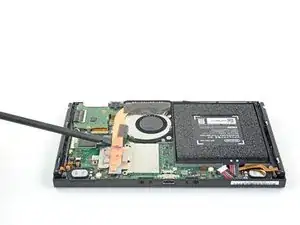
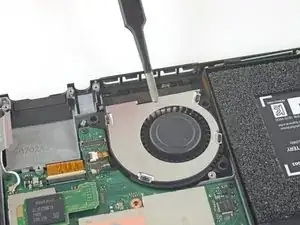
    • Usa una spudger o tus dedos para levantar el disipador arriba y fuera de la placa madre para removerlo

    • Puede que sientas un poco de resistencia. Esto es normal debido a que el disipador esta pegado ligeramente al CPU con pasta termal

    • Limpia toda la pasta térmica del disipador y del CPU utilizando alcohol isopropilico de concentración alta (90% o major) y una tela de microfibra. Aplica la nueva pasta termal al CPU antes del re-ensamble

    • Aplica pasta térmica a todas las superficies a las que se les haya aplicado pasta térmica anteriormente. Esto incluye entre el tubo de calor y el escudo de aluminio, que el Switch usa como disipador de calor adicional.

    What's on the heatsink?

    Unknown1224 -

    Directions for this step say you can use Artic Silver ArctiClean but when adding to iFixit cart it says “This won’t work with your device (Nintendo Switch).

    Dan S. -

    where do i get more of that black fabric like tape that is on the heat sink?

    Regal Pikachu -

    They may sell it in the ifixit store.

    Joshua Graham -

    (1) Exactly how much thermal paste should be applied to the CPU?

    (2) Which application method should be used? The linked instructions list four methods (vertical line, horizontal line, middle dot, or surface spread) but it’s not clear to me which one is appropriate for the Switch. Thanks!

    Travis -

    UPDATE: So, for anyone who also wanted to know the answers to these questions:

    1. I ended up eyeballing the amount. Imagine an amount the size of a pea, then split that amount in half. That’s how much I used, and it worked fine.

    2. The paste (I used K5-Pro as recommended) is quite thick and sticky and difficult to get to behave the way you want, so I ended up just doing the “middle dot” method and spreading it a bit with a popsicle stick before smushing it the rest of the way down with the heat sink. Seems to have done the trick.

    Good luck!

    Travis -

    you can also spread it with the spudger or any non-metalic tool if you are not sure how much you put

    just clean it afterwards

    Richard Aguirre -

    K5 (or thermal pads) is ONLY needed between the copper pipe and metal shield plate. It is a pad replacement compound and is not meant for high heat applications like CPUs as it boils and creates air gaps. Air=bad for heat transfer.

    Regular thermal compound/paste should be used on the CPU. You’ll have a sticky mess to clean but if you want proper cooling it needs to be done. The instructions clearly state that regular compound is used on the CPU.

    Cerus98 -

    i used artic silver 5 and worked just fine

    Richard Aguirre -

  16. ud2MB1wrDxAdJ1Bu
    ud2MB1wrDxAdJ1Bu
    DIhudrhByONmbYcO
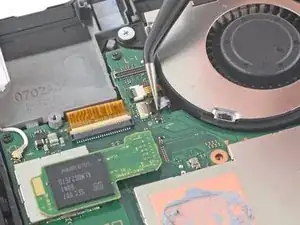
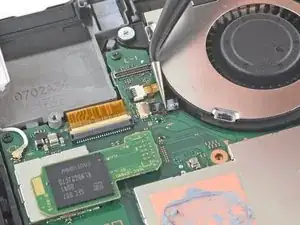
    • Use una herramienta de apertura, un spudger o la uña para levantar la pequeña solapa de bloqueo en el conector ZIF del ventilador

    The little gray tab flew off while I removed the cable. I found it, but I can’t get it back on. Is it possible to install the new fan without it?

    Jesse DuRona -

    No. You will need for professional help to replace the whole ribbon cable connector (ZIF connector).

    CCL13 -

    A step here is skipped. There is a small board which contains the cart reader and headphone out jack. The connector for the headphone jack will need to be popped off and the board unscrewed. It can then gently be pushed out of the way while leaving it otherwise connected. Reconnecting the headphone jack’s cable is tricky as a heads up. Be patient there.

    Draque Thompson -

    That step is immediately above this one. Check out step 21 to 23.

    CCL13 -

  17. 22uTBenAjFPTD1OJ
    22uTBenAjFPTD1OJ
    eK5RA634ZJTwmESd
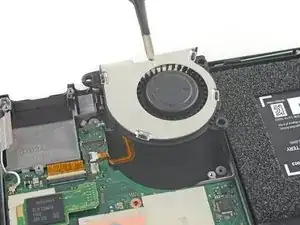
    • Usa unas pinzas para jalar el cable del ventilador afuera de su conector en la placa madre

    Will need to remove parts and board in top left in order to get to 3rd fan screw.

    Christopher Hernandez -

  18. BYdbjZSrr1YqorF4
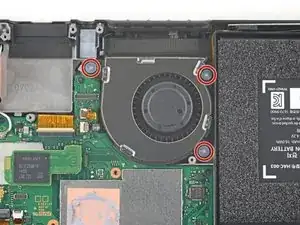
    • Usa un destornillador JIS 000 o un controlador oficial iFixit PH 000 para remover los tres tornillos de 4.8 mm asegurando el ventilador

  19. YEkD365du4KAqnbD
    YEkD365du4KAqnbD
    AHicigMrkKjpcBwn
    • Usa un par de pinzas o tus dedos para levantar el ventilador y removerlo del dispositivo

    • Compara tu nueva pieza de remplazo a la pieza original. Pueda que necesites transferir partes restantes (como los casquillos de goma) a la parte nueva antes de la instalación.

    The original fan does not have removable rubber bushings. It has hard plastic ones attached to the fan itself. The original fan is a Foxconn PVB040A05H brushless fan.

    Because I cannot remove the brushings but the guide assumes I can, the new fan cannot be screwed in securely, so my repair seems to be failing.

    Aaron Bee -

    I ended up using 2 tiny regular metal washers per screw and closing it back up. The washers prevent the fan from moving up and down but not side to side. The heat sink probably holds the fan in place well enough that I didn't even need the washers. Either way the replacement fan isn't quite as secure in there as the original. But the repair works -- for anyone else stuck at this step.

    Aaron Bee -

  20. MjDYnDbDl1VebIO3
    MjDYnDbDl1VebIO3
    qJHV2B1HCaBvcVko
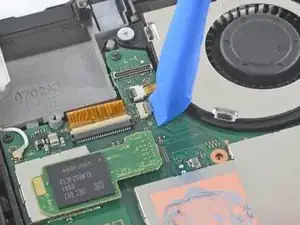
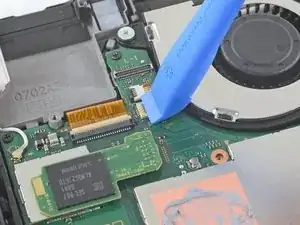
    • Usa un spudger para levantar cuidadosamente la pestaña negra que sujeta el conector del cable ZIF

  21. YcCilRnkuBYSRiNx
    • Usa la parte plana de un spudger para despegar la cinta del cable de encendido/volumen.

    I was able to replace the LCD and touch glass on my son's Switch. Everything went well the LCD worked again the screen too ... everything really ... except the ON / OFF buttons and volume ... I opened the switch again and tried to put the Ribbon Flex Cable back on the ZIF connector. As I was getting unnerved, I ended up detaching the ZIF connector from the motherboard, which came out broken. Now I look for this ZIF connector on the internet and I can't find it. Can anyone help me? Thank you

    Joao Paulo Couto -

  22. byMrZSCVI4C2FkU4
    byMrZSCVI4C2FkU4
    JcA3Cy6BCjUvycMZ
    • Extrae la placa de Encendido/volumen con unas pinzas planas.

  23. w2loEsgJ1DESiken
    • Tira de la almohadilla conductora de goma con un par de pinzas que tengan la punta plana.

  24. 64hJwXRuOEMQmN4C
    64hJwXRuOEMQmN4C
    sdd6J6FOndUpgaFB
    • Tira del botón de encendido y volumen con un par de pinzas que tengan la punta plana.

Conclusión

Para volver a montar tu Nintendo Switch, sigue estos pasos en orden inverso, desde el final hacia arriba.

Blake Klein

Miembro Desde 30/01/17

67758 Reputación

3 comentarios

What happens if the small black locking flap breaks?

James Funderburk -

Two angles are congruent if they have the same measure. You already know that when two lines intersect the vertical angles formed are congruent. You have also seen that if ∠A and ∠B are each complementary to ∠C, then ∠A ~= ∠B. There are other angle relationships to explore. When you expose these angle relationships, you will establish their truth using a formal proof.

Qui Ma -