Introducción
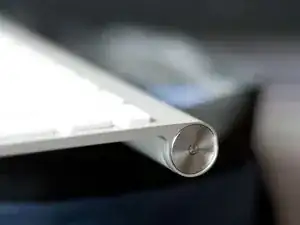
Si sueltas el teclado en la esquina superior derecha, su botón de encendido podría bloquearse y el teclado no funcionará más.
¡Esta es una breve guía que te mostrará una manera fácil de hacerlo funcionar de nuevo!
Herramientas

-
-
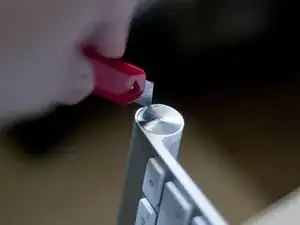
Corta el aluminio abollado con tu cuchillo de corte. Es un poco complicado y tienes que usar un poco de fuerza para cortarlo, pero funcionará.
-
¡Ten cuidado con el cuchillo! ¡Puedes cortarte el dedo muy fácilmente!
-
-
-
Saca con cuidado el botón de encendido si es necesario y corrige la abolladura
-
Presiona el botón de encendido nuevamente una vez que la abolladura esté suavizada desde adentro.
-
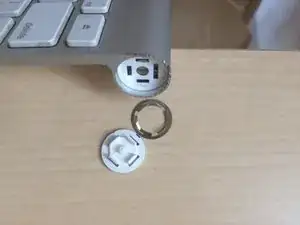
Una vez que se corta el aluminio que estaba presionando el botón, se repara el dispositivo. No es necesario volver a armarlo. El proceso tarda entre 20 y 25 minutos, dependiendo de la abolladura.

24 comentarios
This worked for me. Be Careful. I made it worse initially because the inside edge became rough with my hacking away. I ended up smoothing the edge with a stainless steel cuticle pusher. Also: Constantly blow the scrapings away so they don't get caught between the button and the edge.
Thanks for this idea. It worked great for me and saved the keyboard. My first idea was to try to fully disassemble the keyboard so I could bend the piece back out with pliers after removing the button. I probably would've destroyed the keyboard without fixing it without this simple idea.
Bullshit nothing can go between the button and the Keyboard, i just break my keyboard... thx
ruedifly -
Using cutting knife is too dangerous. I did cut my finger. But I find an alternate method. Using a fingernail cut with polish function is better. You can polish the edge. And it worked!
Qiang Zhong -