Introducción
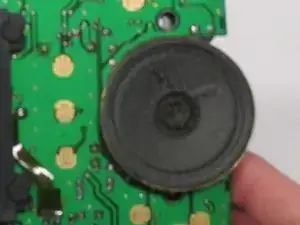
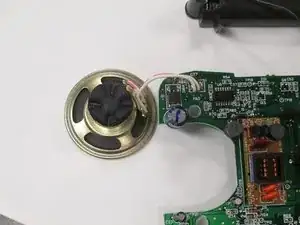
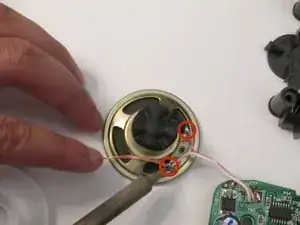
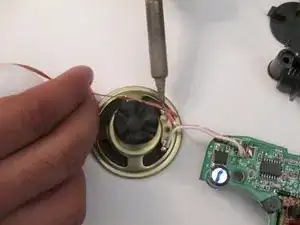
This guide will show you how to replace the speaker from your Atari Lynx. Before beginning, it is a must to know how to solder and desolder. In order to find out how to do these processes there will be a link in the the following steps. Aside from soldering, most steps should be easy to follow and simple.
Herramientas


-
-
Before disassembling your Atari Lynx, be sure the device is powered off.
-
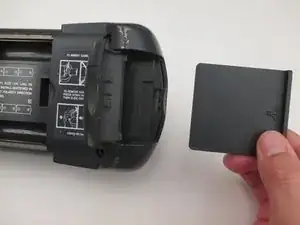
Remove any game in the console by opening the right latch and sliding the game to the right.
-
-
-
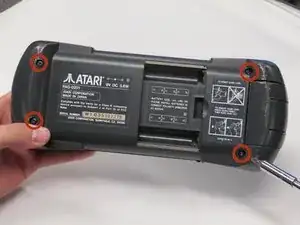
Remove the four 35 mm Phillips #1 screws at each corner of the backside on the Atari Lynx.
-
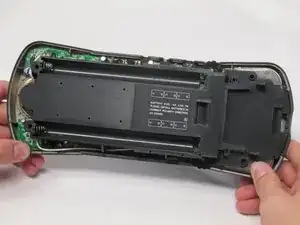
Pinch the rear panel with your fingers and lift away from the Atari.
-
-
-
Remove the battery panel by pinching the sides with your fingers and lifting it away from the Atari.
-
-
-
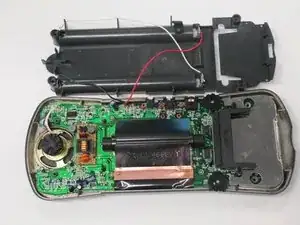
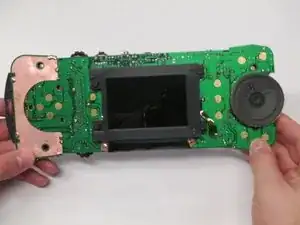
Remove the control panel by pinching the sides with your fingers and lifting it away from the Atari.
-
To reassemble your device, follow these instructions in reverse order.
2 comentarios
Does anyone know the screw sizes for the lynx 2 console please
What are the specs on the speaker? Size? Wattage?