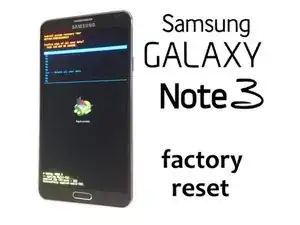
-
-
Apaga el dispositivo completamente
-
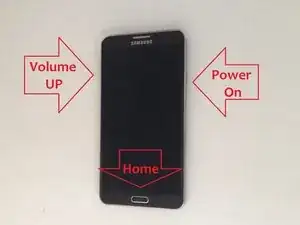
Mantén presionadas las teclas Subir volumen, Inicio y Encendido al mismo tiempo.
-
Cuando aparezca el logotipo "GALAXY Note 3" en la pantalla, suelta la tecla Encendido pero continúe presionando y manteniendo presionada la teclas Subir volumen y la tecla Inicio.
-
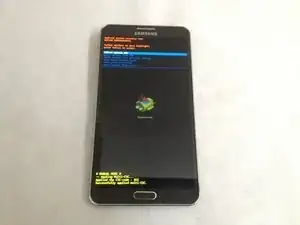
Cuando aparezca el menú de Recuperación del sistema Android, suelta las teclas Subir volumen y Inicio.
-
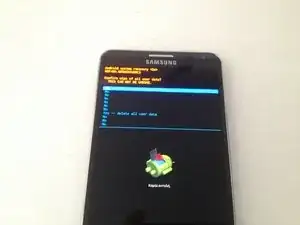
Usa las teclas Subir/Bajar volumen para navegar en el menú y la tecla Encendido para seleccionar "borrar datos / restablecer valores de fábrica".
-
En el siguiente menú, selecciona "Sí - borrar todos los datos del usuario" y "reiniciar el sistema ahora".
-
Para volver a reensamblar tu dispostivo, sigue estas instrucciones en sentido inverso.

29 comentarios
My samsung galaxy note 3 phone. cant opend how can i find this.?
but os is crashed
How can I get in ? After factory reset my galaxy note 3 demands email and password set at first, meanwhile I have forgotten the password
This does NOT work on all devices. I have done this on a Sam Gal Note 3. Removed memory and SIM, then after this “reset” the phone number and username (=email address) are STILL in system settings!! People all over the net are claiming this erases all user data. It does not.
frodo -
Net gedaan en nix ik kom er niet meer in heel raar deze $@$* ik dacht het zou helpen.
elizabethdirksz.ed -
After reboot got stuck on Eula & diagnostic data->software update->tap &go->and back again to EULA & diagnostic data
What should I do?
haris djauhari -