Introducción
Puede restablecer su dispositivo a su configuración original de fábrica, con o sin borrar todos sus datos personales. Esta acción es a veces necesaria si el dispositivo deja de funcionar correctamente.
'Por favor, SUSCRÍBETE a mi canal ツ'
[Video | https: //www.youtube.com/watch? V = zkA4uCYTPFM]
Herramientas

-
-
REINICIO SUAVE
-
Puede forzar el apagado de su dispositivo en situaciones donde deja de responder o no se reinicia normalmente. No se eliminan las configuraciones ni los datos personales.
-
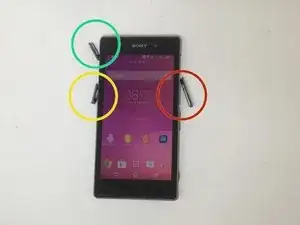
Cubierta de la tarjeta Micro SD
-
Cubierta del conector micro USB
-
Cubierta de la tarjeta Micro SIM
-
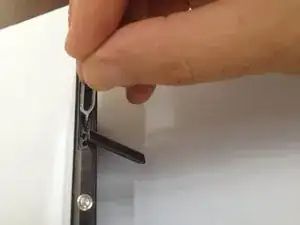
Abra la tapa de la tarjeta micro SIM y verá un pequeño botón rojo. Presiónelo y sentirá tres vibraciones y el dispositivo se apagará.
-
-
-
DATOS DE FÁBRICA / RESTABLECIMIENTO DURO
-
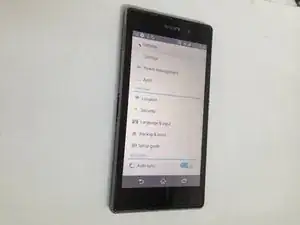
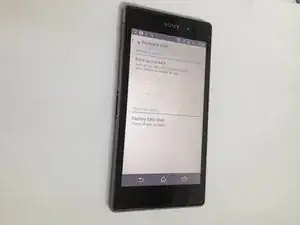
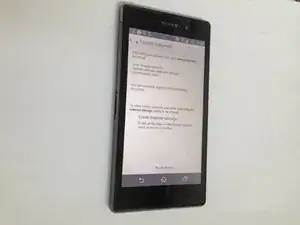
Vaya a Configuración> Copia de seguridad y restablecer
-
Tiene la opción de hacer una copia de seguridad de sus datos (debe tener una cuenta de Google).
-
Después de restablecer los datos de fábrica, el teléfono inteligente se reiniciará.
-
'
-
¿Lo hiciste con éxito?
-

Para volver a montar su dispositivo, siga estas instrucciones en orden inverso.
29 comentarios
I will alrrady presss red bottan then he 3time vibration after no responses. Why I want to broken my pattern lock ...pls help
the same as yours
forget my paaword
i cant get into my menu
اصول صحیح مطالعه
Try already but the red small button is not functioning..and totally not open..but if I charge is OK..
Roda Ledesma Dumayag -
I try already to preS's that red small button but no responce..totally shutdown if I charge mobile is OK..but not open..tnx
Roda Ledesma Dumayag -