Introducción
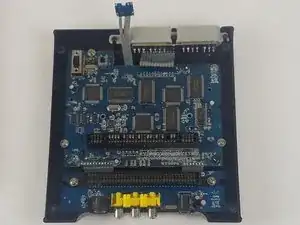
The circuit board is essential to the console's functions. Using Phillips #0 and Phillips #2 screwdrivers, you can replace it.
Herramientas

-
-
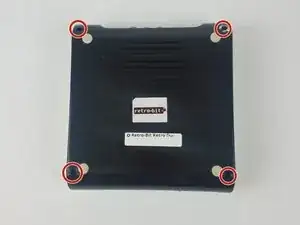
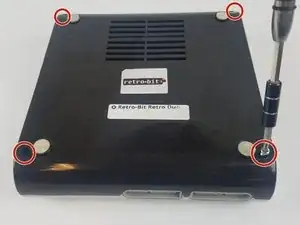
With the console on its top, remove the four 12 mm Phillips #2 screws.
-
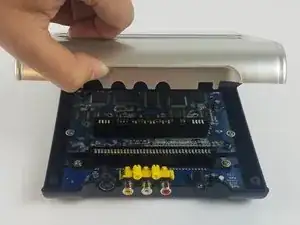
Flip the console on its feet. Carefully lift the top casing from the back (where the AV/S and power ports are).
-
-
-
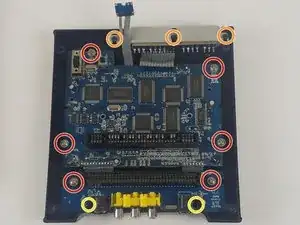
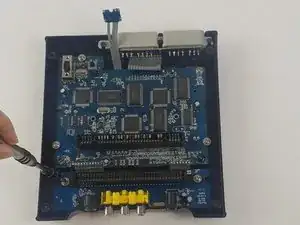
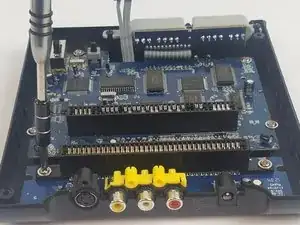
Remove the 11 screws holding the circuit boards and ports in place.
-
Six 11 mm Phillips #2 holding the circuit boards.
-
Three 12 mm Phillips #2 screws holding the controller ports.
-
Two 7 mm Philllips #2 screws holding the back ports
-
-
-
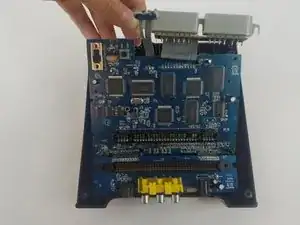
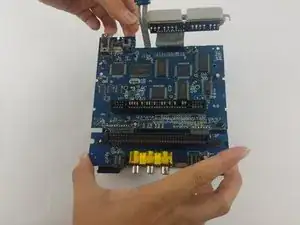
Carefully lift the circuit board while holding either the AV or controller ports. Alternatively, you can hold the circuit board on its edges.
-
Make sure to lift the circuit board completely out of the bottom case.
-
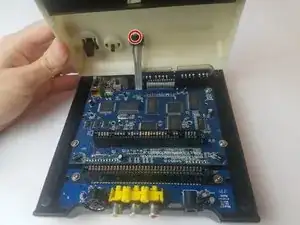
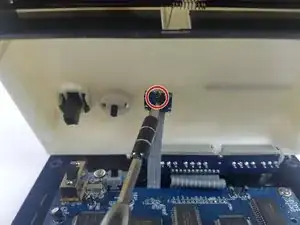
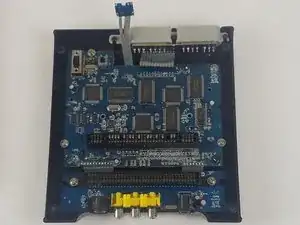
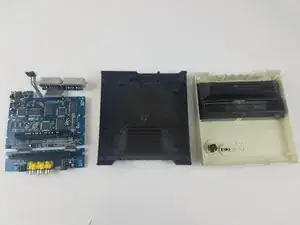
To reassemble your device, follow these instructions in reverse order.
Un comentario
I hope you show the second part were you replace the 72pin connector. Please include part source.
The 72 pin connector grabs too tightly on the cart.
Thanks.