Introducción

Replace the back panel on a Chromebook XE550C22.

  1. Pa3EJruuDBsqk1fB
    Pa3EJruuDBsqk1fB
    XmwcQZiiPpwdOKRe
    NZErD1M5OTTKvWq1
    • Turn the power off before beginning this step.

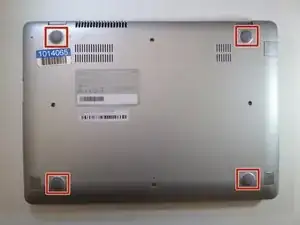
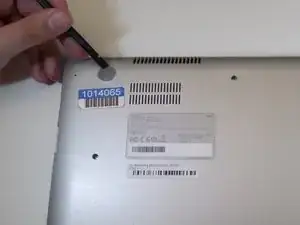
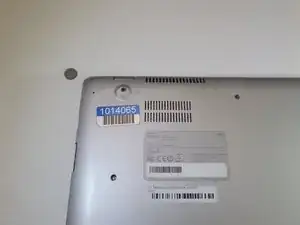
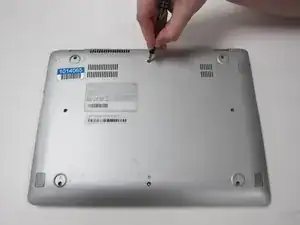
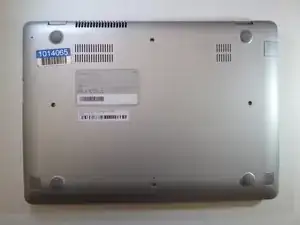
    • Using the spudger, remove the four 1/2 inch skid pads from the back of the laptop.

  2. GUcwWCLjc5LAHMlM
    GUcwWCLjc5LAHMlM
    6i3soEnGl3N3BeWY
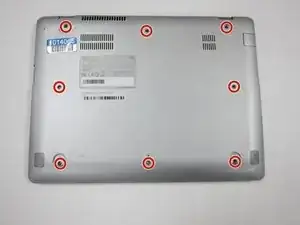
    • Remove the eight 7mm screws using the J0 Screwdriver.

  3. hPpIlFv2Wkeg6jEv
    hPpIlFv2Wkeg6jEv
    luIAuId3gDSo4sSX
    YFy4pjXwDTOKnLFB
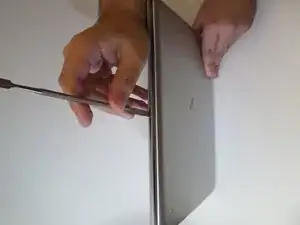
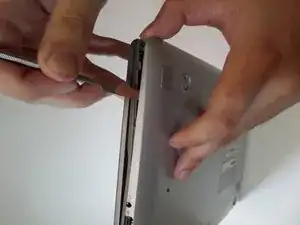
    • Starting at the center front of the laptop, insert the metal spudger between the keyboard panel and the bottom panel, separating the bottom panel from the laptop.

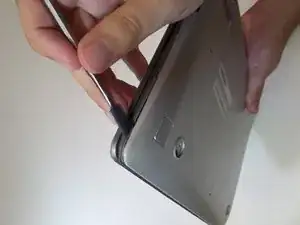
    • Continue prying around the sides to release more brackets.

  4. 5NvppG3PuAmIuVHi
    5NvppG3PuAmIuVHi
    vtDRPVgyFqPufGiD
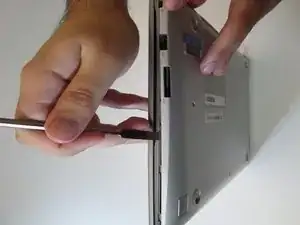
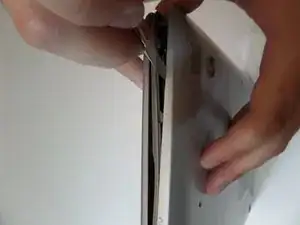
    • After deconnecting all the brackets, pull the back panel away from the laptop.

    • Note: The back panel has some flex to it, don't be afraid to use some force.

Conclusión

To reassemble your device, follow these instructions in reverse order.
Brenna Wolfe

Miembro Desde 11/09/17

541 Reputación

0 comentarios