Introducción
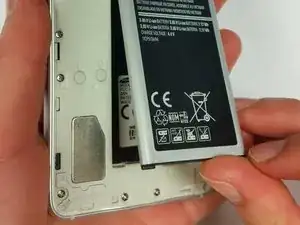
Use this guide to remove the battery in order to access other parts of the phone.
-
-
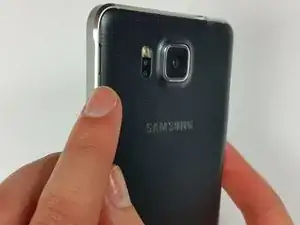
On the back panel of the phone, find the slot that is on the top left side next to the flashlight.
-
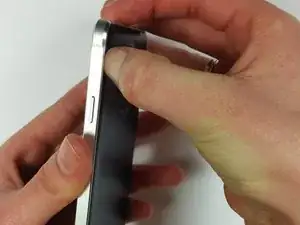
Insert your fingernail or prying tool into the slot and lift up to slightly open the top left corner of the back panel.
-
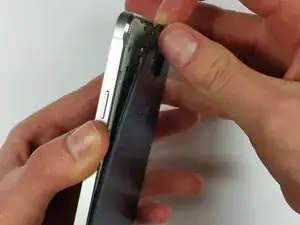
Slide your fingernail or prying tool around the outer edge of the back panel to fully release it from the phone.
-
-
-
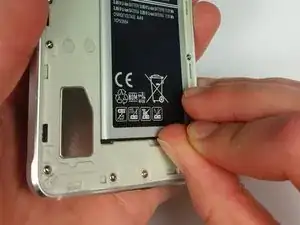
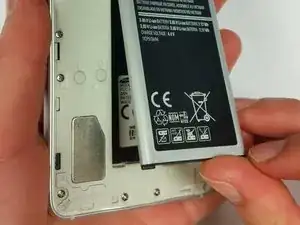
Locate the slot at the base of the battery and insert your thumb.
-
Push slightly toward the battery and out, away from the phone to free the battery.
-
To reassemble your device, follow these instructions in reverse order.

2 comentarios
Not even a full picture of the battery agh! I need to know if I can use note 4 battery
Please also make sure that replacing the battery with a cheap knock off will disable NFC since the antenna is glued to the battery.
vargabp0 -