Introducción
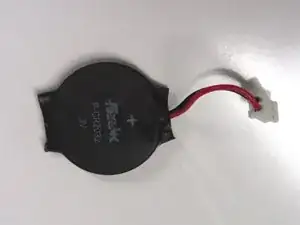
Esta guía te enseñará como localizar y sustituir la batería del reloj, en ocasiones conocida como batería CMOS or batería de la placa base, en la PlayStation 2 Slimline.
Herramientas


-
-
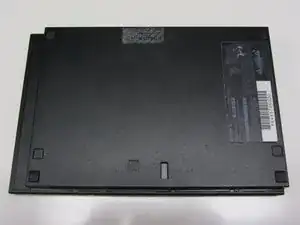
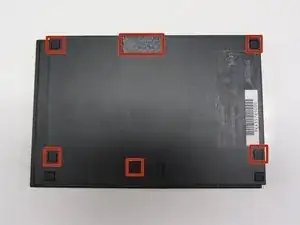
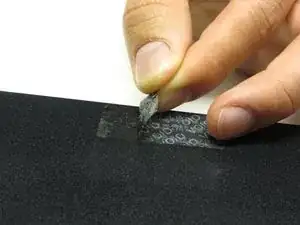
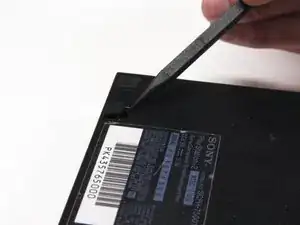
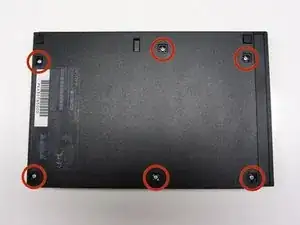
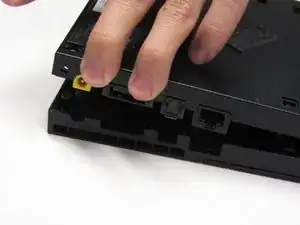
Localiza las 6 patas de goma de la consola. Haz palanca en ellas utilizando una espátula para acceder a los tornillos escondidos.
-
-
-
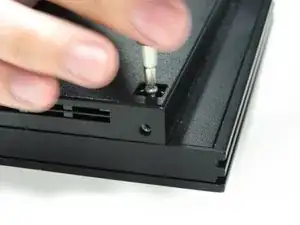
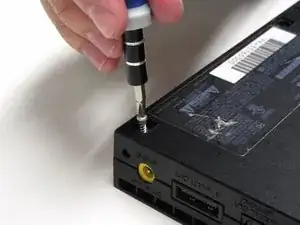
Quita los seis tornillos de 4.0 mm de la parte inferior de la consola utilizando un destornillador Phillips #1.
-
-
-
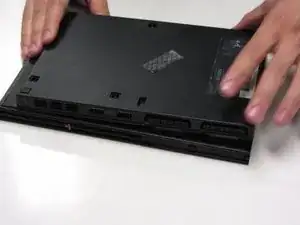
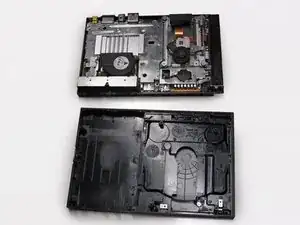
Empezando desde la esquina donde se encuentran los puertos de alimentación y ethernet, haz palanca utilizando una espátula y continúa alrededor de toda la unidad.
-
-
-
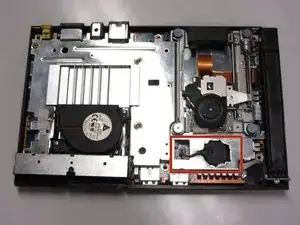
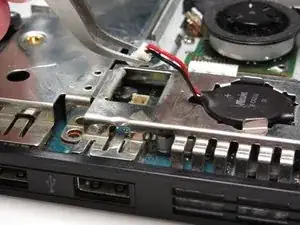
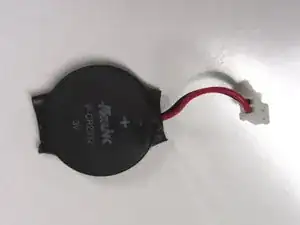
Localiza el reloj de la batería en la parte derecha y frontal de la unidad. La batería tiene forma circular con el cable de color rojo yendo al positivo de la batería y el negro hacia el negativo y estos conectan con la placa base.
-
-
-
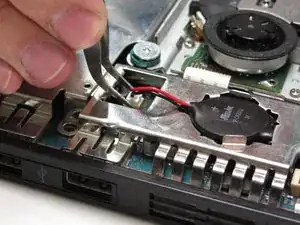
Levanta el conector de la placa base con un par de pinzas haciendo fuerza firme hacia arriba.
-
-
-
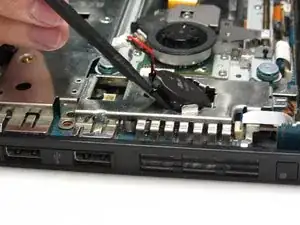
Utilizando una espátula plástica y con suavidad, levanta y quita la batería de su compartimento.
-
Para volver a montar tu PlayStation 2 Slimline sigue esta guía en orden inverso, desde el final hacia el principio.

10 comentarios
Ich wollte die Batterie wechseln, aber bei meiner PS2 Slim ist an der Stelle der Stecker des Laufwerkes fest? Und ich kann weit und breit keine Batterie entdecken. Weiß jemand warum das so ist? Gibt es verschiedene Revisionen, so dass die Batterie noch woanders sitzen könnte?
Lupo -
So for anybody stumbling across this in recent times: the newer revisions (starting with SCPH-7700x?) have a standard CR2032 coincell battery holder on the mainboard and not this custom wired battery. In order to get to the battery holder on the mainboard, the console must be disassembled further. See the mainboard guide here on iFixIt on how to do that.
Philipp -
This does not explain how to get the battery out of the black plastic, replace it, and put the wires back. That's the most important part!
I believe that is because the clock battery is sold as a single unit. So there is no way to replace the actual battery inside.
Yeah, the battery’s a special-made CR2032 with two leads spot-welded onto the contact surfaces. You see it if you carefully remove the heat-shrink. Don’t EVER try to spot-weld or solder onto a lithium battery yourself. Just type “cr2032 cmos” or “cr2032 with leads” into your favorite parts store’s search bar. It should cost between three and ten us dollars. Keep the original, as you may need to salvage the original wired connector—these are made for a wide variety of (mostly-dell-laptop) applications, so the new battery will likely have a slightly different connector. If that’s the case, clip the original wires as near to where they connect to the battery as possible. Then, splice the original battery’s connector onto the new battery’s leads while maintaining polarity and remembering to insulate any bare wire that remains. Just tightly loop any excess wire after plugging the replacement in. Use a little strip of masking tape if you’re concerned about chassis pinching.
Absolutely! It's so much easier to do on the PlayStation 2 Big Unit. You just take the battery out and replace it it's simple. It just lifts out like a watch battery on The Big Unit. I thought this was going to be about the same but it is quite different.
Ist das die Playstation 2 Slim DHCP 90004 ??! Sitzt bei der 90004 die Batterie auf dem Mainboard ( Motherboard zum einklinken ?!! ) oder so wir in der Anleitung beschrieben mit einem 2 pol Stecker im Gehäuse ??!
Bitte um antwort. Gruß Holger