Introducción

  1. ZMfGOB2GQsDFm5Xa
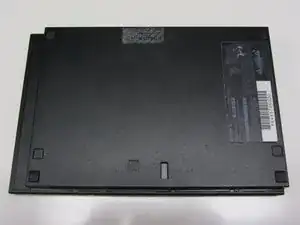
    • Desconecta todos los cables de la consola y dale la vuelta para ver la parte de abajo.

  2. GpHh4vJkT4rb1u6P
    GpHh4vJkT4rb1u6P
    TbnIWfeRsUP3f51M
    Jjufdtb2FQgwhDpC
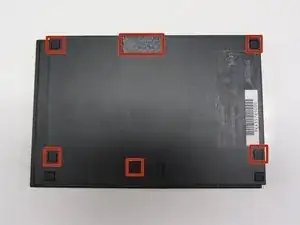
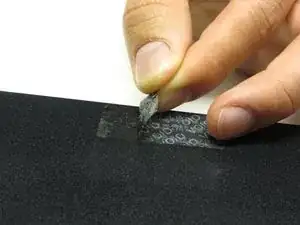
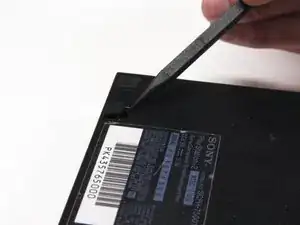
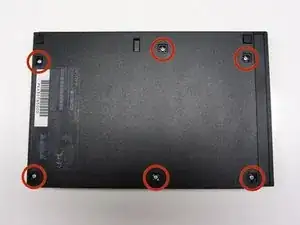
    • Localiza las 6 patas de goma de la consola. Haz palanca en ellas utilizando una espátula para acceder a los tornillos escondidos.

    • Nota:Una de las seis patas de goma se encuentra debajo de la pegatina mostrada en la foto. Quitar esta pegatina supondrá la pérdida de la garantía con Sony.

  3. bD3xeHvpxvOPuvEb
    bD3xeHvpxvOPuvEb
    gcqGAEtP3TxJD6TR
    BFwQXecMxnMYCNP6
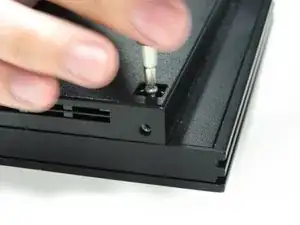
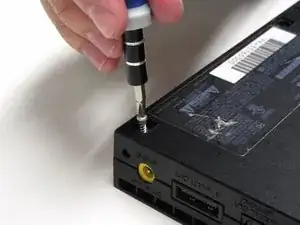
    • Quita los seis tornillos de 4.0 mm de la parte inferior de la consola utilizando un destornillador Phillips #1.

  4. OfZZaEZHxVHRoHOC
    OfZZaEZHxVHRoHOC
    J4eXd2UCJPHsOvX2
    jWXnr4HfnRw5I5AK
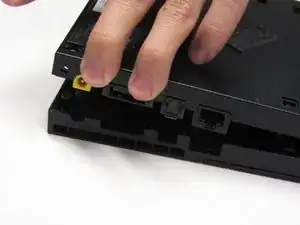
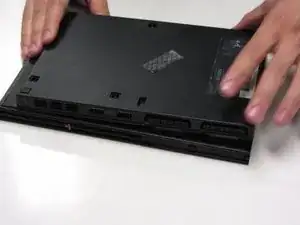
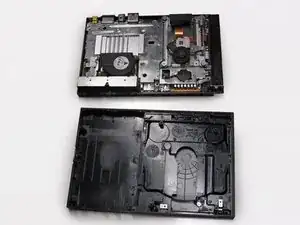
    • Empezando desde la esquina donde se encuentran los puertos de alimentación y ethernet, haz palanca utilizando una espátula y continúa alrededor de toda la unidad.

    • Nota:Quizá necesites utilizar tus manos para ejercer fuerza adicional para separar las dos partes de la carcasa.

  5. RQpwe1N5jinbgsdr
    RQpwe1N5jinbgsdr
    YYAv4YCRE2FfYDJY
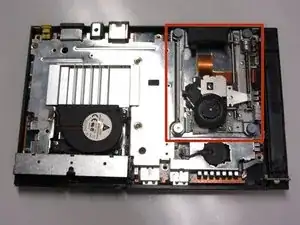
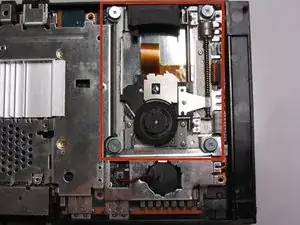
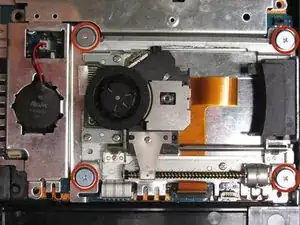
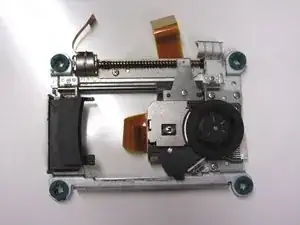
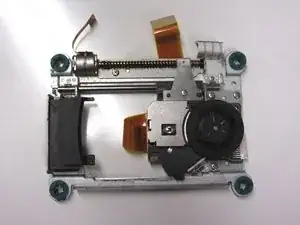
    • Localiza la unidad óptica la cual ocupa la mayoría del espacio en la parte derecha de la unidad. Se puede identificar gracias a los cuatro tornillos de cabeza ancha que fijan la unidad óptica a la placa base.

  6. nDTWJnTJUgGLHDqR
    nDTWJnTJUgGLHDqR
    HbGgmaHUblSGSA6D
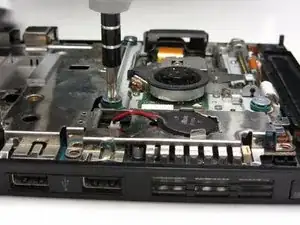
    • Quita los cuatro tornillos de 4.0 mm utilizando un destornillador Phillips #1.

  7. kAGAdLqctFhKSOdK
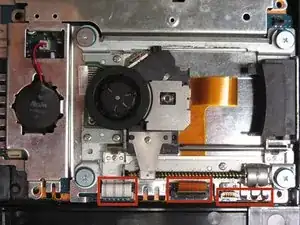
    • Localiza los tres cables planos que conectan la unidad óptica a la placa base.

  8. rIGNMtBLmXjEoHnX
    rIGNMtBLmXjEoHnX
    kPeEHSP51AbGH6Ja
    f2Ckvb2NO6G4IOO1
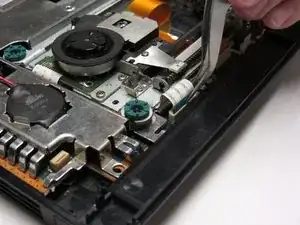
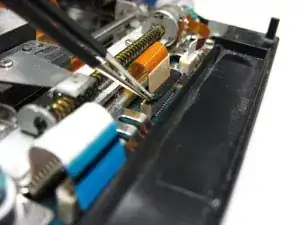
    • Con cuidado desconecta los cables planos de la placa base utilizando un par de pinzas.

    • Nota: El cable plano que está en el centro se debe desconectar levantando la pestaña negra del conector. Recuerda bajar la pestaña cuando coloques el cable de nuevo para asegurarlo al conector.

    • Precaución: Quita siempre los cables planos por los agarres de plástico que tienen en el final. Agarrar el cable plano en cualquier lado podría provocar daños en el cable y dejar el componente inutilizado.

  9. aMa4gPhgbjrQREMO
    aMa4gPhgbjrQREMO
    Md22peaZYrkpETrX
    qRIQ1BHxLvknLYOY
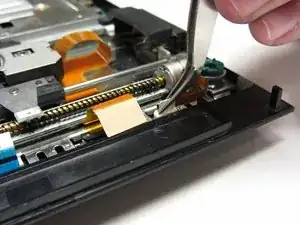
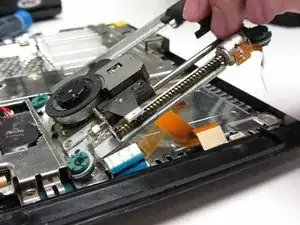
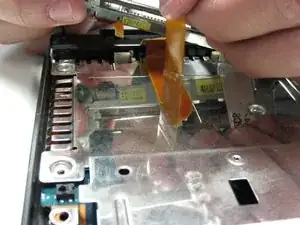
    • Quita cualquier tipo de cinta adhesiva que esté fijando los cables a la placa base y con suavidad levanta y quita la unidad óptica.

    Be really careful when dealing with the orange ribbon cable attached to the optical lens, as it is glued on the metal surface underneath it. From normal usage months or years, and the optical lens natural movement, this ribbon might lose some glue and start lifting upwards, sometimes even touching the CD surface. This could start scratching your games to an unplayable extent. Reapply glue if needed.

    Americo Santos Oliveira -

    You don't necessarily need to remove the ribbon cable from the shield. After you detached the cable from the motherboard, flip the optical drive and detach the other end of the cable.

    Vincenzo Quinci -

Conclusión

Para volver a montar tu PlayStation 2 Slimline, sigue esta guía en orden inverso, desde el final hacia el principio.

Thomas Sullivan

Miembro Desde 23/10/13

3669 Reputación

6 comentarios

انا أريد للغة عربية

Muammar lmgaroush -

you also must disconnect the ribbon cable from the laser assembly by flipping back the little brown lever and removing the cable. This frees the assembly from the rest of the console. To actually replace the drive, you need to move the lens away from the disc hub by gently turning the worm gear. Flip the new assembly over and connect the brown ribbon that is glued to the metal shield. DO NOT REMOVE THE GLUED RIBBON UNLESS YOU INTEND TO REPLACE IT. After that one is connected, you can slowly flip the assembly and rest is in place. Connect the other ribbons to their respective connectors. Return all the screws to their positions and tighten so they are firm. Don’t go overboard screwing them back in.

Rusty Shackleford -

Hello is the optical drive from my ps2 70004 compatible in my ps2 slim 75001?

Jorick Earl Bastian -

I don't see any reason why it shouldn't be.

LOLMAN 9538 (LOLMAN9538) -

This is a great instructional aside from one thing, if you don’t not have the tape/glue for the ribbon cable that goes under the assembly, do not remove that ribbon cable from the shell. just disconnect it from the assembly, and put it in the new assembly. I wish I had read the comments before I did this myself. Please add this to the notes for the instructional. Now one of my games are ruined, and I have to buy a new one.

Noah L -

Another thing to note when replacing the optical reader: all replacement readers will have a solder blob attaching the ribbon cable to the lens assembly. This is mainly to prevent static buildup during delivery, and it must be removed before installation.

LOLMAN 9538 (LOLMAN9538) -