Introducción
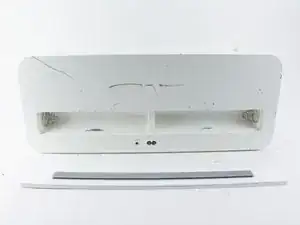
Esta guía detalla cómo reemplazar las baterías en el sistema de altavoces Apple iPod Hi-Fi.


-
-
Coloca tu moneda en el candado de la batería en la parte posterior del Hi-Fi. Gira la moneda hacia la izquierda para liberar el panel de la batería.
-
Retira el panel de la batería con las manos.
-

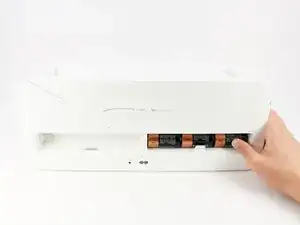
Para volver a armar tu dispositivo, sigue estas instrucciones en orden inverso.

3 comentarios
good day. Does the column charge the batteries when it is plugged in?
Nope, the hifi will not charge any batteries that are installed.
Hello, I realize these comments/texts are a bit old (2019) however, I have an Apple Speaker unit from 2006 that is practically new with very little usage but stopped working due to purchasing a Bluetooth adaptor and inserting it in the rear (Audio in) jack. It had been working “great” with the Bluetooth and my iPhone for a while until the speaker unit ceased to function-turn back on (no power). Can you kindly assist in assessing-determining what might have gone wrong and what would be required to fix this problem. Many thanks ahead. Look forward to your reply.