Introducción

Esta guía es necesaria cuando tienes un puerto de carga defectuoso.

  1. Wjav2uKR6AOpKjln
    Wjav2uKR6AOpKjln
    X125VW26yDbWZCxQ
    WrYKIEgdxp25hpdT
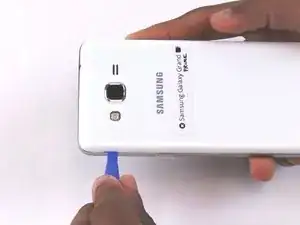
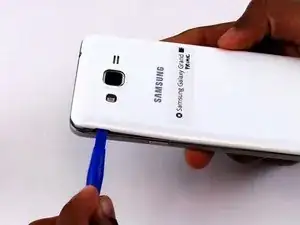
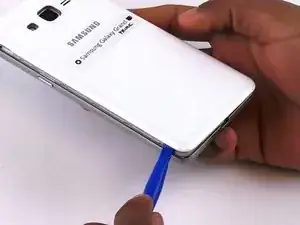
    • Retira la tapa trasera del teléfono levantando la pestaña de la tapa trasera con la herramienta de apertura de plástico azul.

    • Da la vuelta al borde de la tapa trasera para quitarla por completo.

    Thanks so much. I was getting seriously annoyed. This worked for me. However, I'll be getting another battery just in case. This helped big

    Ana -

  2. VoP44MWIaVFR5mkN
    VoP44MWIaVFR5mkN
    jbxkievERlNUqeaQ
    dOLtGXSvRZWynocF
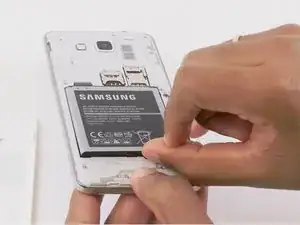
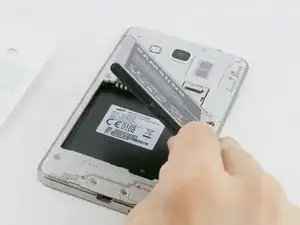
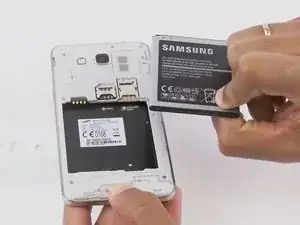
    • Retira la batería vieja levantando la lengüeta para el pulgar.

    • Limpia periódicamente los terminales de latón de la batería y el teléfono. Coloca una pequeña cantidad de ISO en un Q-tip y limpia con cuidado las conexiones.

  3. iMGBYGO6d2X6GoGQ
    iMGBYGO6d2X6GoGQ
    6QZtaHHKdSowjqO2
    TiTFaiQDYRYXlrAQ
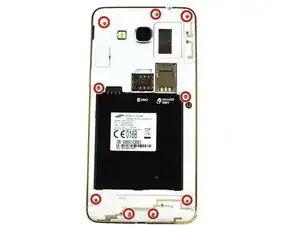
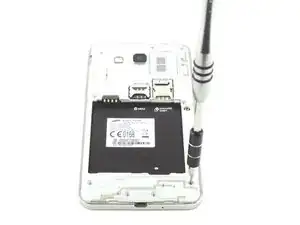
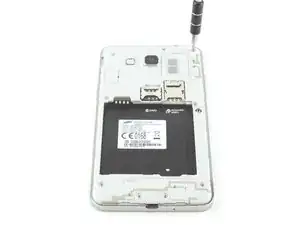
    • Retira los nueve tornillos de 4 mm del marco medio con un destornillador Phillips #000.

  4. nWgcMmZ5eMbHME6F
    nWgcMmZ5eMbHME6F
    nTcYHL1mMgYmAesL
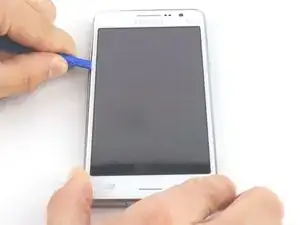
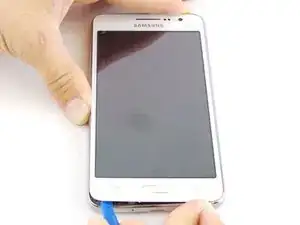
    • Coloca la herramienta de apertura de plástico azul entre el panel frontal y el lateral.

    • Mueve la herramienta de apertura de plástico azul alrededor de los bordes entre el panel frontal y el lateral.

  5. P6fUhv1o6JeSIUje
    P6fUhv1o6JeSIUje
    ELRvJZTfajuDiCl2
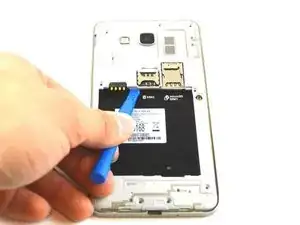
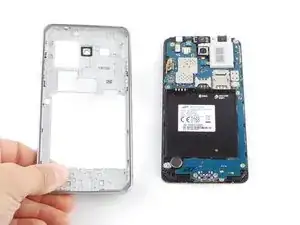
    • Asegúrate de separar el marco medio desde el interior también.

  6. KYXSqrjtEOgI5XSY
    KYXSqrjtEOgI5XSY
    wKqc1WWbZUAORKq4
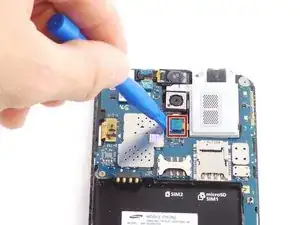
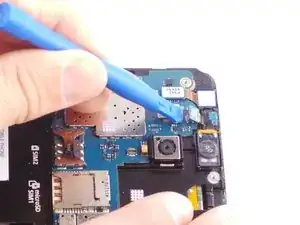
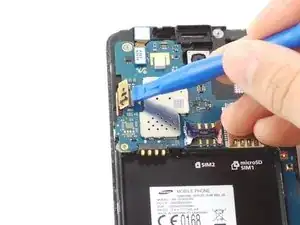
    • Desengancha el clip del cable plano con la herramienta de apertura de plástico y retira el conector de audio.

    Hello: Do i have to buy and or replace the audio jack?? If so is it connected by wires, or do i just unplug the audio jack n rreplace it with a new one????

    If i am to just put a new audio jack in, where can i buy one to put in my phone??

    Stephen Miller -

  7. RXjQZvhtTXveJRJl
    RXjQZvhtTXveJRJl
    Iv13Ve3BupukmGYO
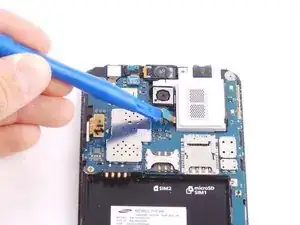
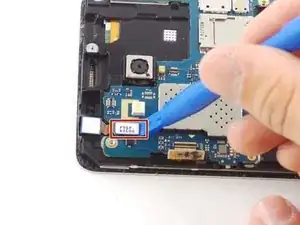
    • Utiliza la herramienta de apertura de plástico para desenganchar el clip del cable plano.

  8. I2dwSVJRvFZpY26U
    I2dwSVJRvFZpY26U
    CmYNM31TZHCBxXyE
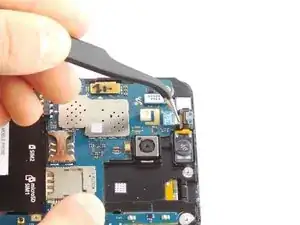
    • Tira suavemente del conector con las pinzas hasta que se desprenda el altavoz.

  9. vxSTlTY3fnobPnyB
    vxSTlTY3fnobPnyB
    LunSCgrAinKwOhea
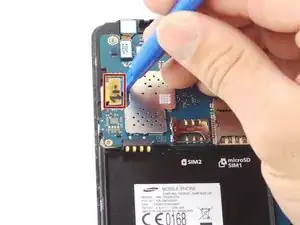
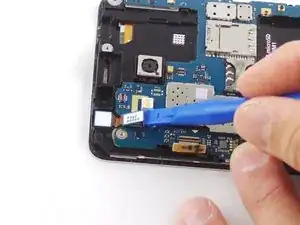
    • Desengancha el otro clip del cable plano de la pantalla con la herramienta de apertura de plástico azul.

  10. HVcFinph6BCbJtmT
    HVcFinph6BCbJtmT
    pfQVQy6eZPmeNAlj
    6J6cm3BTCyOZQDEk
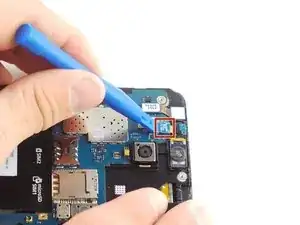
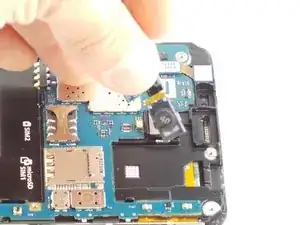
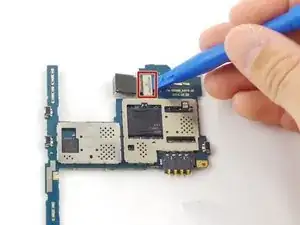
    • Desengancha el clip del cable plano de la cámara frontal.

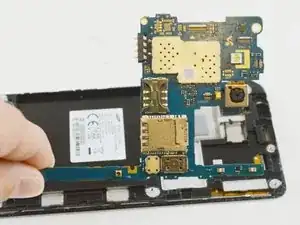
    • Levanta la placa base hacia arriba y hacia afuera del dispositivo.

  11. J4n2jCyHMbhKuCZI
    J4n2jCyHMbhKuCZI
    kpARPdSPTryY6oMD
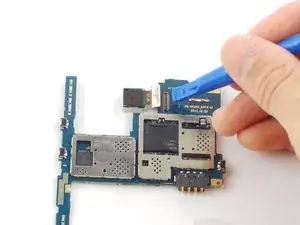
    • Retira la placa base y desengancha el clip del cable plano de la cámara trasera.

    Sir delivery hoga or price kitnaa

    Kundan Rana -

  12. jGMN25LqYEalKhMC
    jGMN25LqYEalKhMC
    cYp1OEHXWmsfpvPB
    c2dHuoqYRCPMjooZ
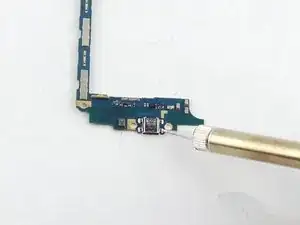
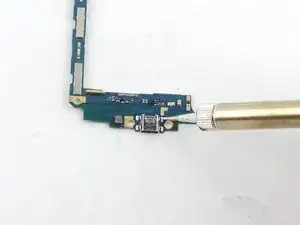
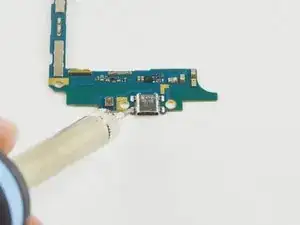
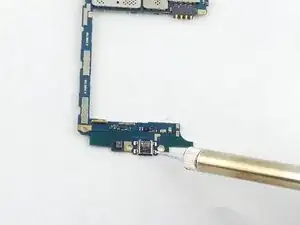
    • Usando un soldador para soldar el puerto de carga.

    • Ten cuidado, el soldador se calienta mucho.

    Is there any special type of soldering tool I need like a heat gun or can we just use the one shown in the picture?

    Osaac orti -

    I dont't understand what you are supposed to do after removing the USB port. Where do you get a new one to replace it with?

    Ed Langer -

    On the “tools needed” part it says nothing about needing a soldering iron and it says you don't need a new part??? Is this because sometimes the solder points break and you just have to hear hem to reattach I am super confused here.

    Can you buy a whole new part with the charge port already soldered so you can just screw it in that would make sense with the tool list provides but not the part list provided and if you don't need a new part then you woulf for sure need a soldering tool of some kind so the parts list would be right but the tool list wrong it cannot be both.

    Thomas Evans -

    Classic iFixit guide that ends at the halfway point assuming you can figure out the rest from there.

    You will need to get a replacement micro usb port from eBay or digikey or the like and solder that back on. You will need a very very fine point soldering iron tip and a careful hand.

    martin8777 -

Conclusión

Para volver a armar tu dispositivo, sigue estas instrucciones en orden inverso.

Kyle Ruff

Miembro Desde 04/02/16

6521 Reputación

0 comentarios