Introducción
Utiliza esta guía para reemplazar el disco duro de tu PlayStation 3.
Herramientas


Partes
-
-
En un ordenador con Windows, OS X o Linux, dale formato a un disco duro externo USB a un sistema de archivos FAT32. Asegúrate de que el disco que quieres utilizar tiene suficiente espacio disponible para realizar la copia de seguridad de tus datos.
-
Conecta tu disco duro formateado a la PS3 a través de un puerto USB y enciende la consola.
-
Navega a través de la interfaz de la PS3 (XMB) y ve al menú de "ajustes" y luego selecciona "Ajustes de sistema".
-
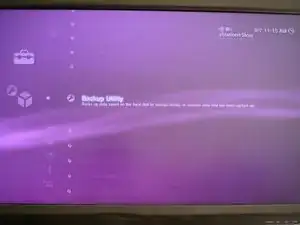
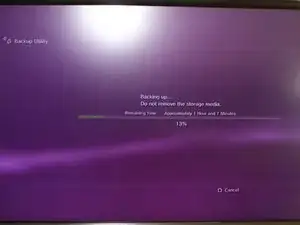
Selecciona "Utilidad de copias de seguridad" para crear una copia de seguridad de tus datos. Ten en cuenta que esto puede tardar hasta 2 horas si tienes muchos datos en tu PS3.
-
-
-
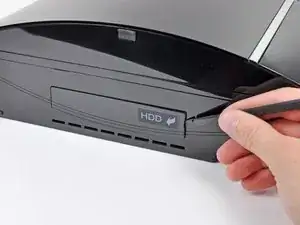
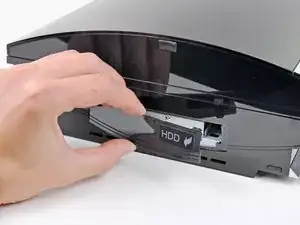
Utiliza la punta plana de un spudger para hacer palanca en la tapa del disco duro que se encuentra en la parte inferior de la carcasa.
-
Quita la tapa del disco duro de tu PS3.
-
-
-
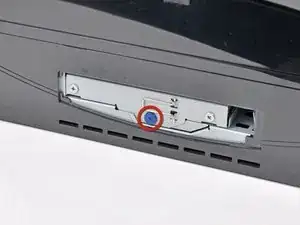
Quita el tornillo de 8 mm Phillips de color azul que sujeta la caja del disco duro al chasis.
-
-
-
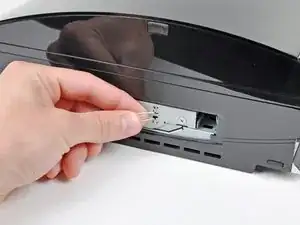
Agarra y tira de la pestaña hacia la parte frontal de la PS3.
-
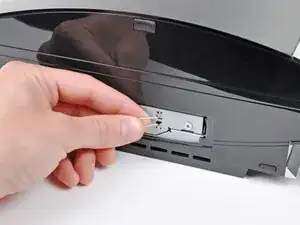
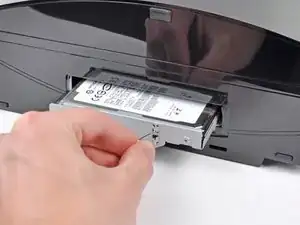
Tira del conjunto del disco duro para sacarlo de tu PS3.
-
-
-
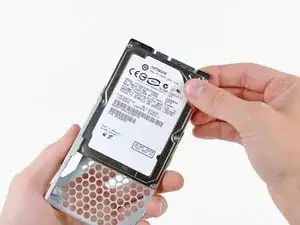
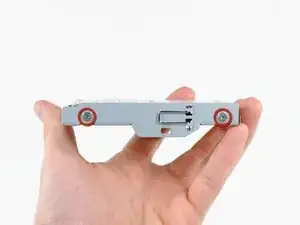
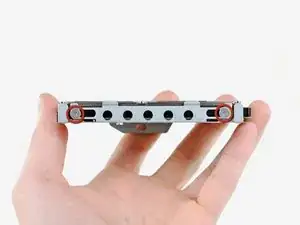
Quita los cuatro tornillos Phillips de 4.3 mm que sujetan la caja del disco duro al disco duro.
-
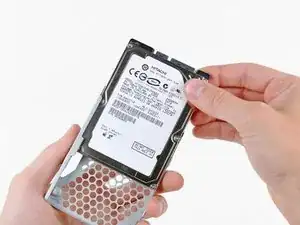
Para volver a ensamblar tu dispositivo, sigue estas instrucciones en orden inverso.

16 comentarios
Hi there!
Thank you for this (and all the other) guide!
My Hard Drive Slot looks a little bit different.
You have to spudge away the door from the left side and after removing the Blue Screw you can easily pull out the harddrive and you don't have to slide the tray to the side and out afterwards.
Maybe worth a note that there are several versions around..
Jay Ho -
My problem is my ps3 don't play disc
How is this in any way related to a HDD replacement guide?
Nice explenatory guide!
Hi everyone !
As many users I suppose, my PS3's HDD is full, and I tried to change it for a bigger one.
But I'm stuck at the first step :
I've formated an external HDD in FAT32, plugged it in the usb port then turn on the PS3. The HDD lights up, I select the good menu, the PS3 asks me if I want to do it, 'YES', warn me that my XP and trophies won't be saved in this backup, 'YES', then the menu asks me to plug a HDD ...
I've tried to plug in the both usb ports when the PS3 is off, when it's on, formated my external HDD 3 times in FAT32, fast way and long way (when the HDD is re-written with 0) , and nothing changed...
The external HDD works, is new, is bigger than my internal HDD... it's a WD, My Passport Ultra 500 Go...
Any idea what's wrong ?
Thanks for the help !
BNJ -
Hi !
I've found the solution : the external HDD wasn't good for this operation, because it's an USB 3, so I suppose that the PS3 doesn't deliver enough power to run it correctly. It's works fine with a external USB 2.
I'll write later the complete 'arborescence' (or 'tree diagram' ? don't know the correct word to use) who is written in my HDD, it could help someone else.
And after all this, when you want to restore your backup datas on your new internal HDD, I advise you to copy the last PS3 system software (downladed here http://us.playstation.com/support/system...) in a single USB key, it was easier for my PS3 to find and read it.
See you later !
BNJ -
FYI: Using the default Disk Management application, Windows can only make FAT32 partitions up to 32GB in size. If you have more data than that to backup you'll have to use third party software like: http://ridgecrop.co.uk/index.htm?guiform...
That will allow you to make a partition/drive up to 2TB which is the FAT32 maximum.
Patrick Hoffer -