Introducción
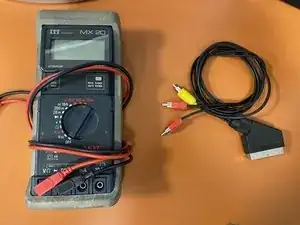
If you need to connect a device with a Scart output to another with a 3 -pin RCA inlet, this adapter cable is essential. However, as with any cable, it is important to ensure that it is working properly to avoid any problems with connectivity or image quality.
In this guide, we will show you how to test the continuity of your cable step by step so that you can make sure your Scart to 3 pin RCA works perfectly.
-
-
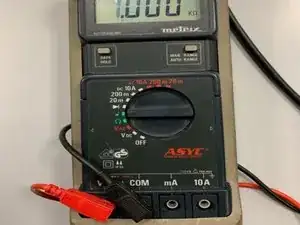
Connect the black wire to the COM terminal of the multimeter and the red wire to the V Ω terminal corresponding to the Voltage (V), the resistance (Ω).
-
-
-
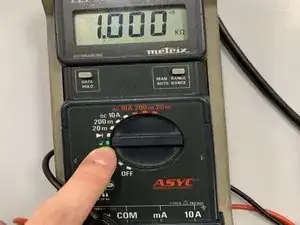
Set the multimeter to the sound symbol signifying the continuity test and you should see a sound symbol appear on the screen
-
-
-
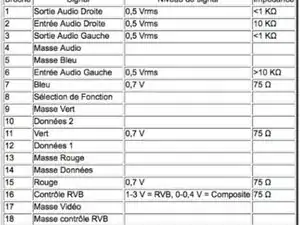
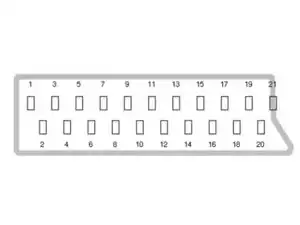
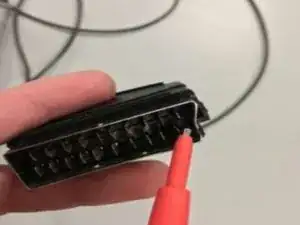
Using the table, locate which signal corresponds to each pin then place the red terminal on the chosen pin on the socket then place the black terminal on the pins of each RCA plug simultaneously
-
-
-
1. Multimeter rings = pin chosen by the two terminals matched
-
2. Multimeter does not ring = change the terminal on the scart plug and if none rings then the cable is damaged
-
You can now know which pins correspond to which signal
-
To reassemble your device, follow the instructions in reverse order.