Introducción
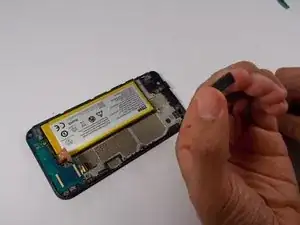
The earpiece speaker is used for all aspects involving sound from the phone
Herramientas


-
-
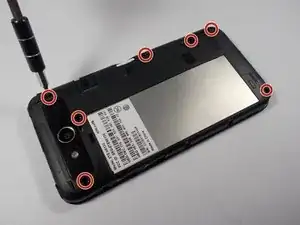
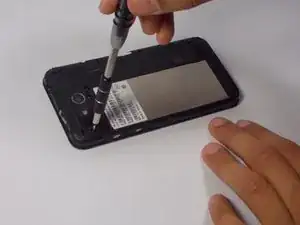
Remove the seven 3.175mm Phillips head screws from the inner back located at the top, upper-middle-right, middle-right, lower-right, and bottom.
-
-
-
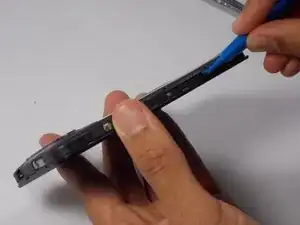
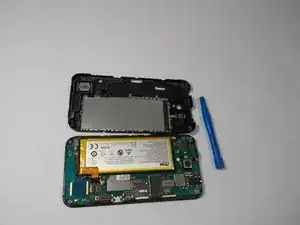
With the plastic opening tool the spudger, gently pry off the inner back.
-
Be careful not to pry it off too hard, as it is just a plastic covering.
-
-
-
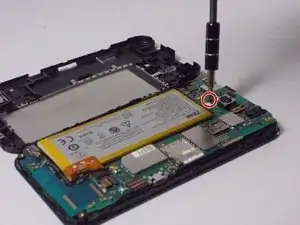
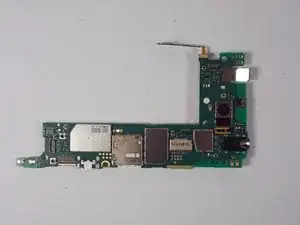
Remove the one 2.381mm Phillips head screw from the motherboard located in the upper-middle part of the phone next to the bottom left corner of the back camera.
-
-
-
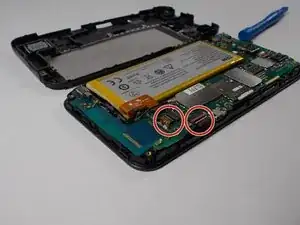
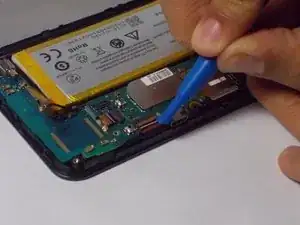
Using the spudger, gently pry up all ZIF connectors
-
ZIF connectors have a tiny tab that needs to be flipped up in order to safely remove the cable
-
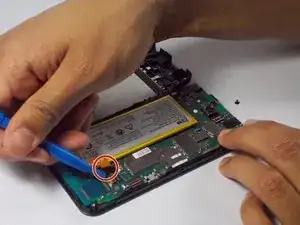
Using same spudger, gently pry up the orange flat top connector
-
-
-
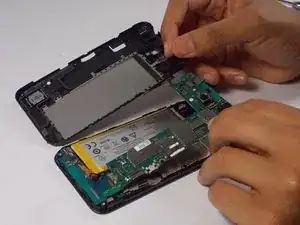
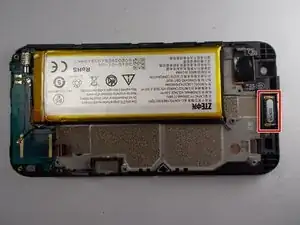
The earpiece speaker is located at the top-middle of the phone.
-
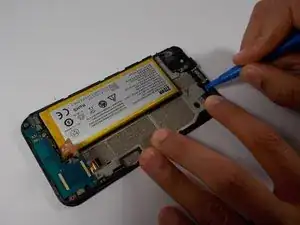
Using the plastic opening tool, carefully press into side of earpiece speaker and push up.
-
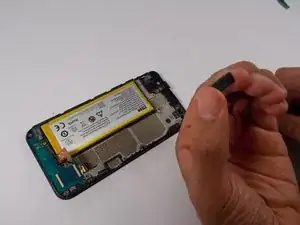
You will then be able to grab the speaker with your figers and remove it.
-
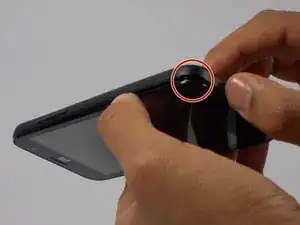
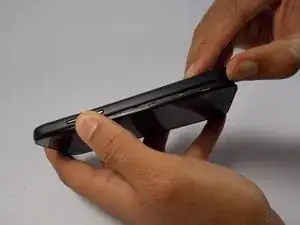
To reassemble your device, follow these instructions in reverse order.