Introducción
Easily swap out your laptop's battery.
Herramientas

Partes
-
-
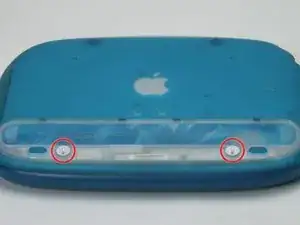
Use a coin to turn both battery locking screws 90 degrees to the left.
-
Remove the battery cover.
-
Remove the battery from the computer by pulling up on the plastic tab.
-
Conclusión
To reassemble your device, follow these instructions in reverse order.